 USA
 UK
 Canada
 Australia
IELTS
Everything for your IELTS, in one place
EEC's IELTS software. Practise on a screen like the real computer test, get an AI band score, and see what to fix next.
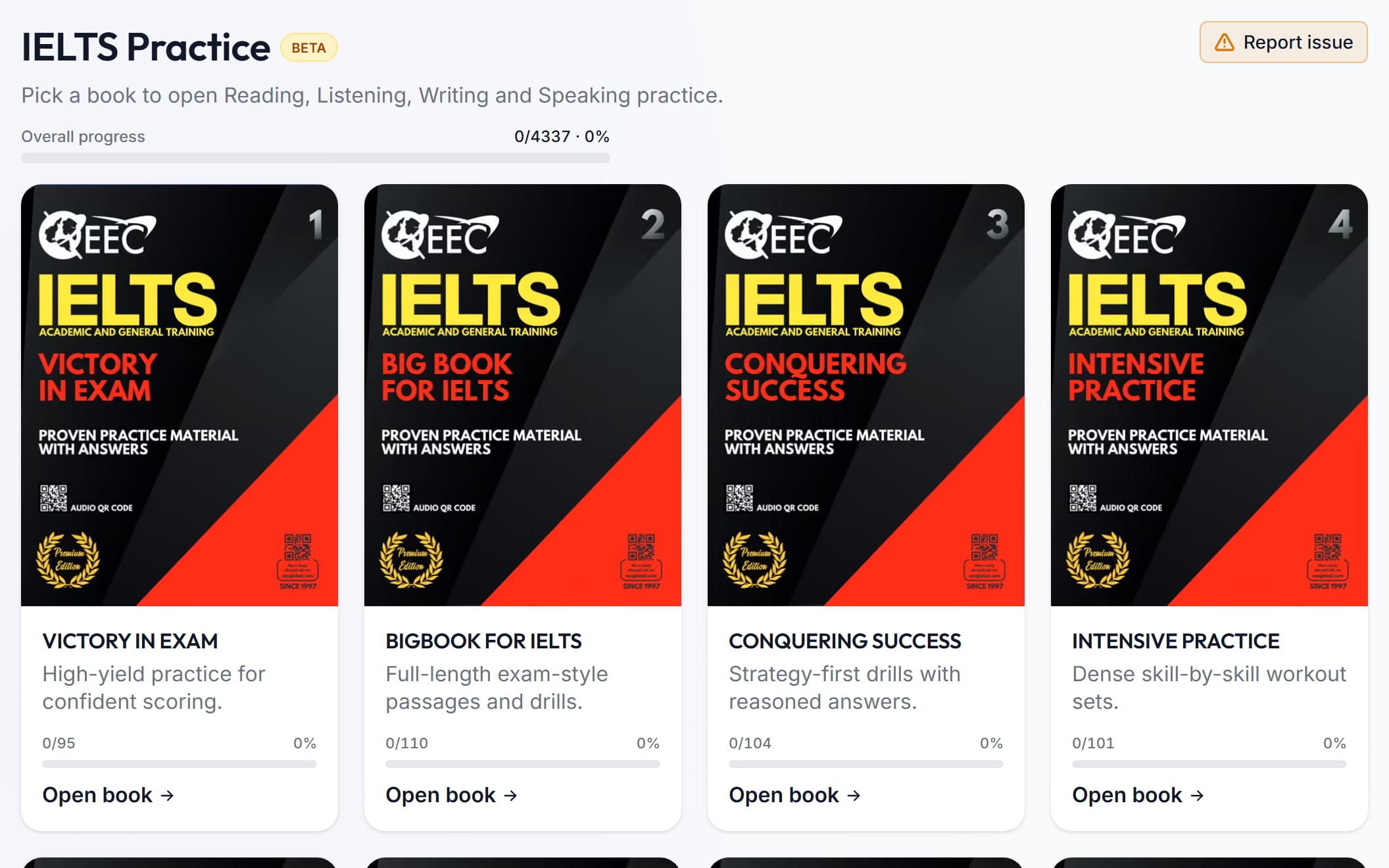
- 1,616 practice sets for all 4 skills
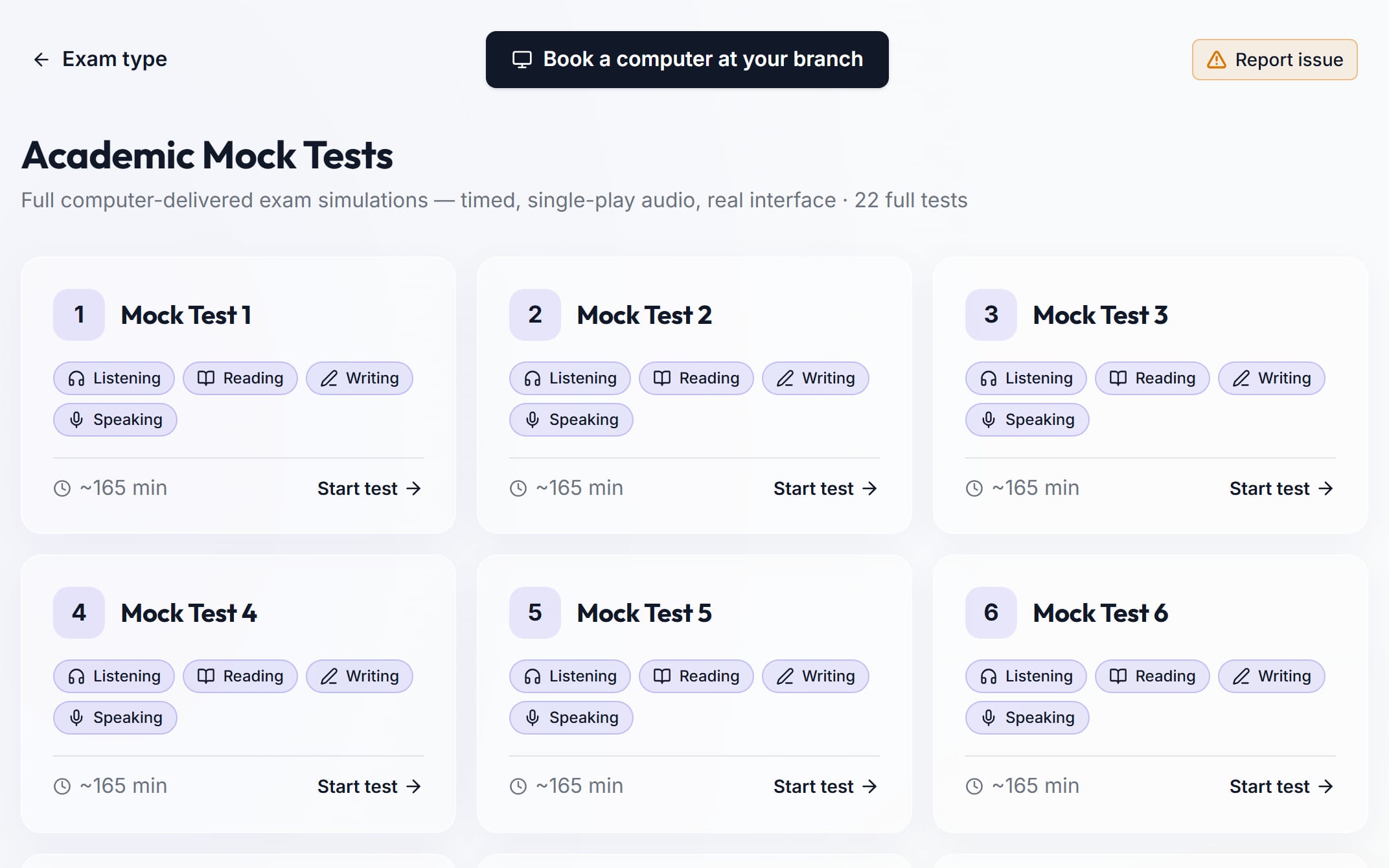
- 44 full mock tests, Academic and General Training
- 147 real past papers
- AI band scores for Writing and Speaking
- Speaking marked from your voice
- Ask Teacher: an AI tutor for Reading and Listening
- Help in 42 languages
- Upload a photo of your handwritten essay
- Your rank, weak areas and progress on one dashboard
How IELTS practice works
A short video tour.
How it works
- 1
Practise
Pick a book or one question type.
- 2
Get feedback
AI marks your Writing and Speaking.
- 3
Test yourself
Take a full mock test and see your band.
About our IELTS software
Built by EEC for IELTS students. It looks like the real computer test, marks your work with AI, and shows you what to fix next.
Like the real test
Mock tests look like computer IELTS, with a timer on every part.
AI band scores
Writing and Speaking get a band for each IELTS criterion, and an overall band.
Marks your voice
Speaking is marked from your recording, not only the words.
Ask Teacher
An AI tutor that explains the passage and why an answer is right.
42 languages
Translate practice, templates and reports into Hindi, Gujarati, Punjabi and more.
Handwriting upload
Wrote on paper? Upload photos. The words go into your answer box.
PDF reports
Download Writing, Speaking and mock reports as a PDF, or share them from your phone.
Fix this first
Your dashboard shows your weakest Reading and Listening question types.
Your rank
After a full mock, see your rank in your branch and in all branches.
Book a computer
Sit a mock test on a computer at any EEC branch.
Bookmarks
Bookmark any card in a practice book. Your bookmarks follow you to every device.
Phone and dark mode
Practise on your phone or computer, in light or dark mode.
On Computer Practice
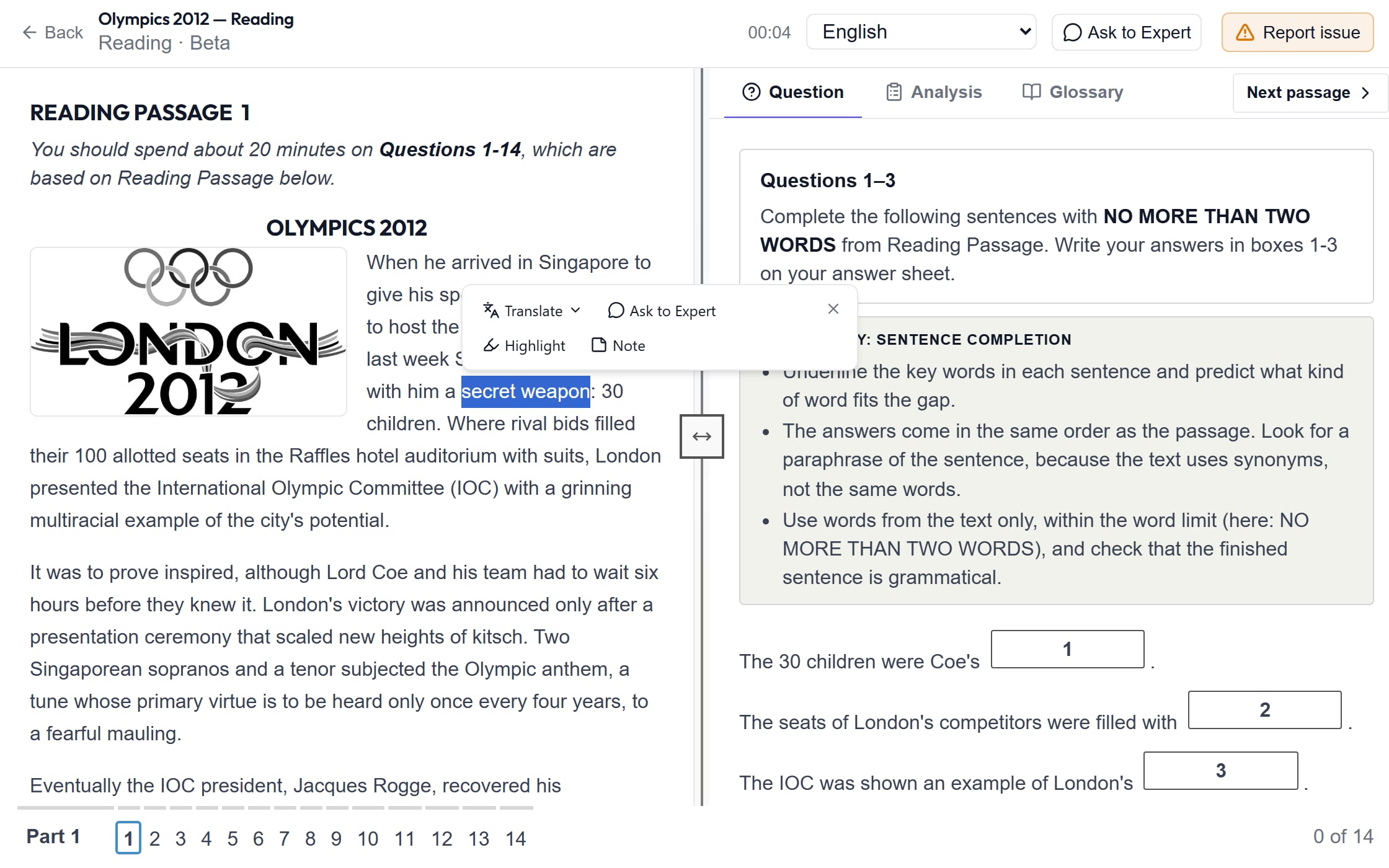
Practise on a screen like the real test.
- Practice sets
- 1,616
- Practice sets
- Books
- 14
- Books
- Skills
- 4
- Skills
- Listening, Reading, Writing and Speaking
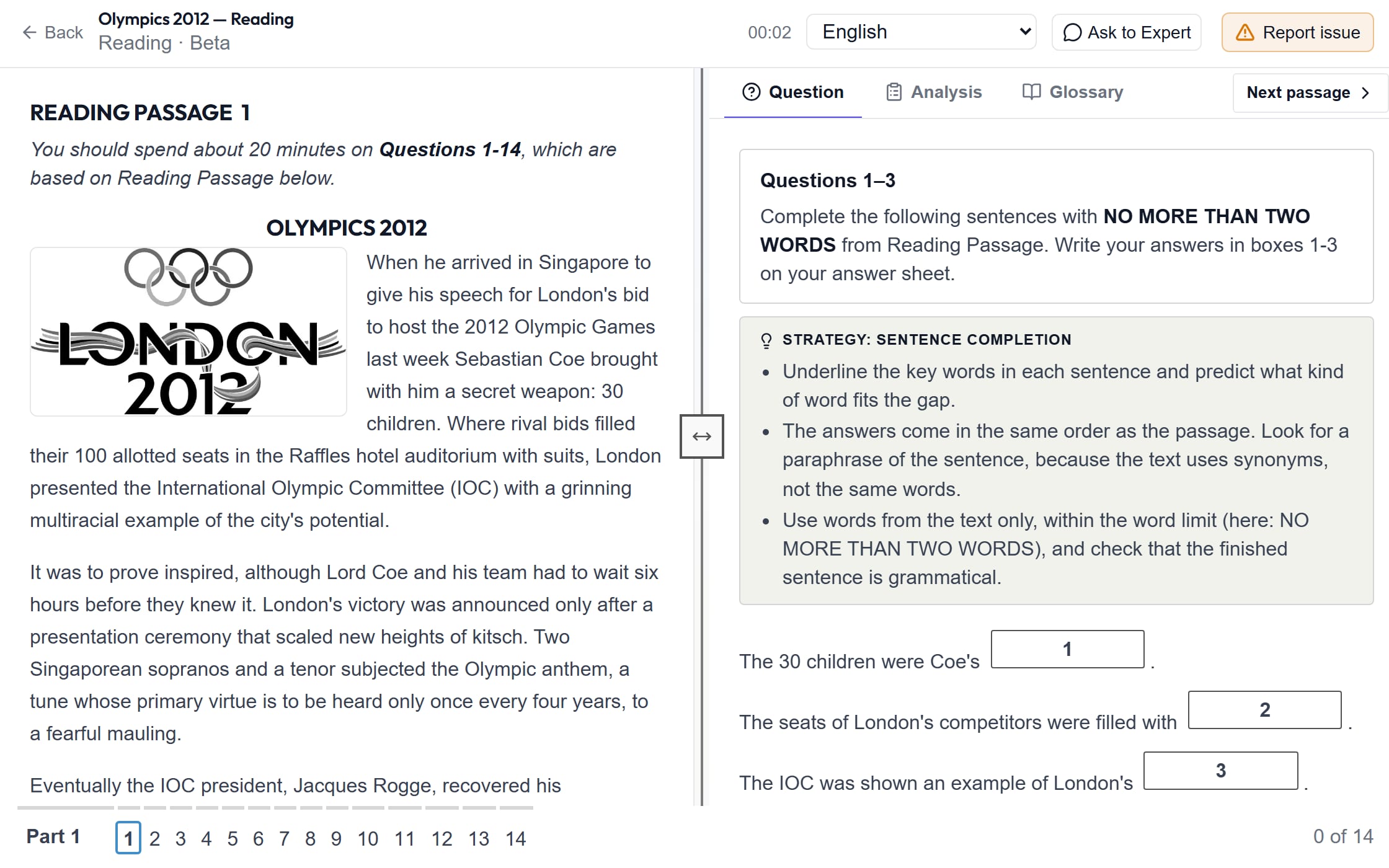
- A progress bar on every book
- A strategy tip for each Reading and Listening question type
Help While You Practise
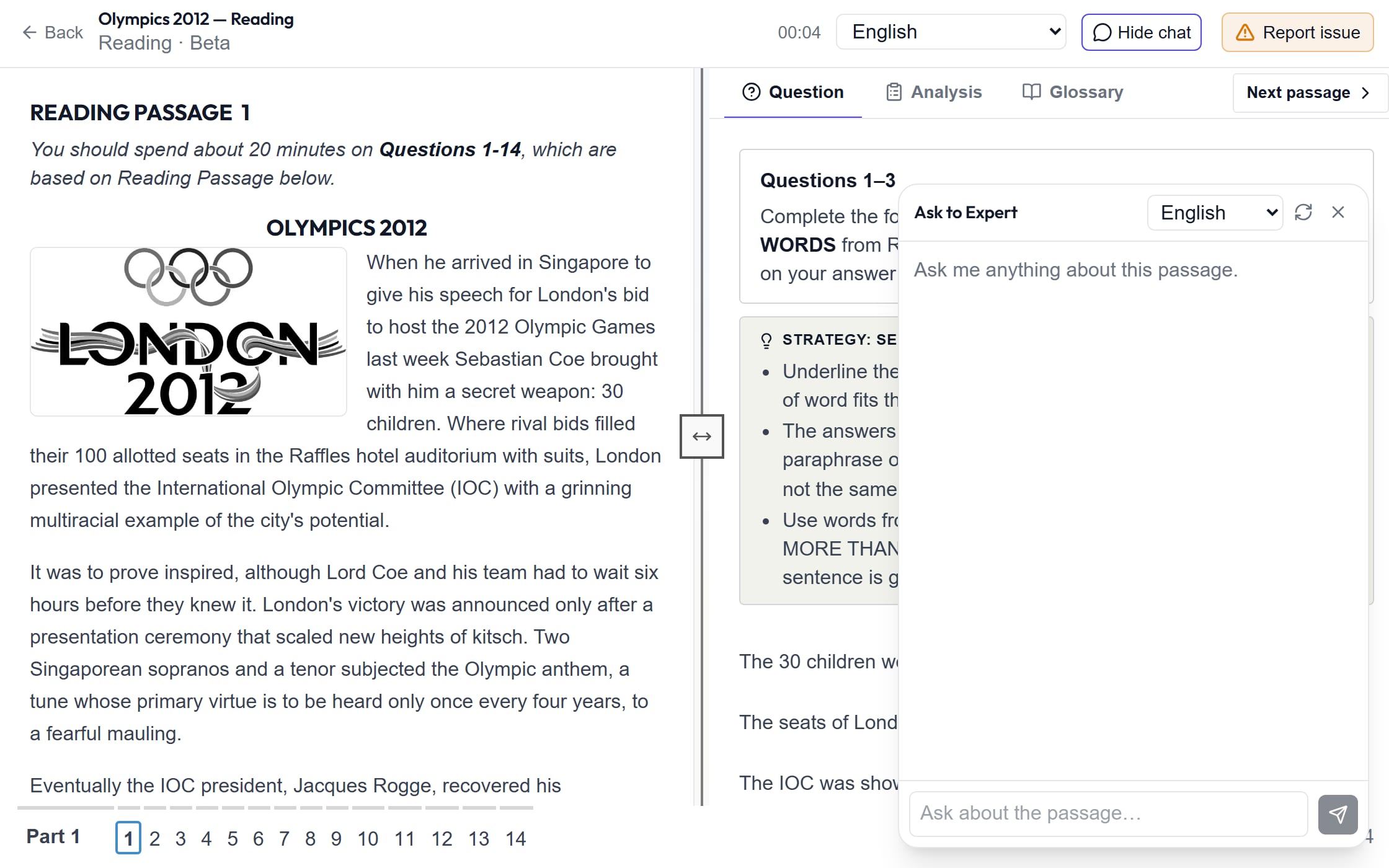
Stuck? Get help without leaving the question.
- Ask Teacher: an AI tutor for Reading and Listening
- After you check, tap “Ask Teacher” to see why an answer is right
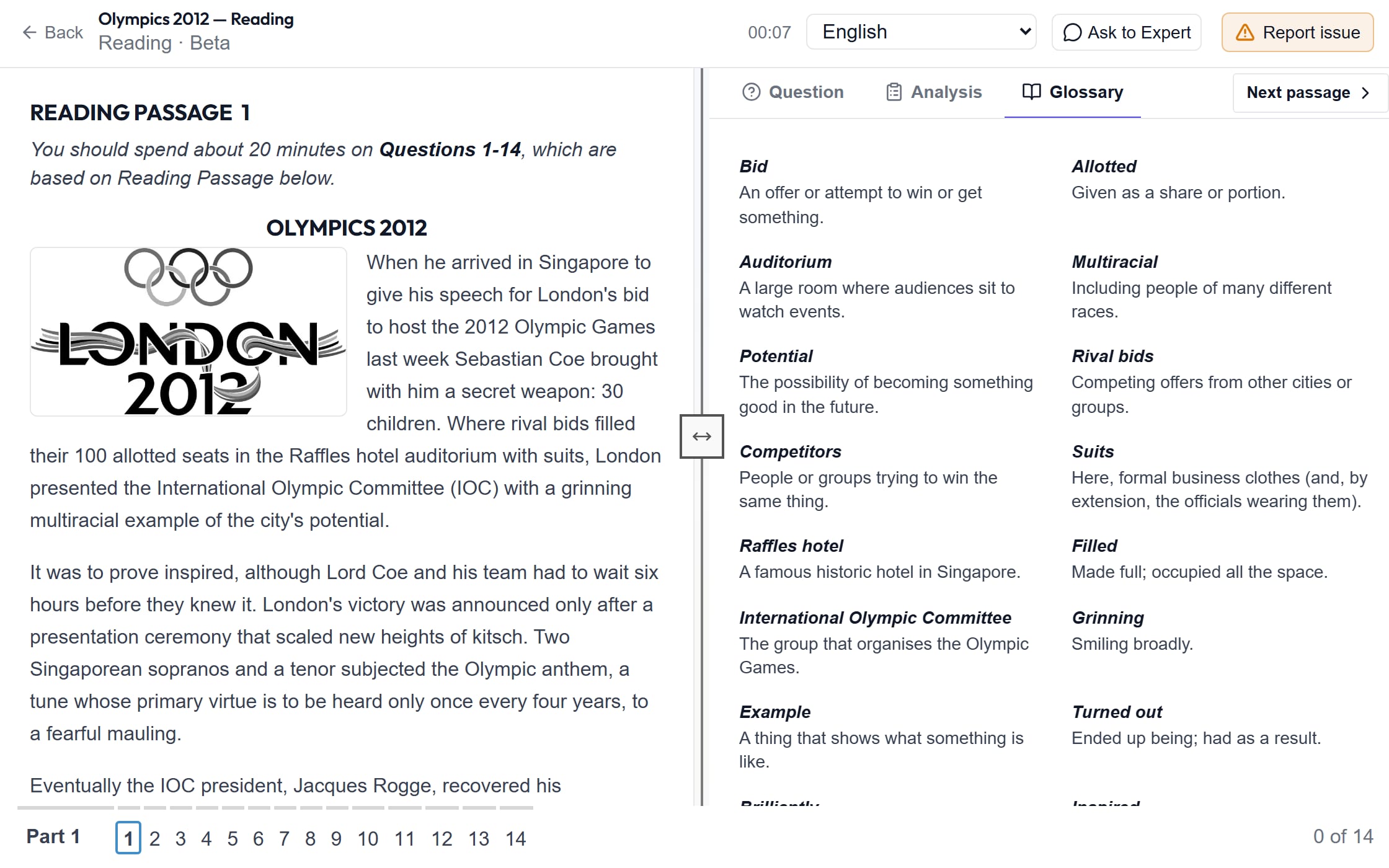
- A glossary of hard words in many Reading passages
Learn in Your Language
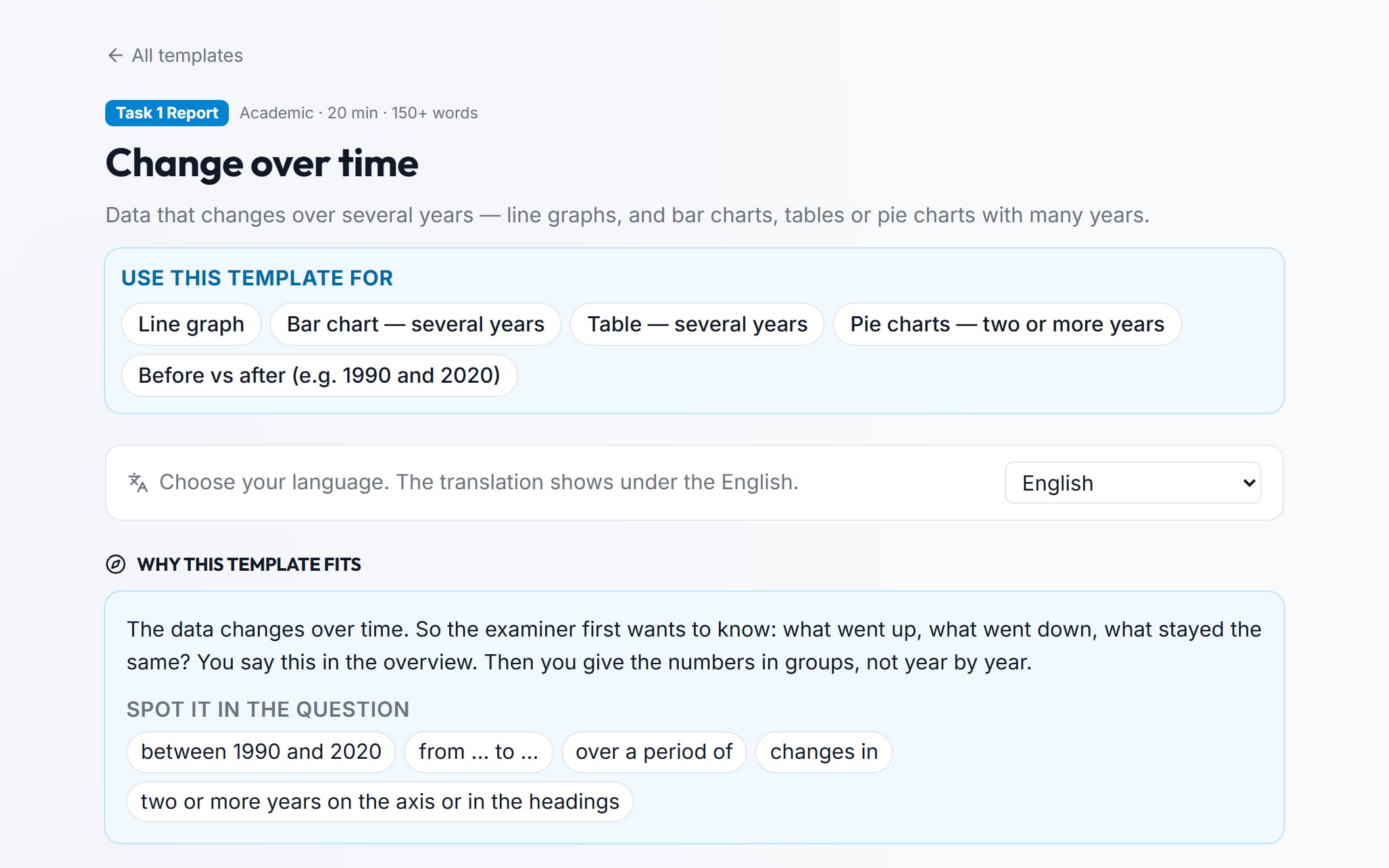
Read the English. See it in your language too.
- Languages
- 42
- Languages
- Hindi, Gujarati, Punjabi, Tamil, Arabic and more
- In Reading, select words to translate them or see the meaning
- Works in practice, templates and your reports
Question Type Practice
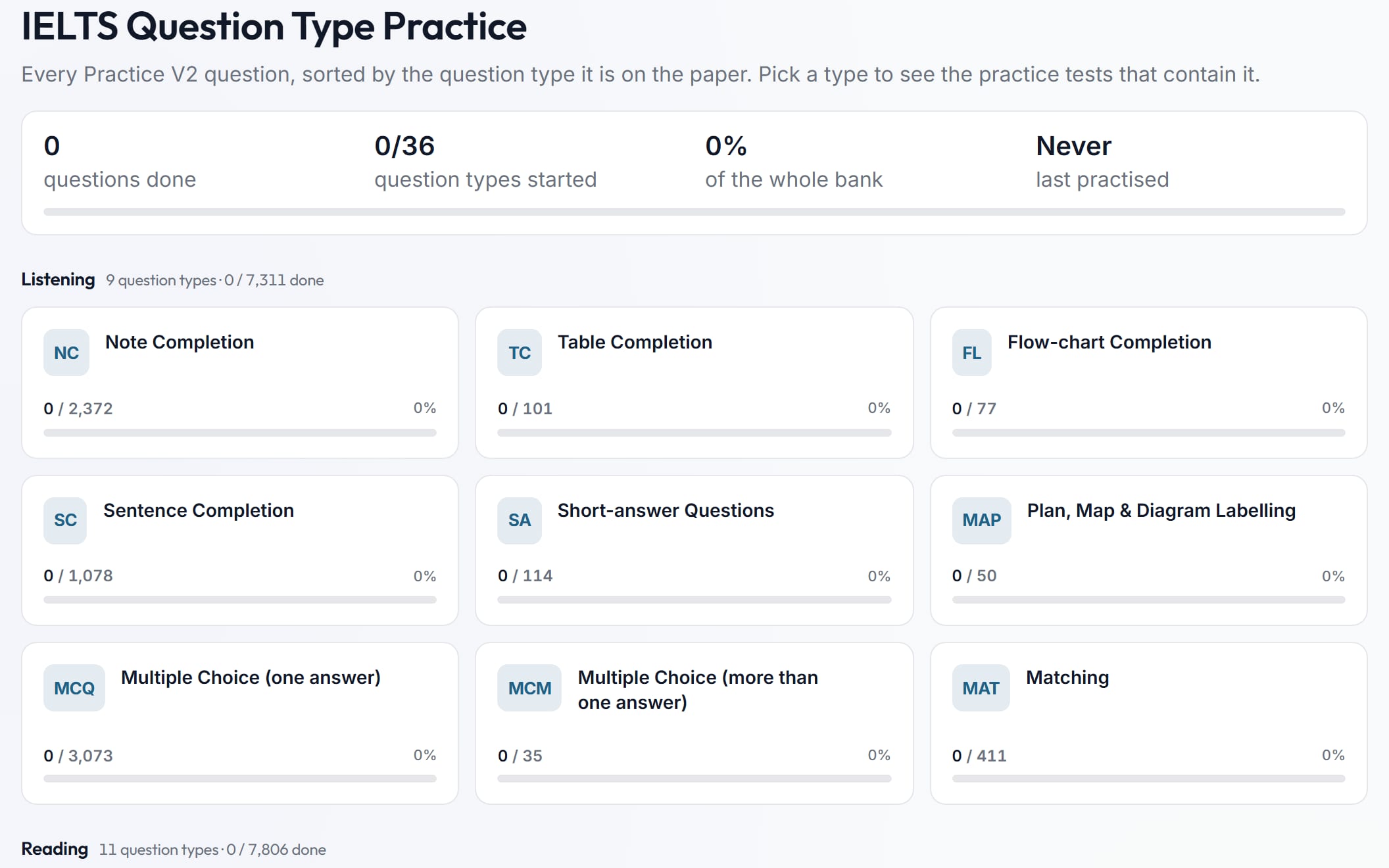
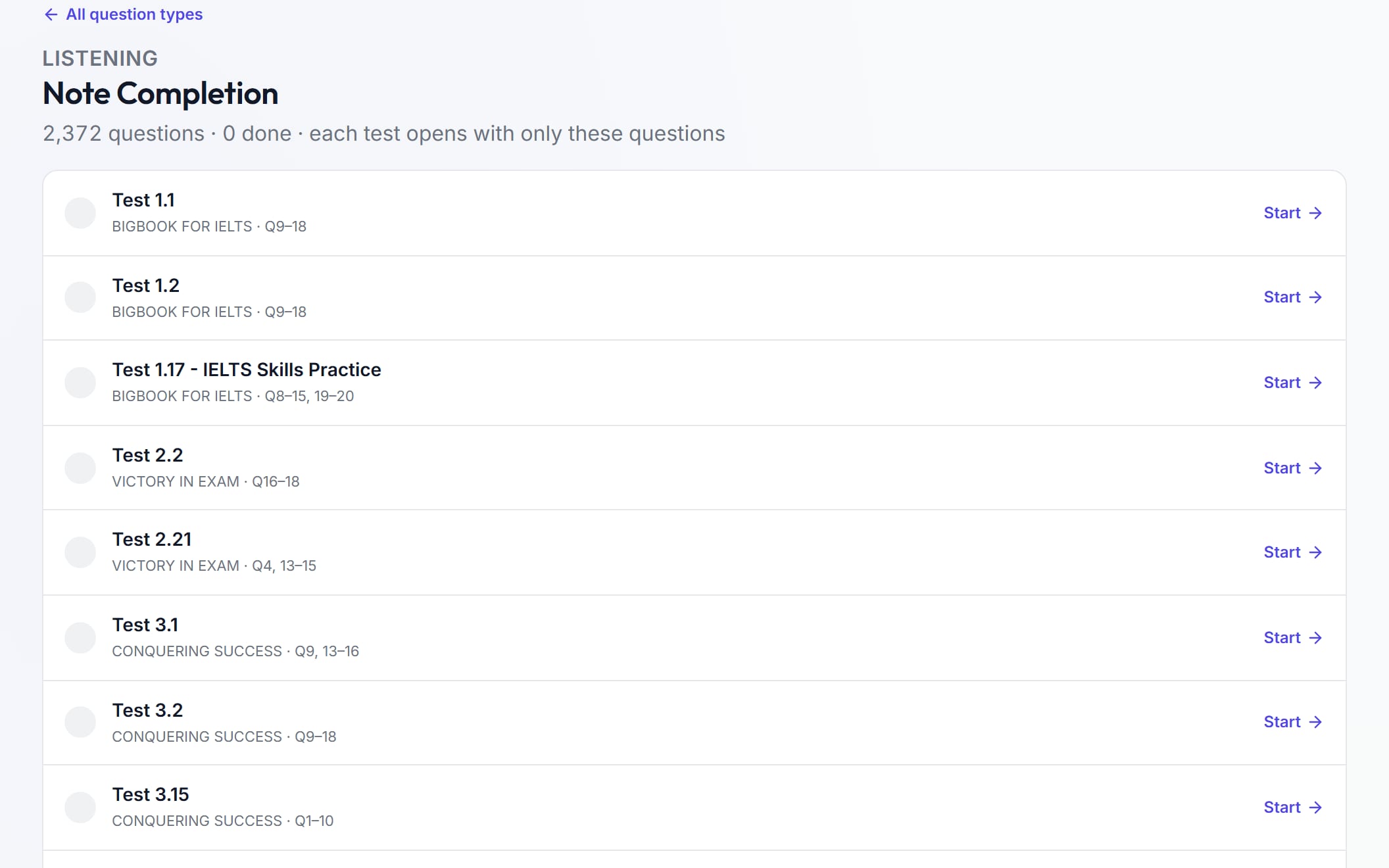
Practise one question type at a time.
- Question types
- 36
- Question types
- Questions
- 19,550
- Questions
- Pick your weak type and practise only that
- See how many you have done in each type
Mock Tests
Take a full test. Get your band score.
- Mock tests
- 44
- Mock tests
- Real past papers
- 147
- Real past papers
- Skills in each mock
- 4
- Skills in each mock
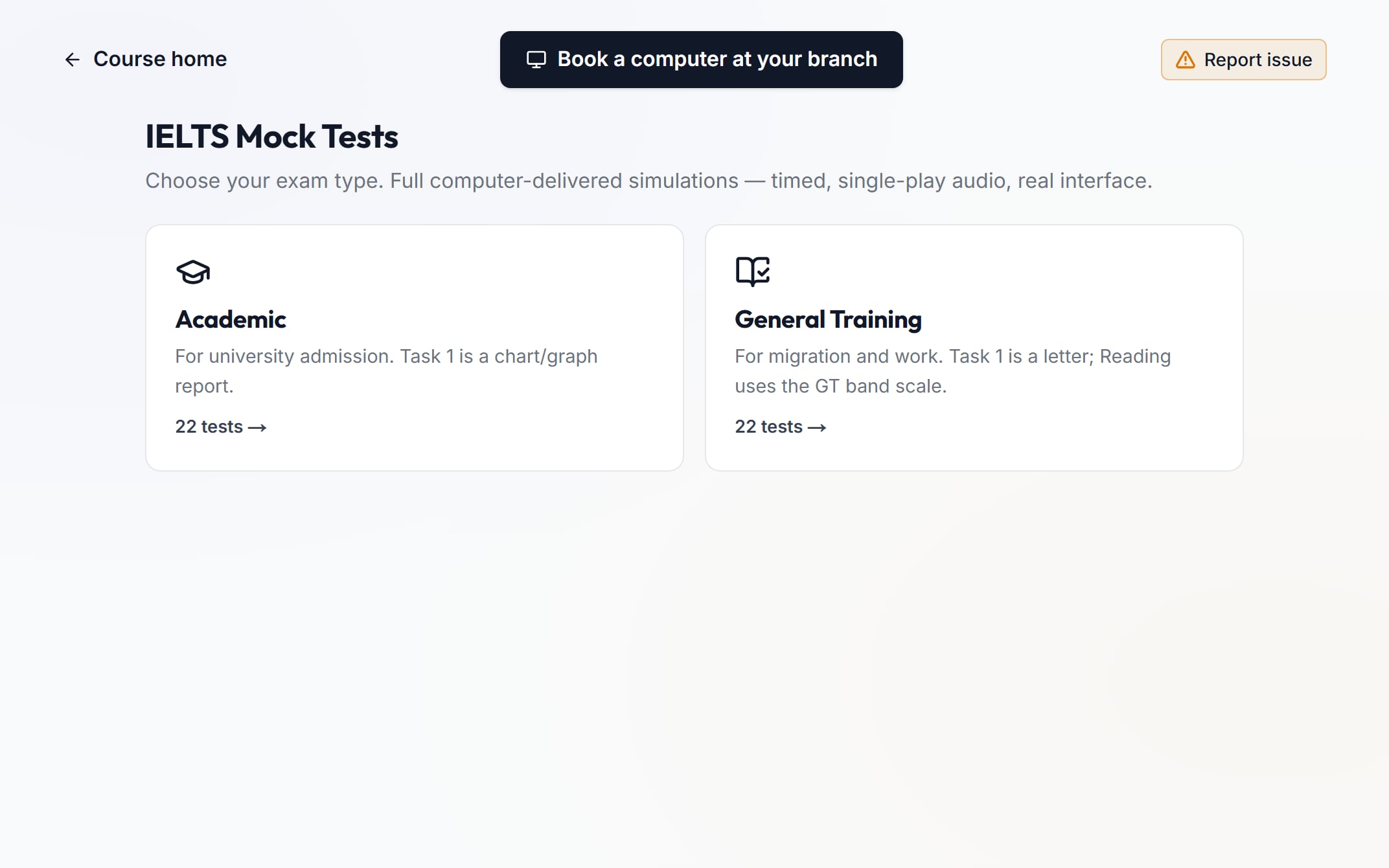
- Academic and General Training
- A timer on every part. Highlight and notes in Listening, Reading and Writing
- Listening plays once, like the real test
- Book a computer at any EEC branch
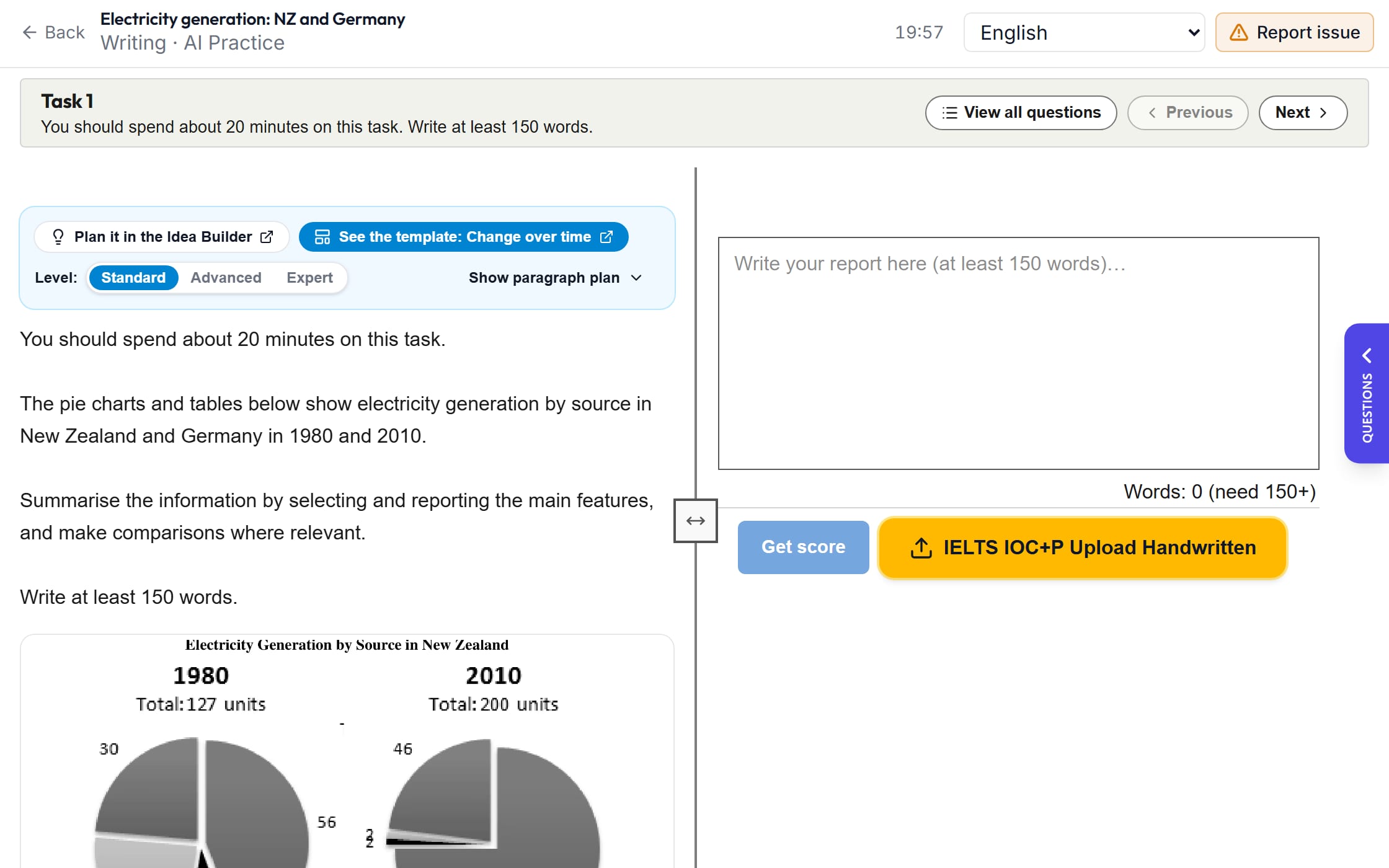
AI Bot
Write or speak. Get your band score.
- Writing Task 1, Task 2 and letters
- Speaking cue cards
- Wrote on paper? Upload photos of your answer
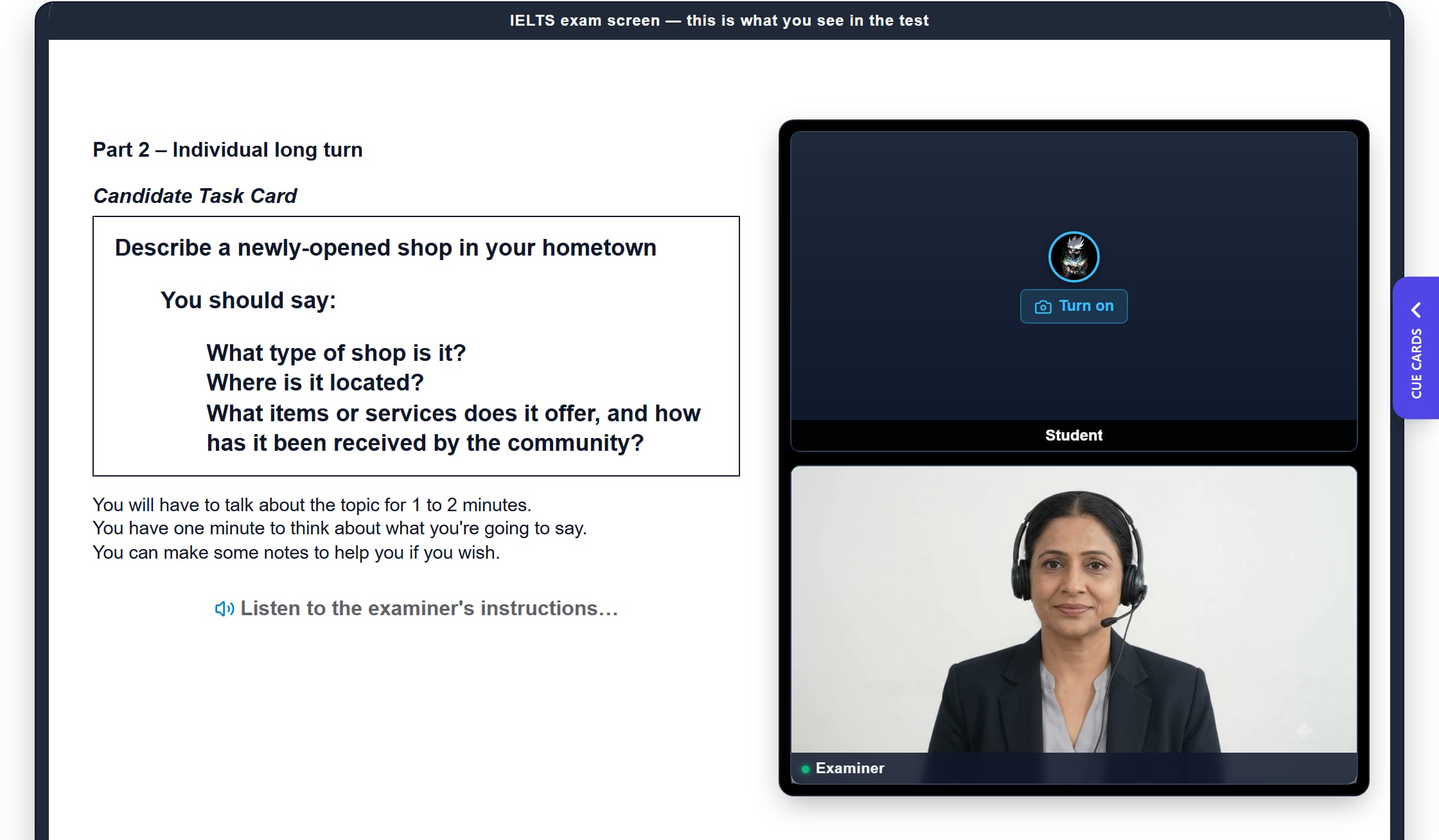
Speaking Practice
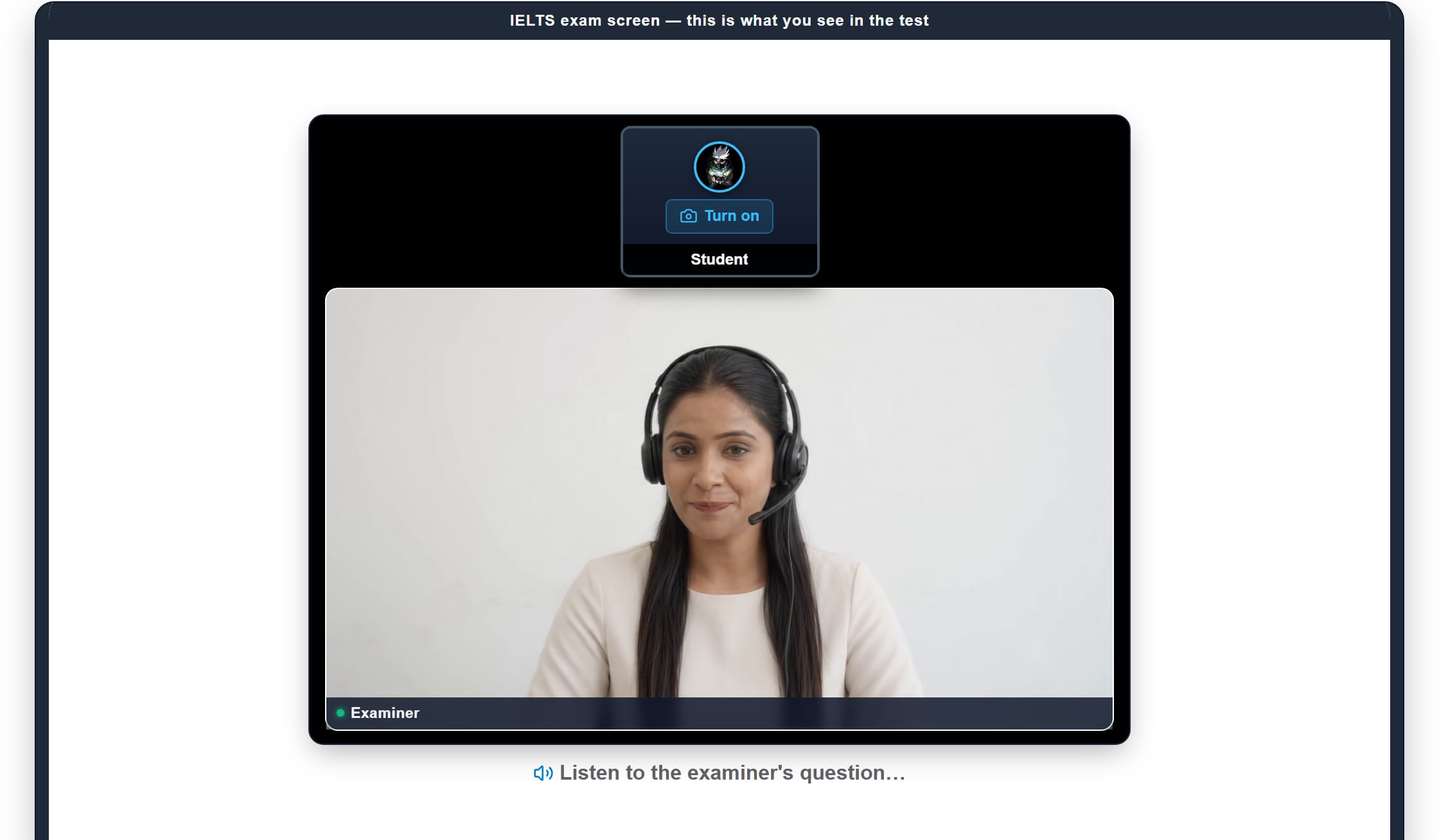
Answer an examiner on screen, out loud.
- The examiner reads the questions out loud
- Your answer is marked from your voice, not only the words
- See which words were unclear, and hear how to say them
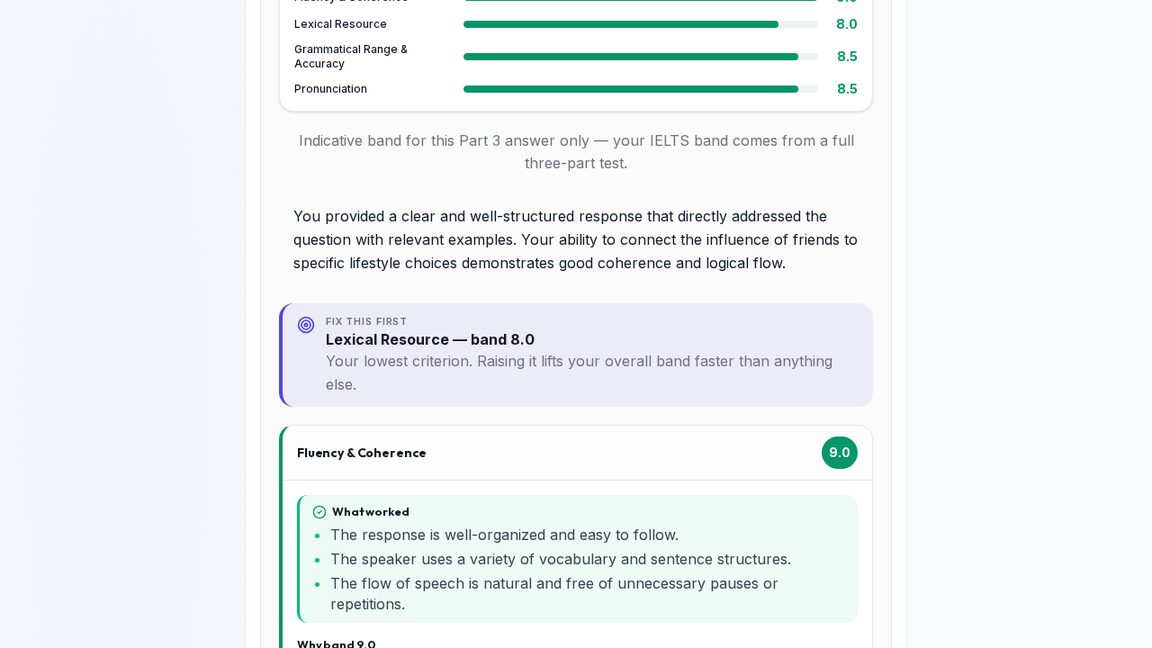
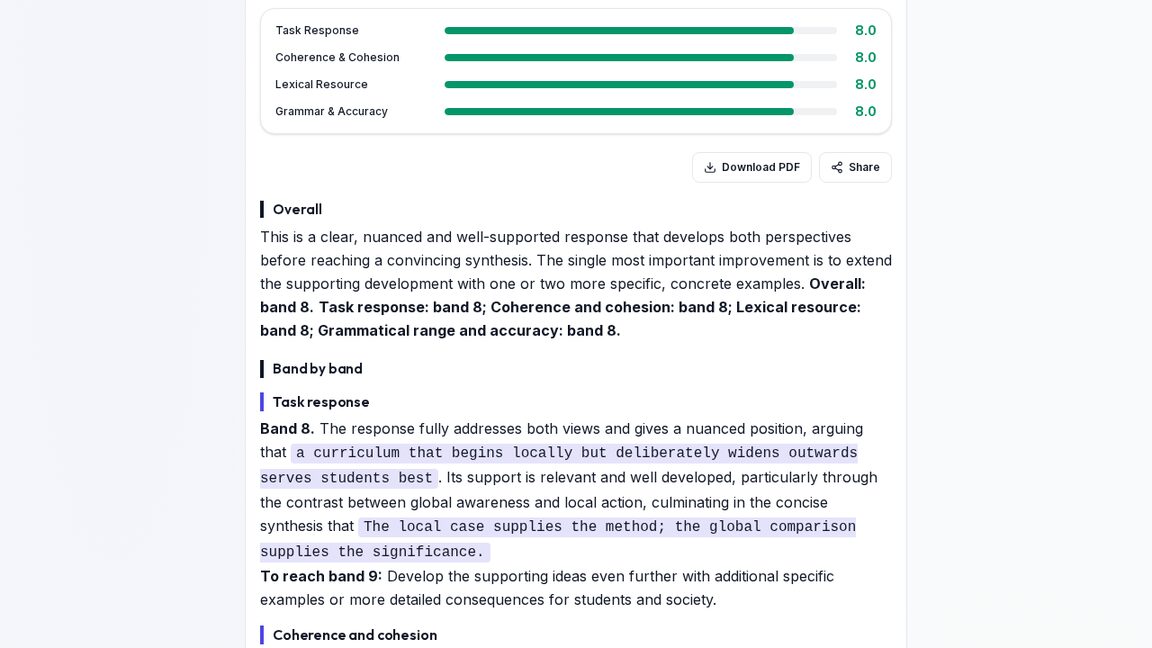
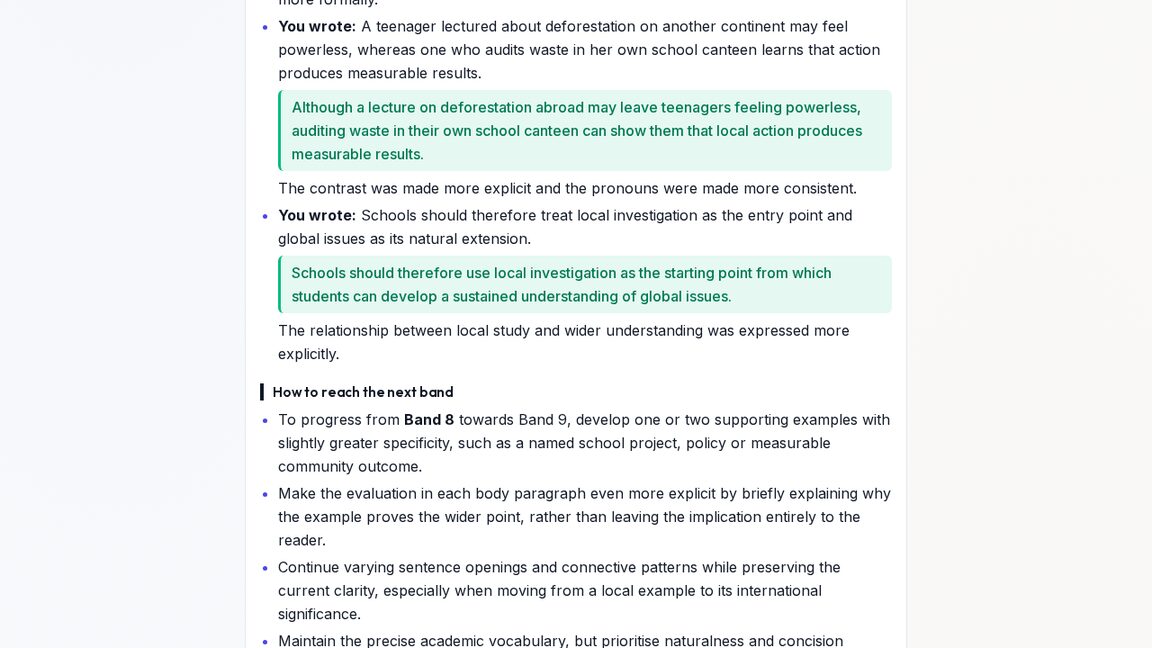
Your AI Report
Know exactly what to fix.
- A band for each criterion, and how to reach the next band
- Your grammar mistakes, with the fix
- Better sentences and words for your topic
- Download as PDF, or share from your phone
Your Dashboard
Your day in IELTS, on one screen.
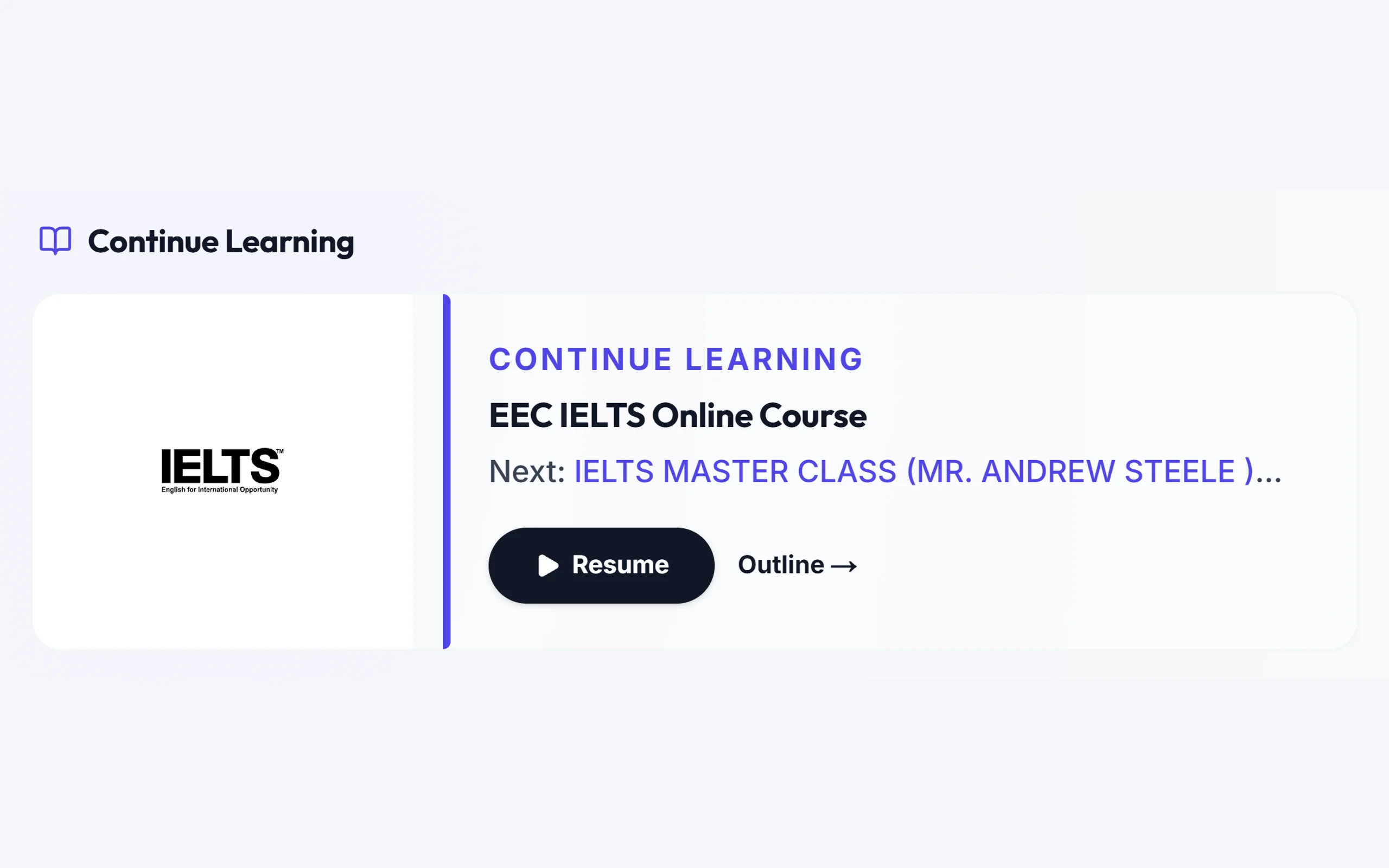
- Continue your last lesson where you stopped
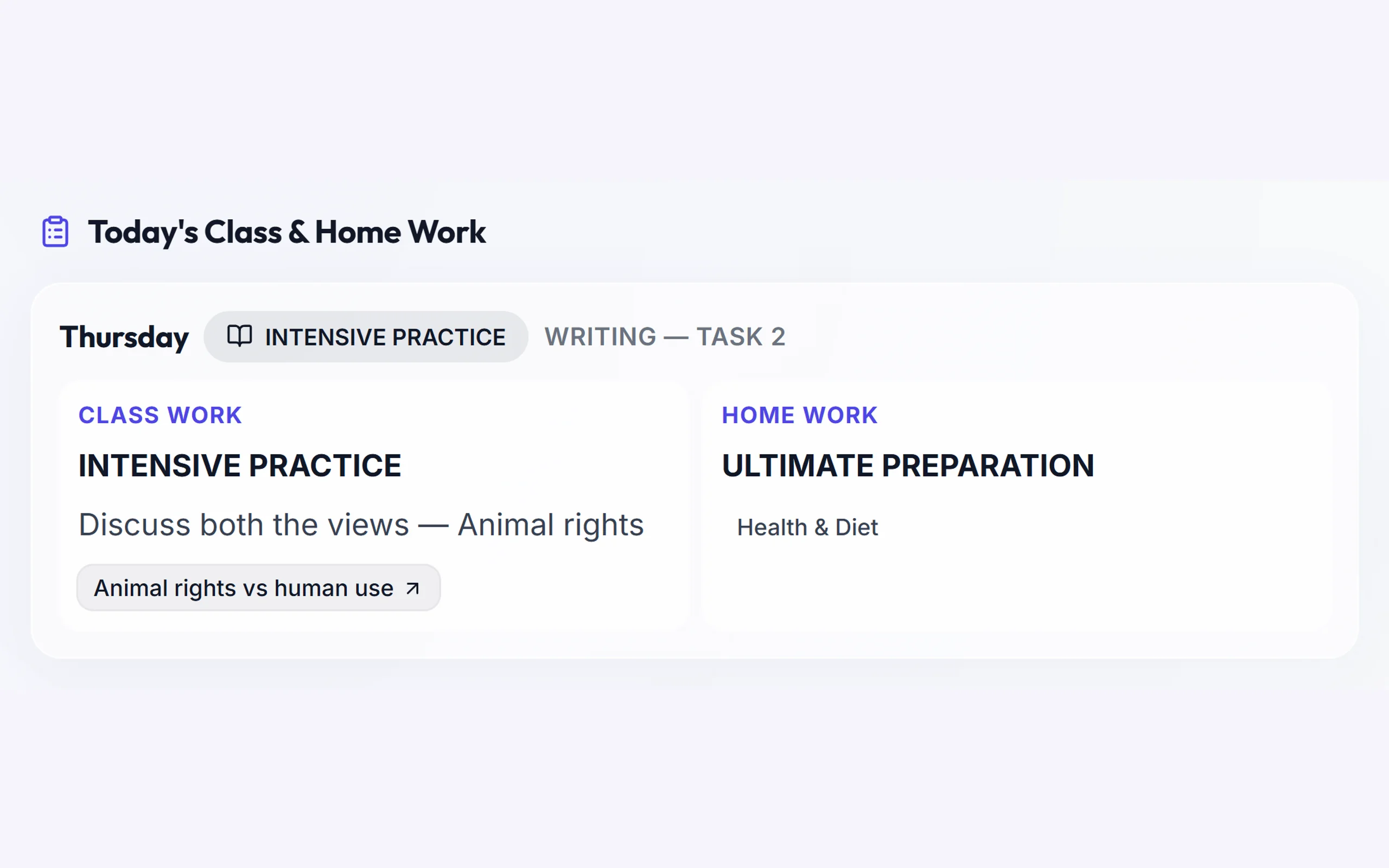
- Today's class work and homework in one list
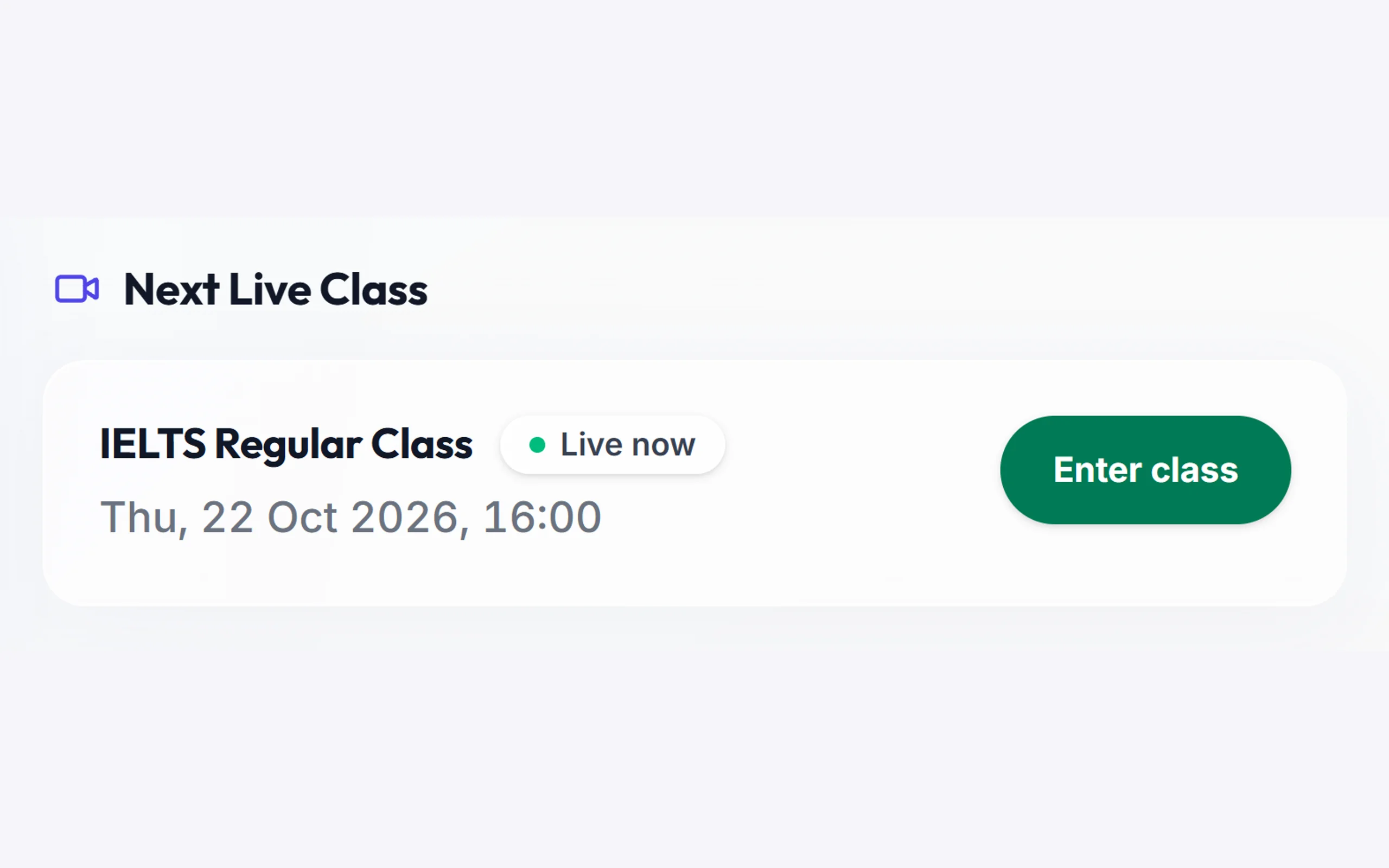
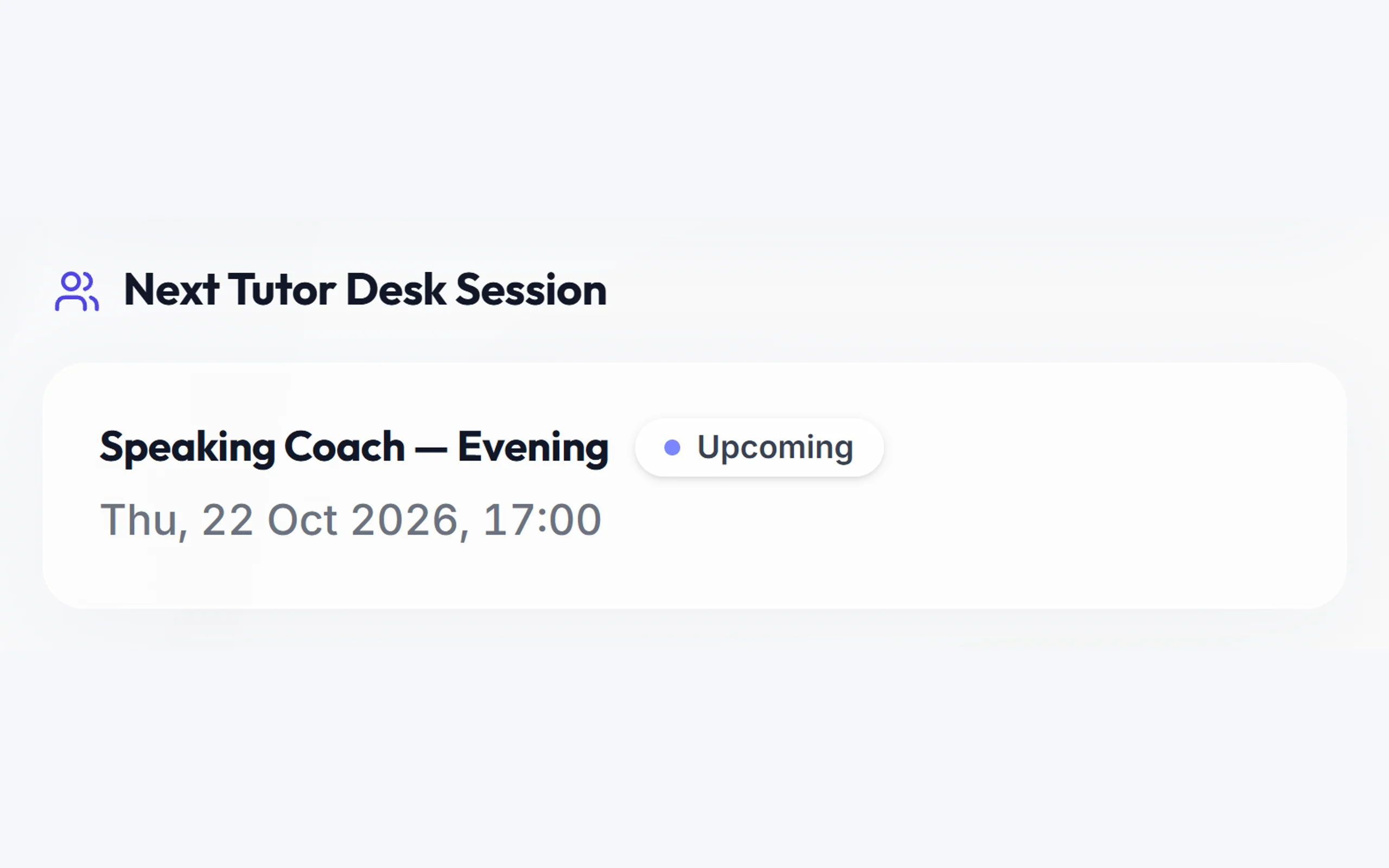
- Your next live class and Tutor Desk session
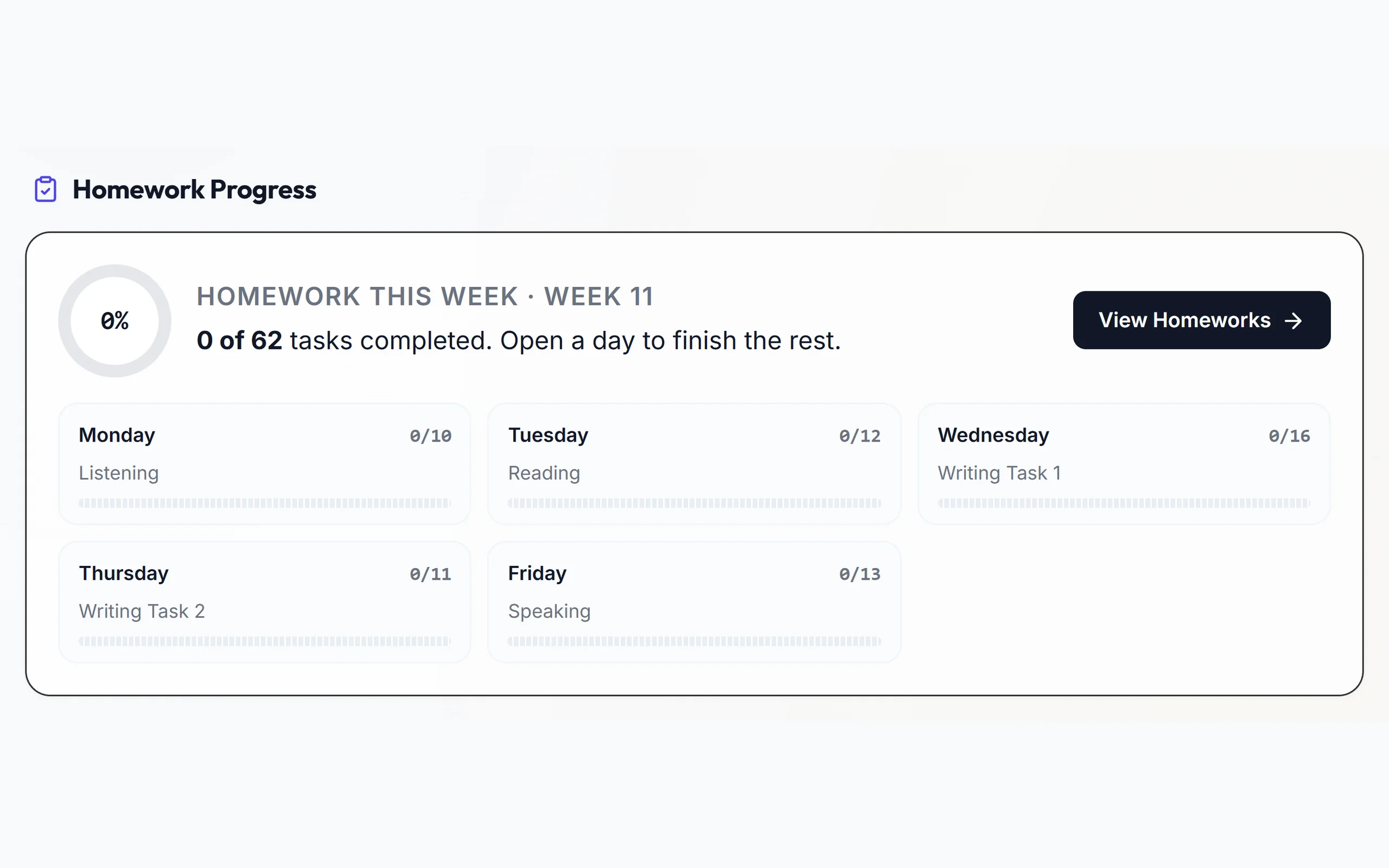
- Your homework progress
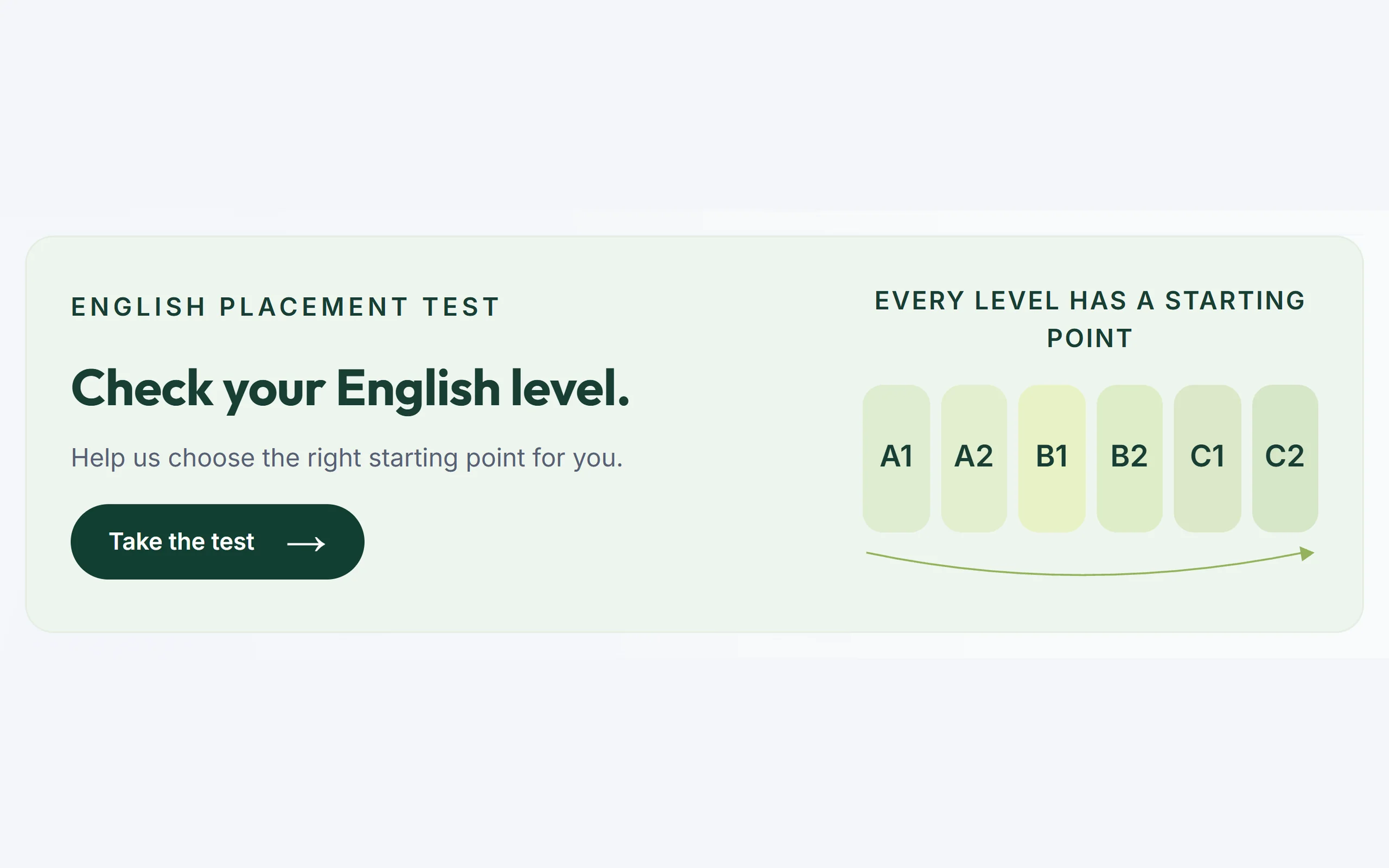
- Your starting English level, after the placement test
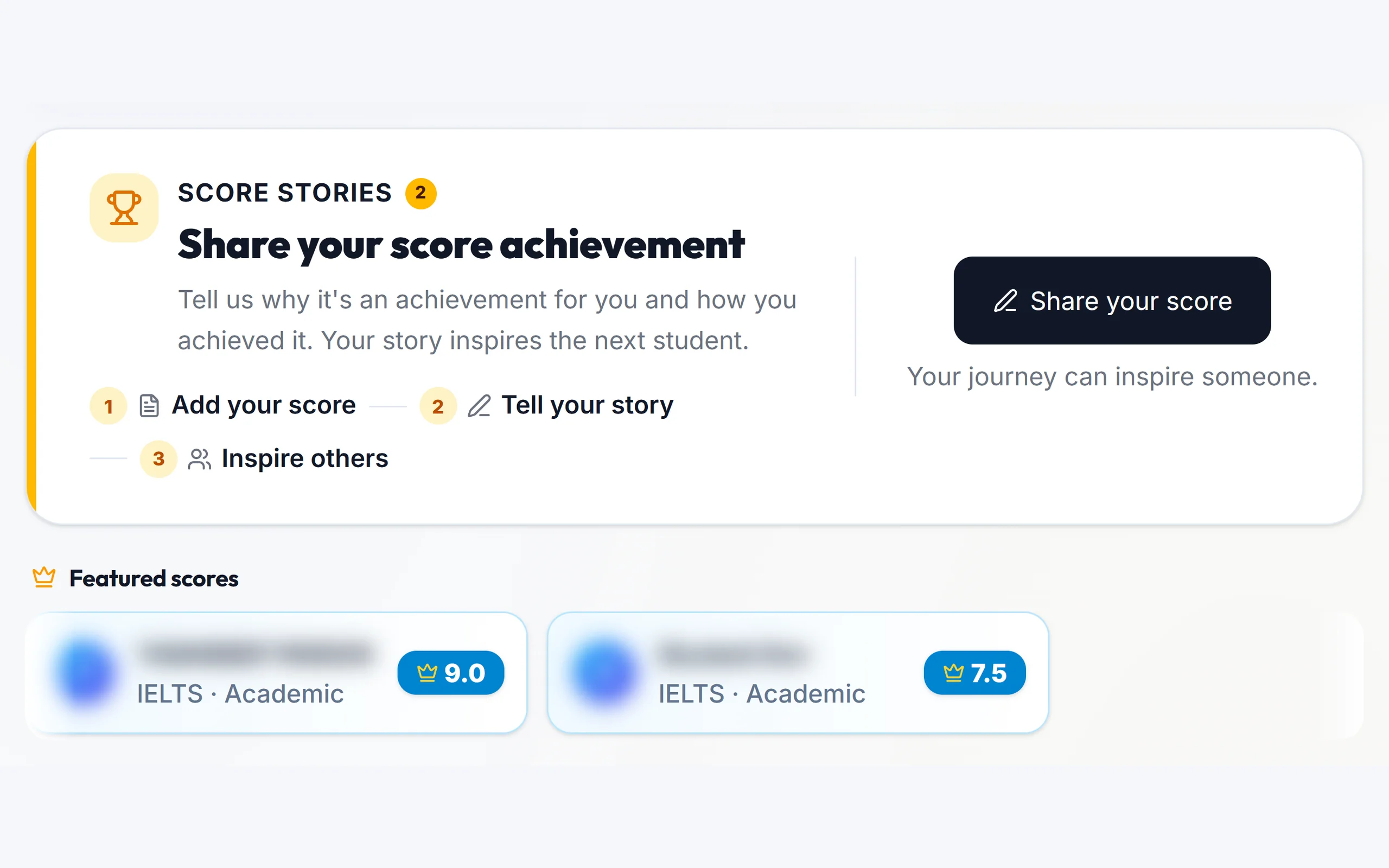
- Share your score, and see other students' top scores
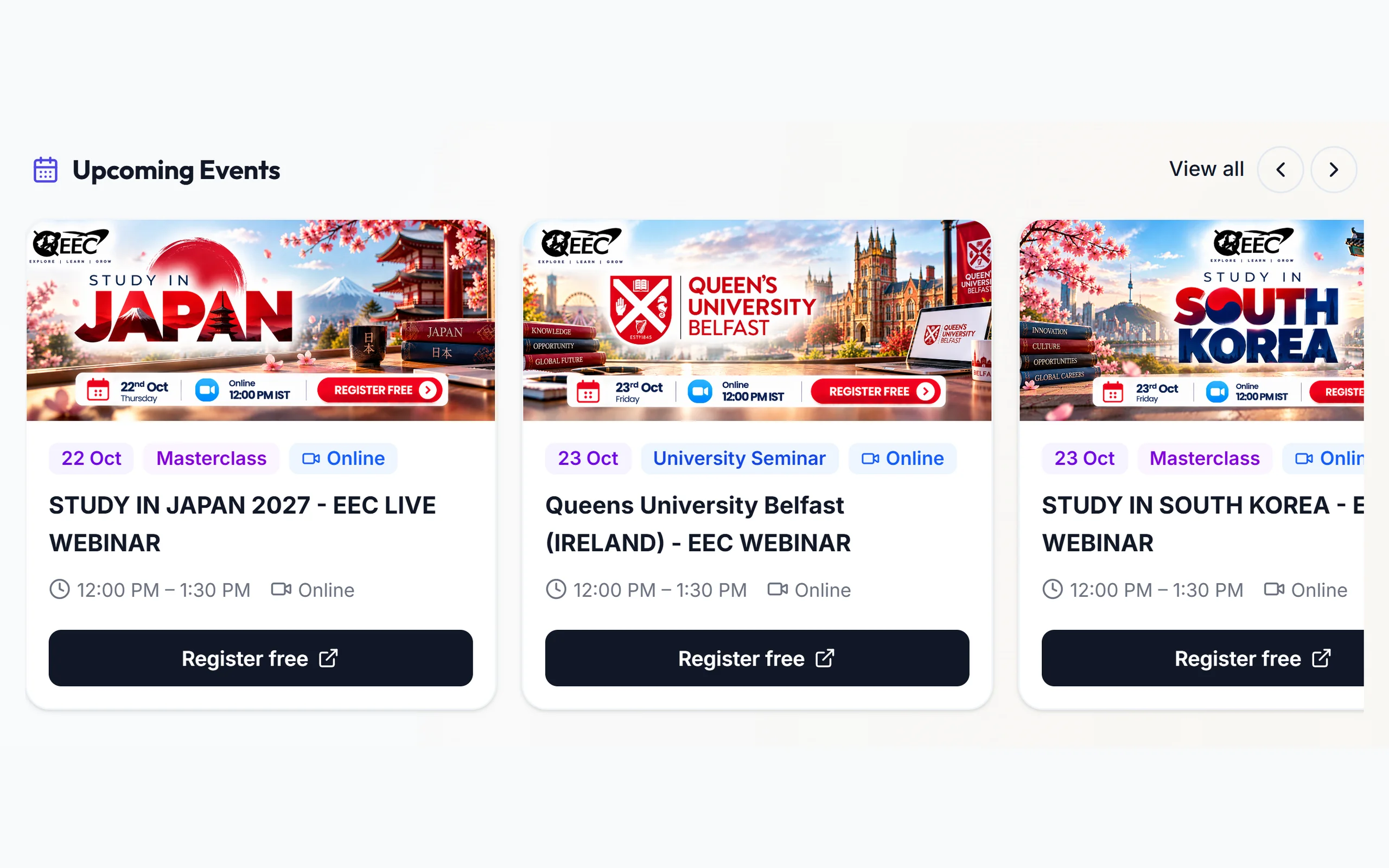
- Upcoming events and your counsellor's contact details
 English placement test: find your starting level before you begin
 Continue Learning: open your last video lesson in one click
 Today's Class & Home Work: what was taught today, and your homework for it
 Next Live Class: join the moment your class goes live
 Next Tutor Desk Session: your next one-to-one speaking practice
 Score stories: share your result and see other students' top scores
 Homework Progress: this week's homework, day by day
 Upcoming Events: free webinars and fairs, register in one tap
 Your counsellors: call or WhatsApp your visa and coaching counsellors
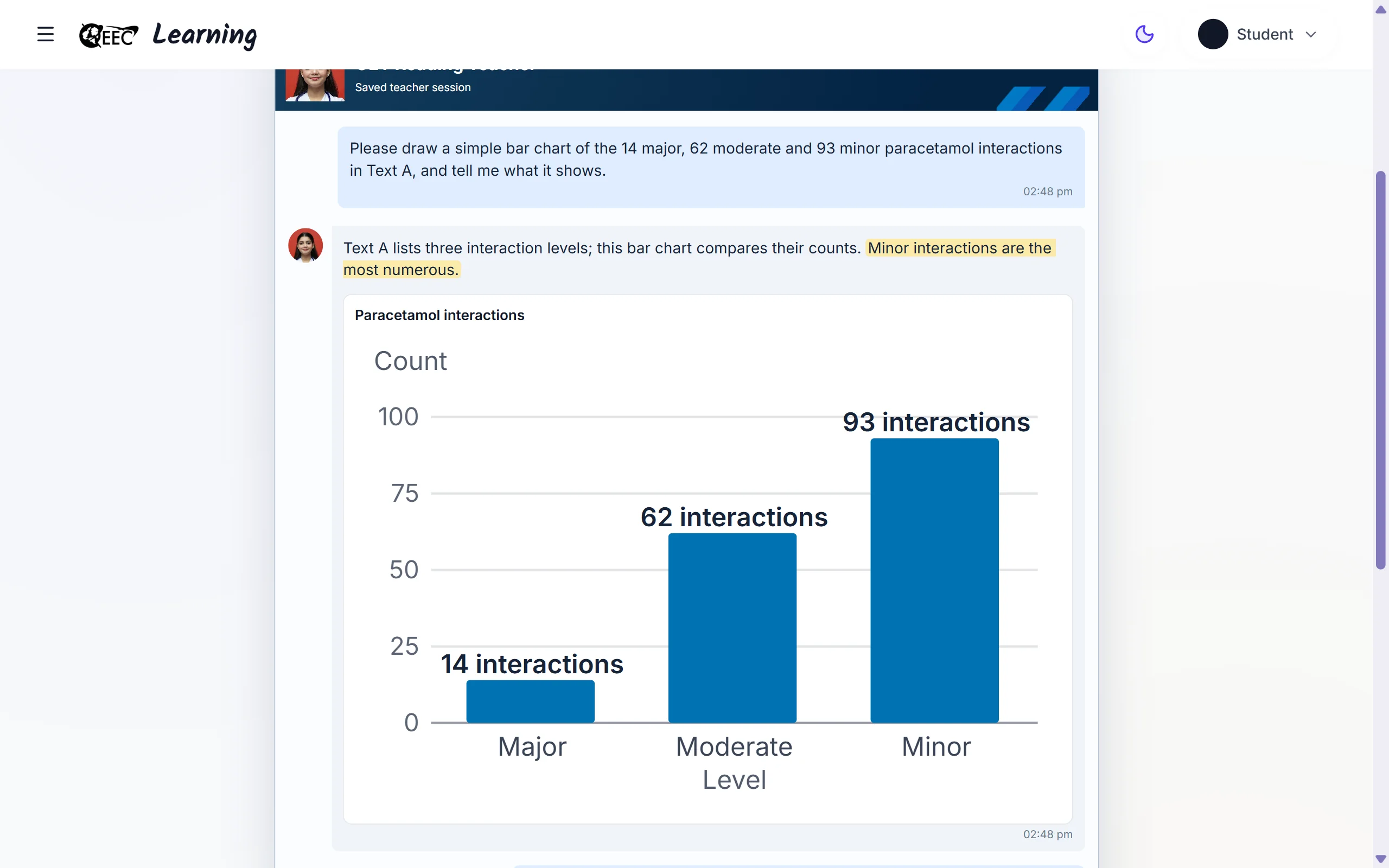
Ask Teacher: your AI tutor
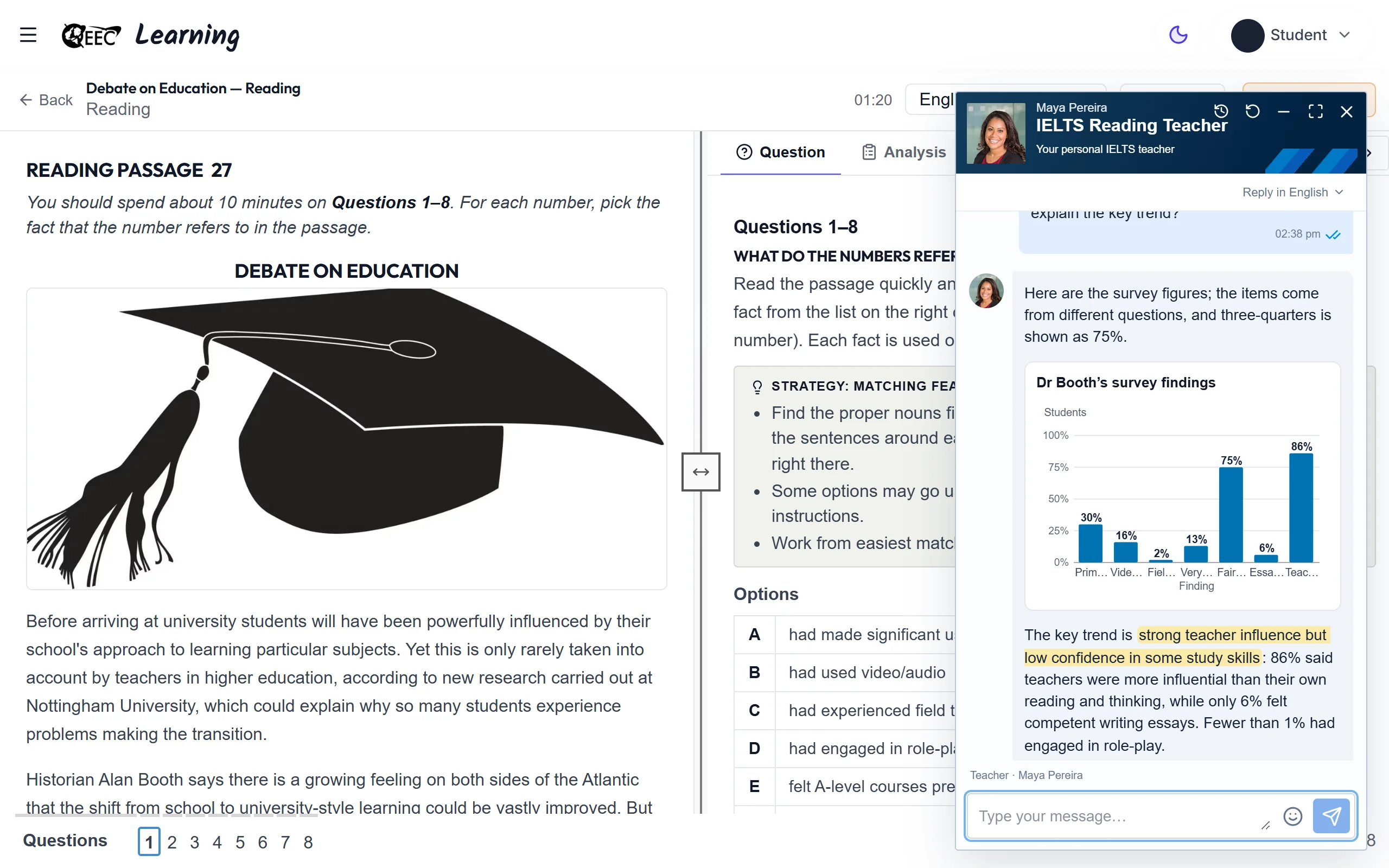
Stuck on a question? Ask the AI tutor in the chat.
- Ask about the question you are practising
- Tap a ready-made question, or type your own
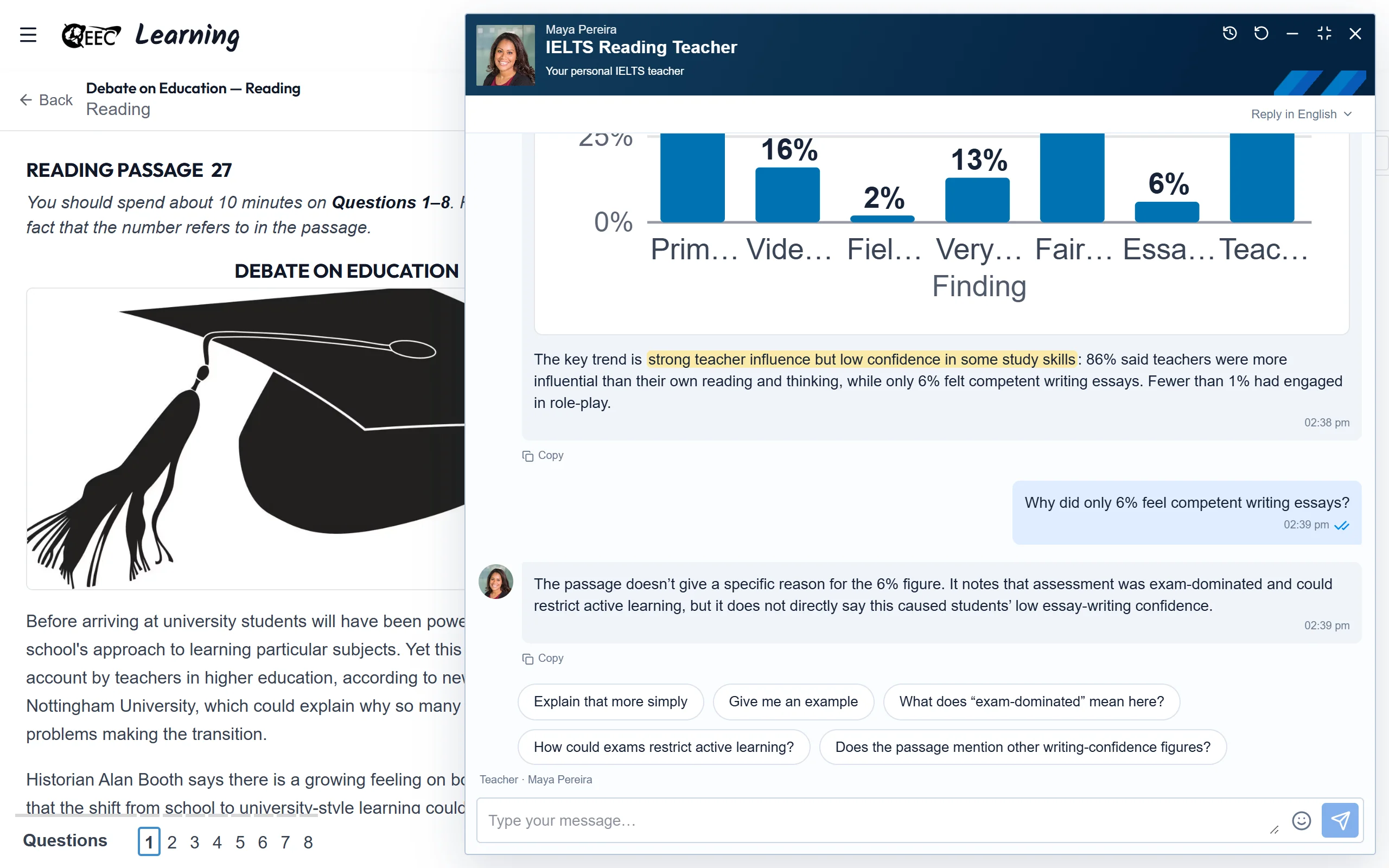
- Charts and pictures that explain the answer, checked before you see them
- Read the reply in your own language
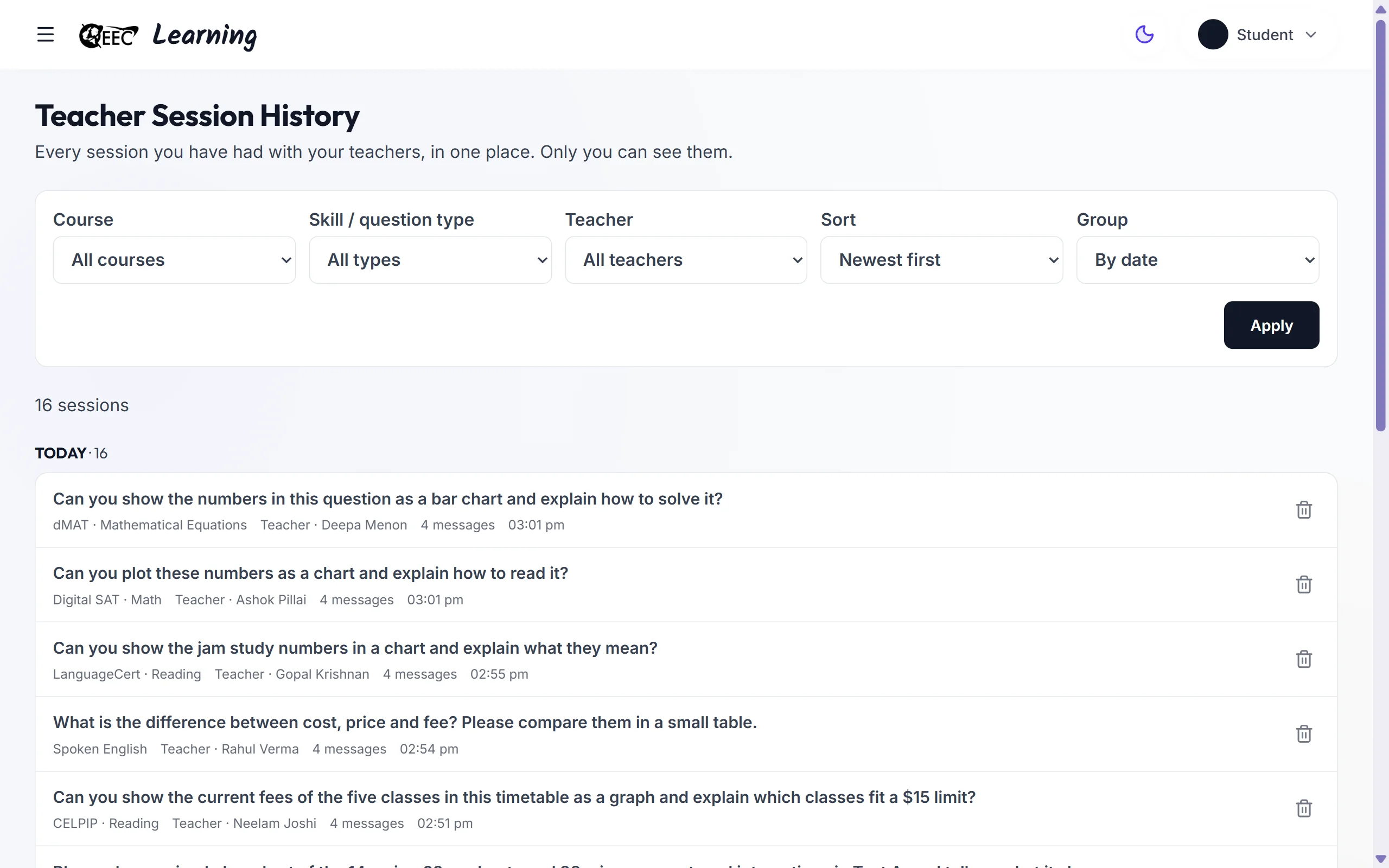
- Every session is saved in Teacher Session History
- Open an old session from the chat or the history page, and keep asking
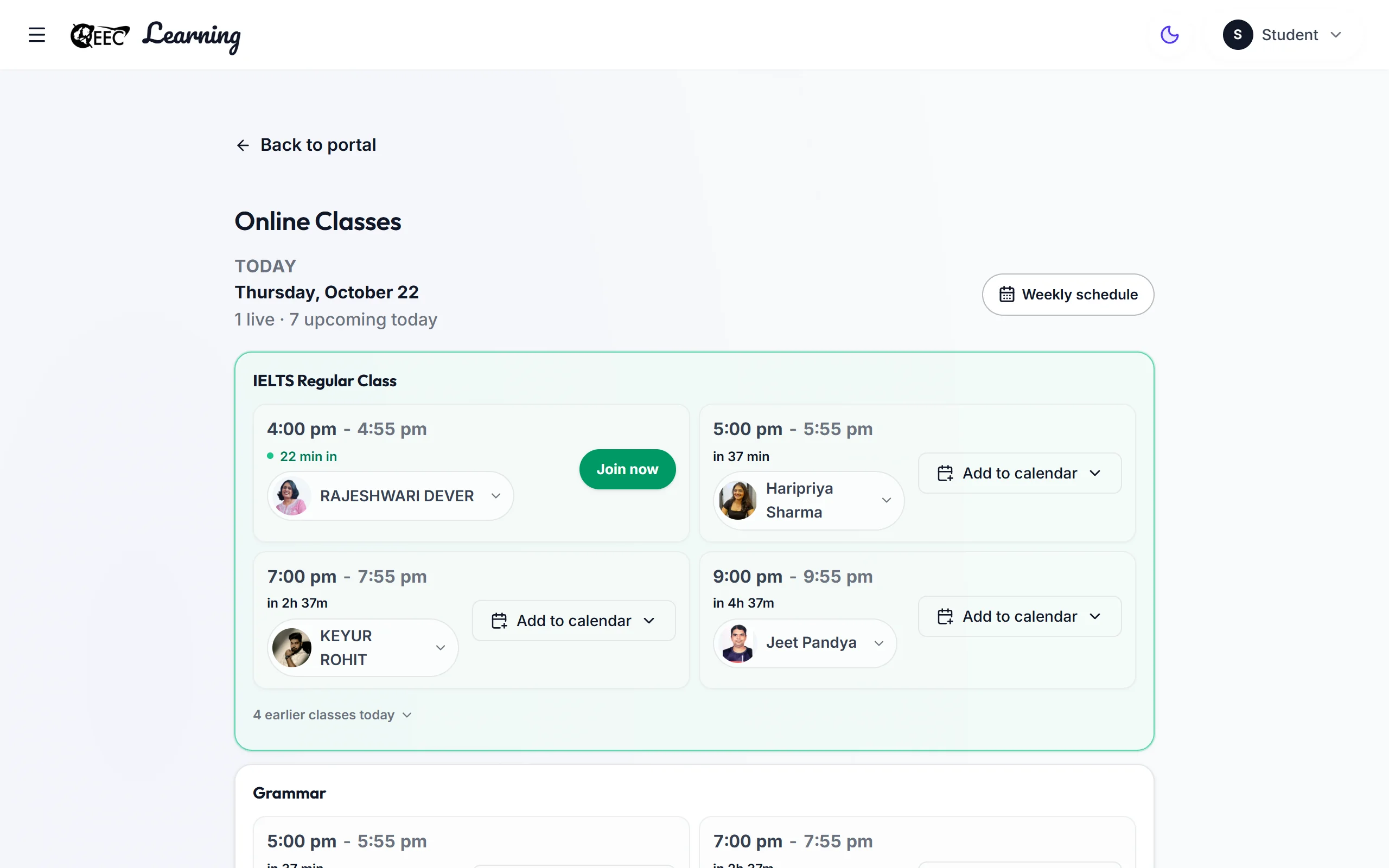
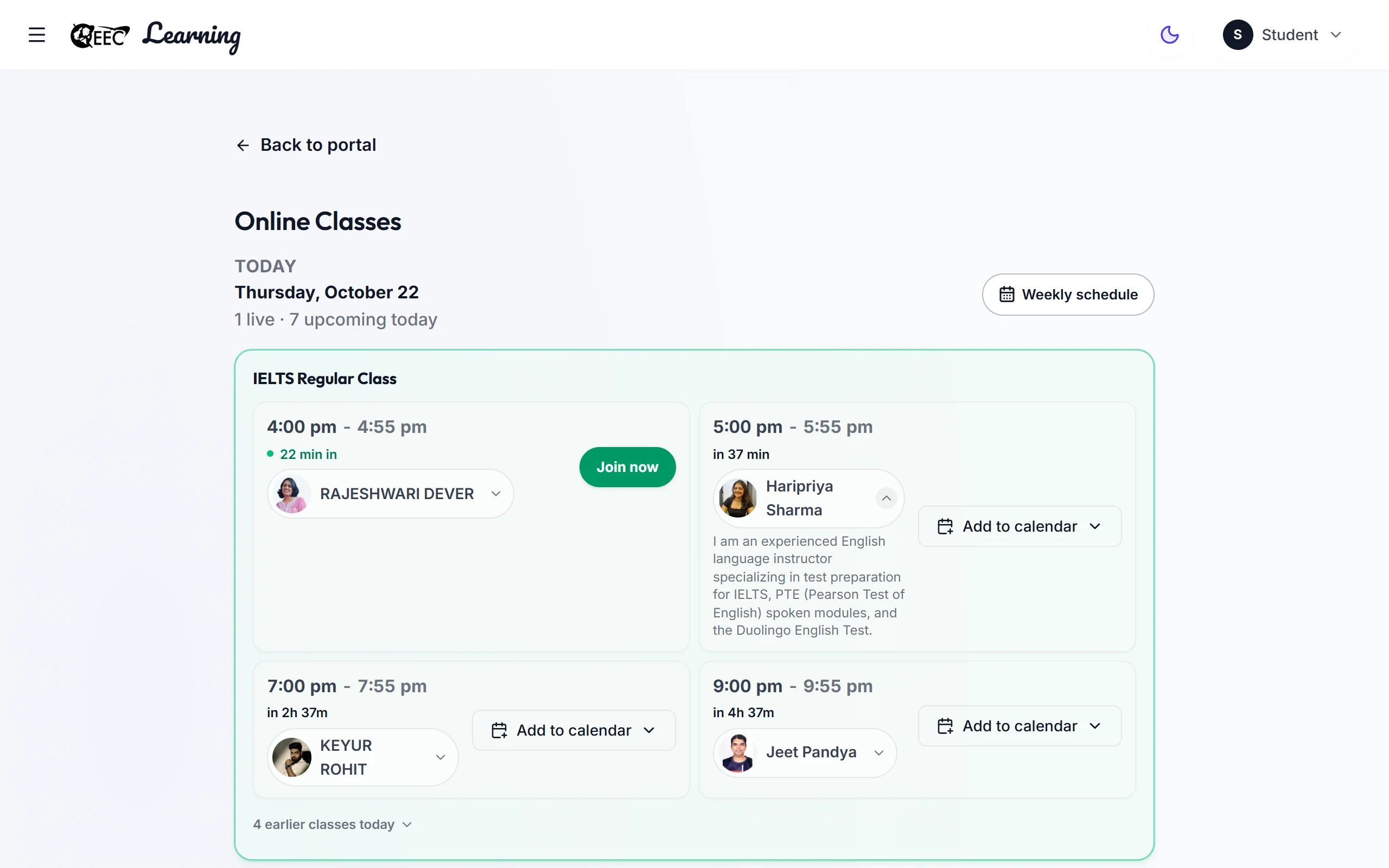
Live Online Classes
Learn live with your teacher on Zoom.
- Your class timetable for today and the week
- See your teacher's name, photo and short bio on every class
- Join inside the portal, or in the Zoom app
- Check your camera and microphone before you join
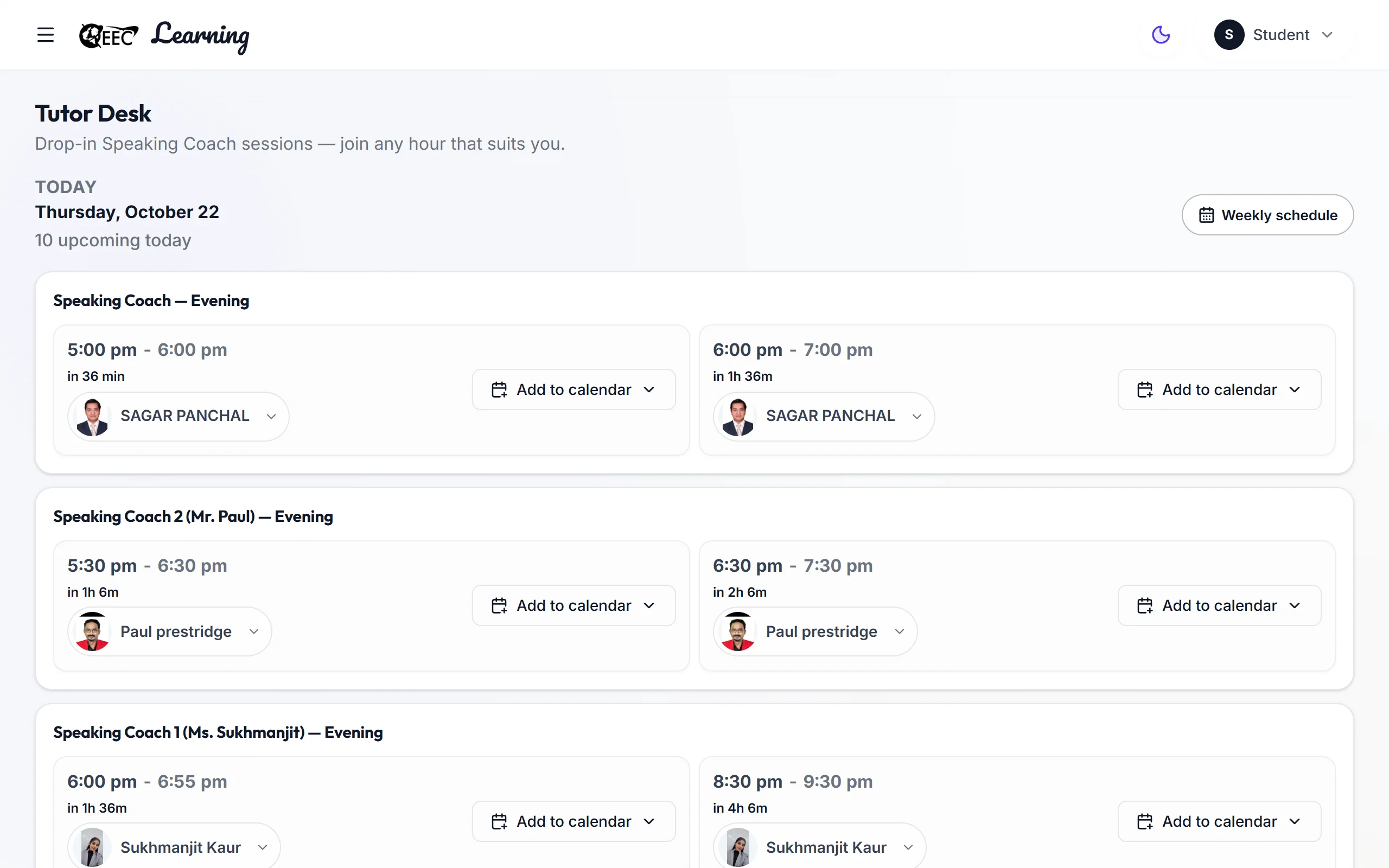
Tutor Desk
One-to-one live speaking practice with a teacher.
- Join any hour that suits you — no booking
- Live on Zoom, inside the portal
- Your next session is on your dashboard
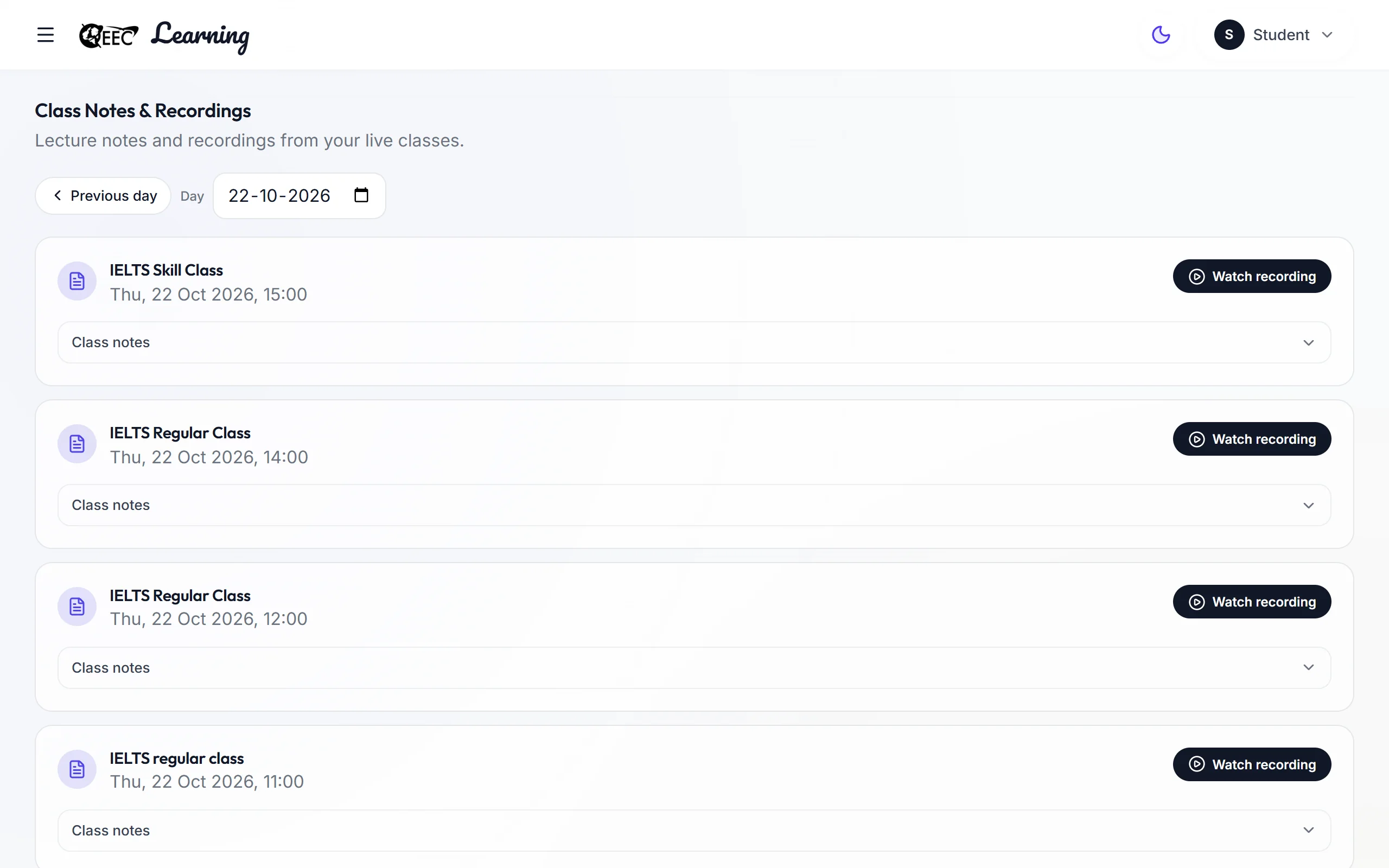
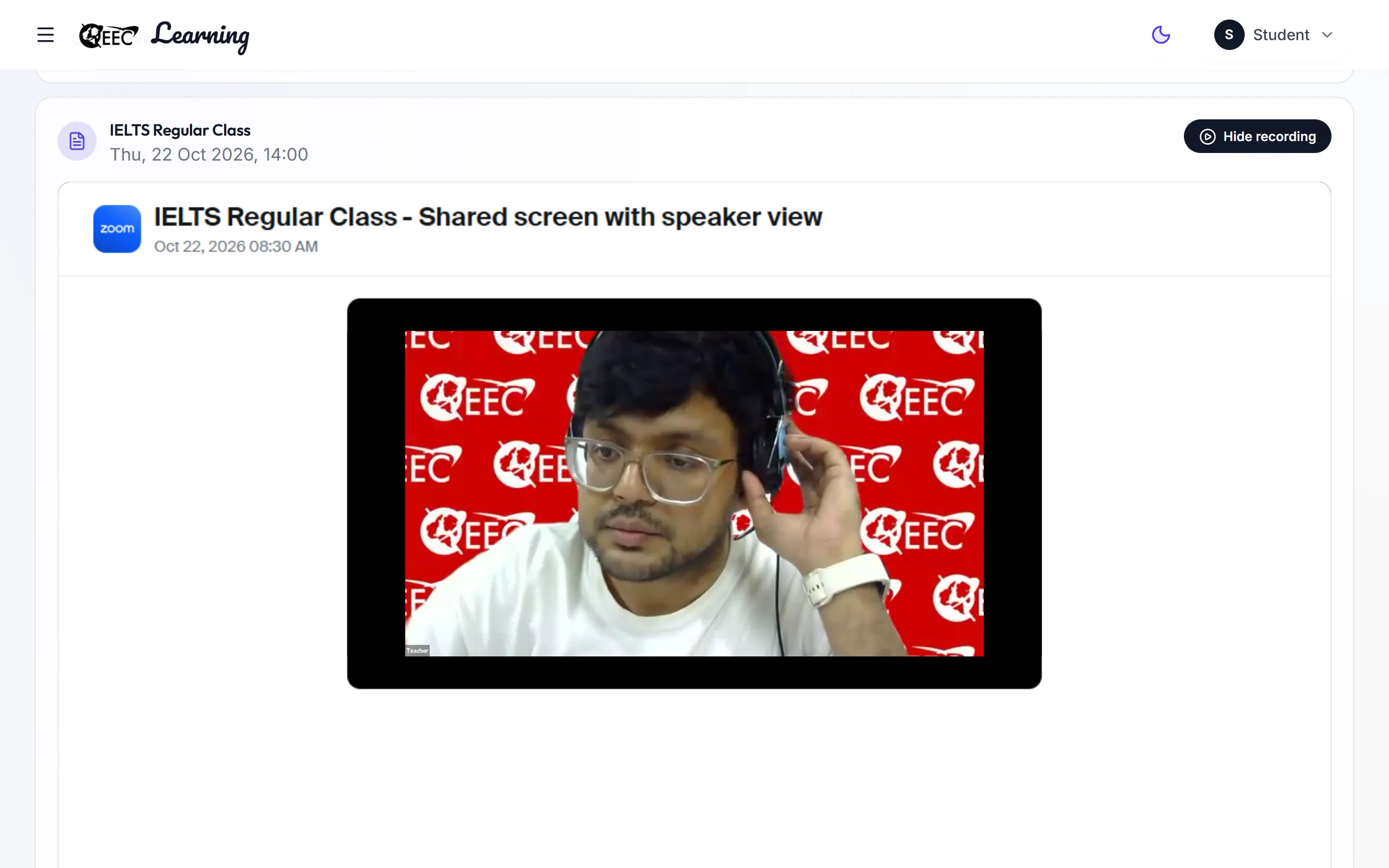
Daily Live Zoom Class Recordings
Missed a class? Watch it again.
- Recordings of your daily live Zoom classes
- Watch inside the portal
- Pick a day to see that day's classes
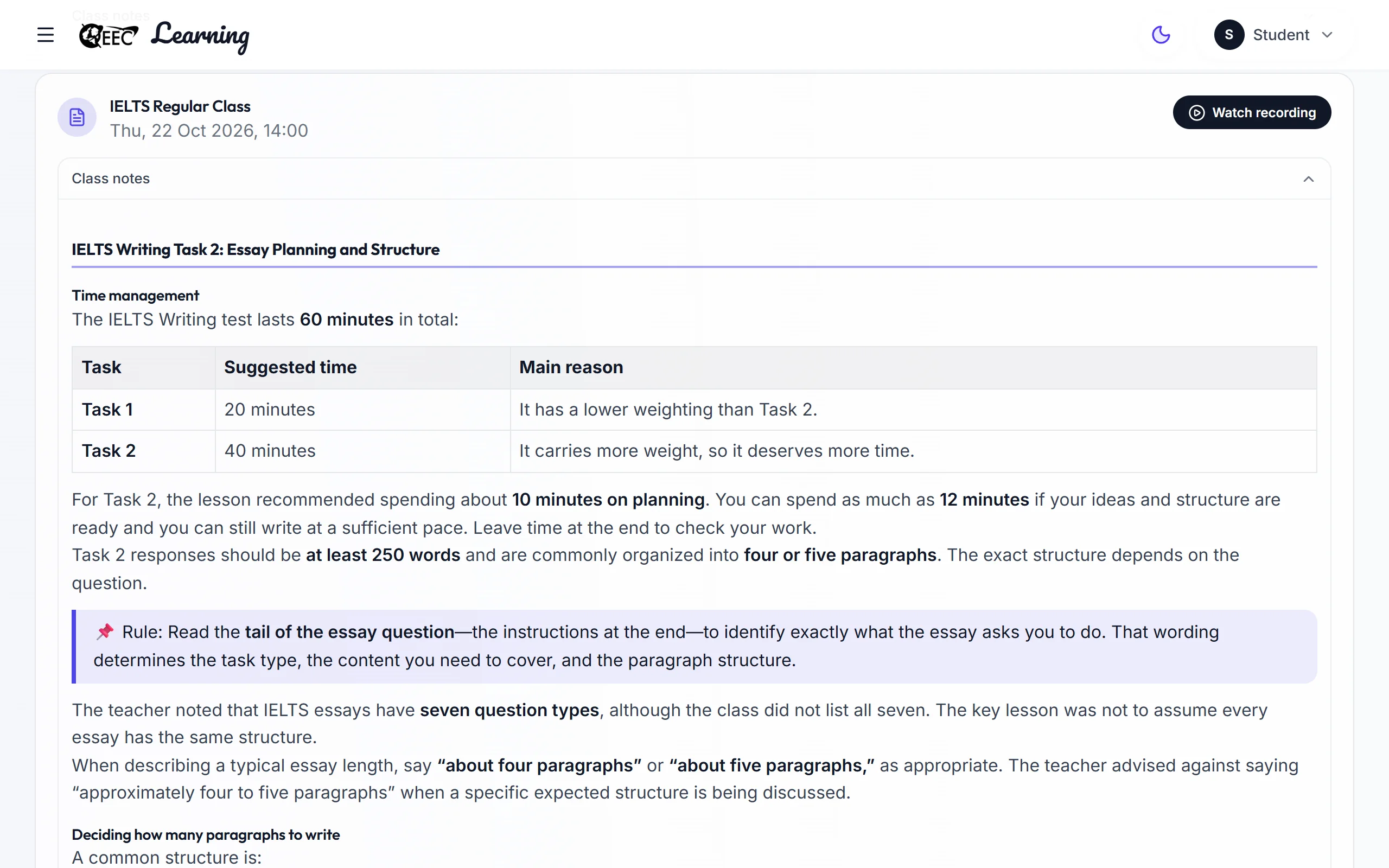
AI Notes of Classes
Notes written for you after each live class.
- Made by AI from what was said in the class
- Emailed to you as a PDF after a class you attended
- Read them any time, next to the recording
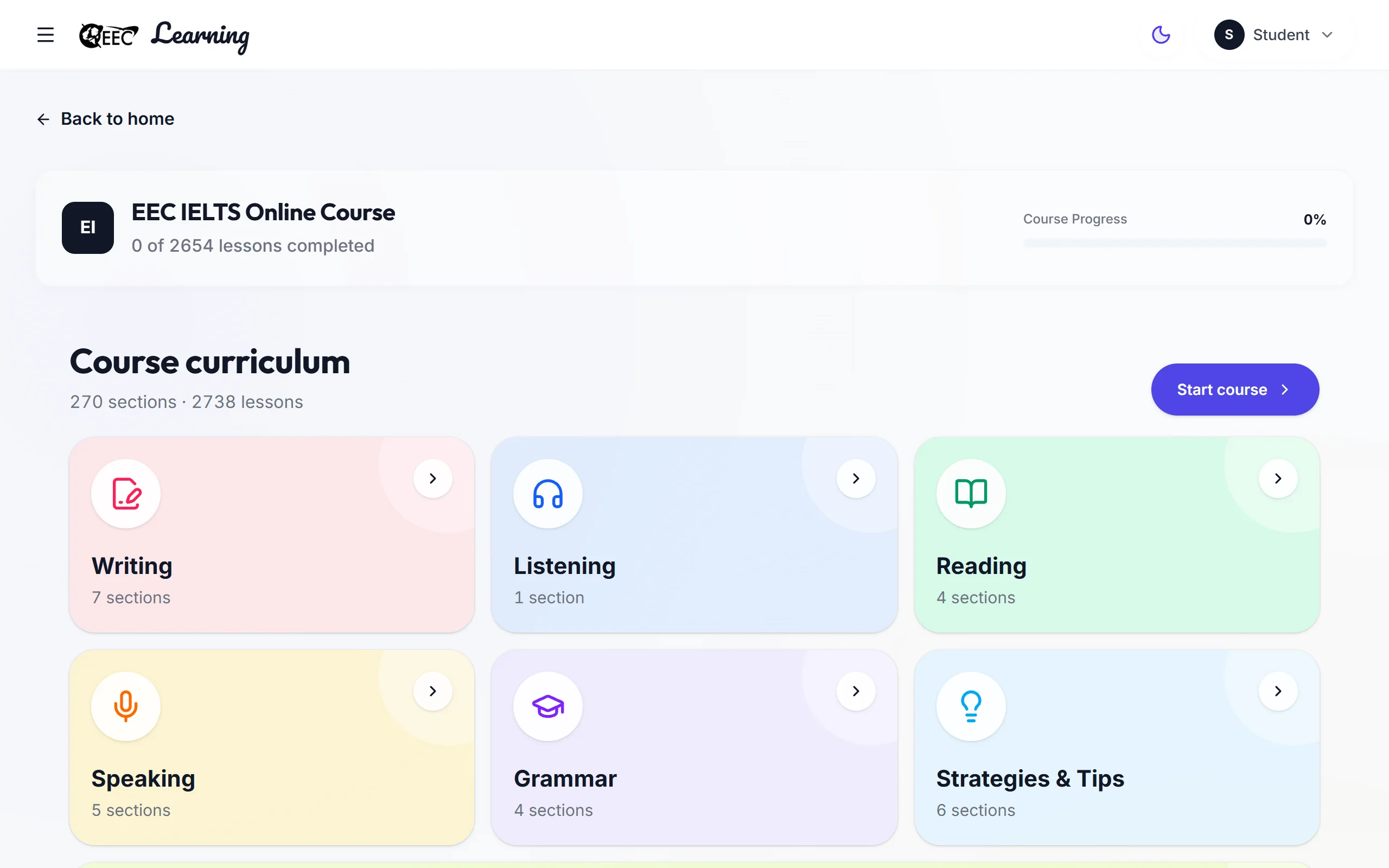
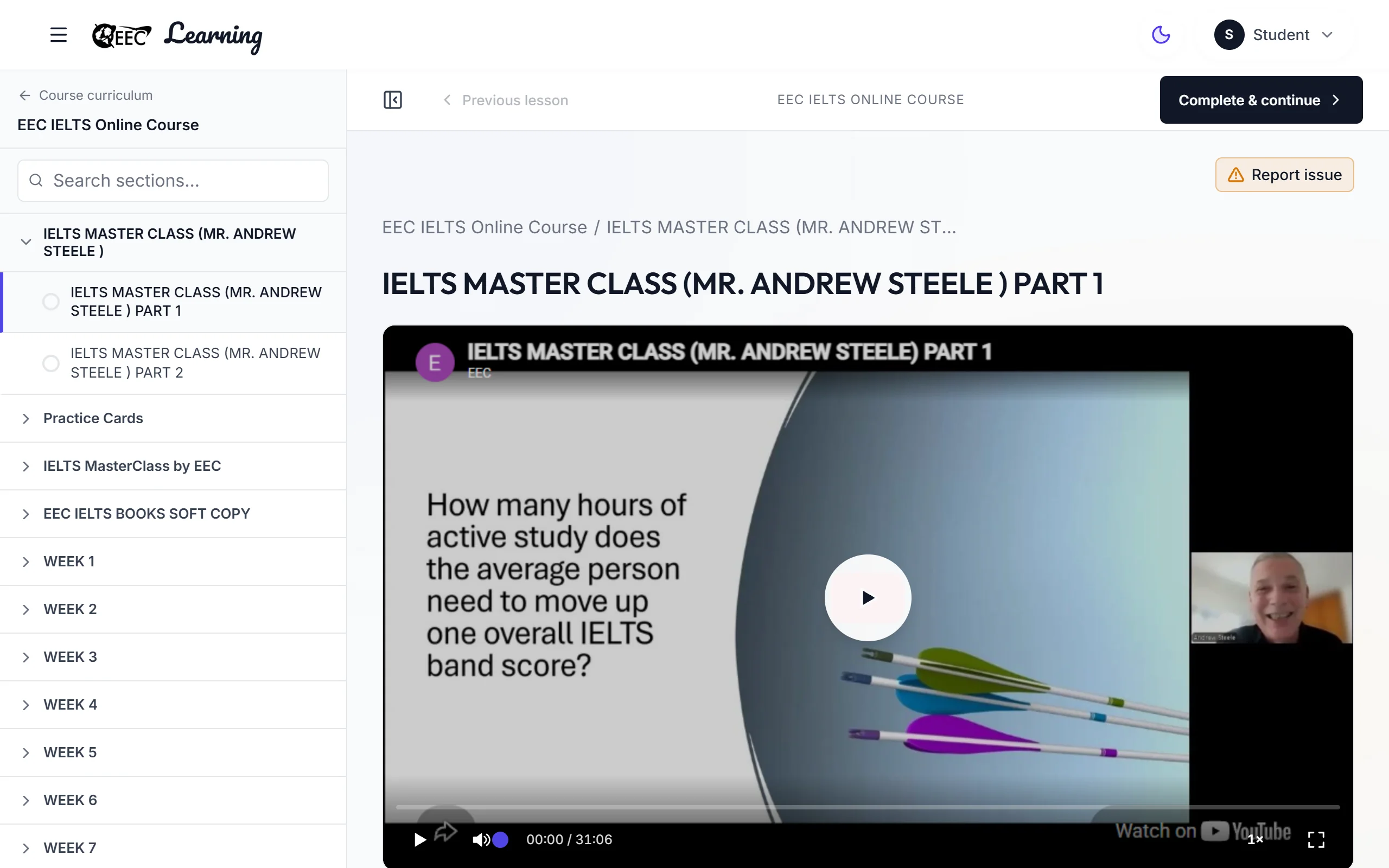
Pre-Recorded Classes Video Library
A full course of recorded classes. Watch any lesson, any time.
- Hours of video
- 2,100+
- Hours of video
- Sections
- 270
- Sections
- Lessons
- 2,738
- Lessons
- Recorded classes, in sections from start to finish
- Watch at your own pace, as many times as you need
- Continue your last lesson from your dashboard
- Separate from your daily live class recordings
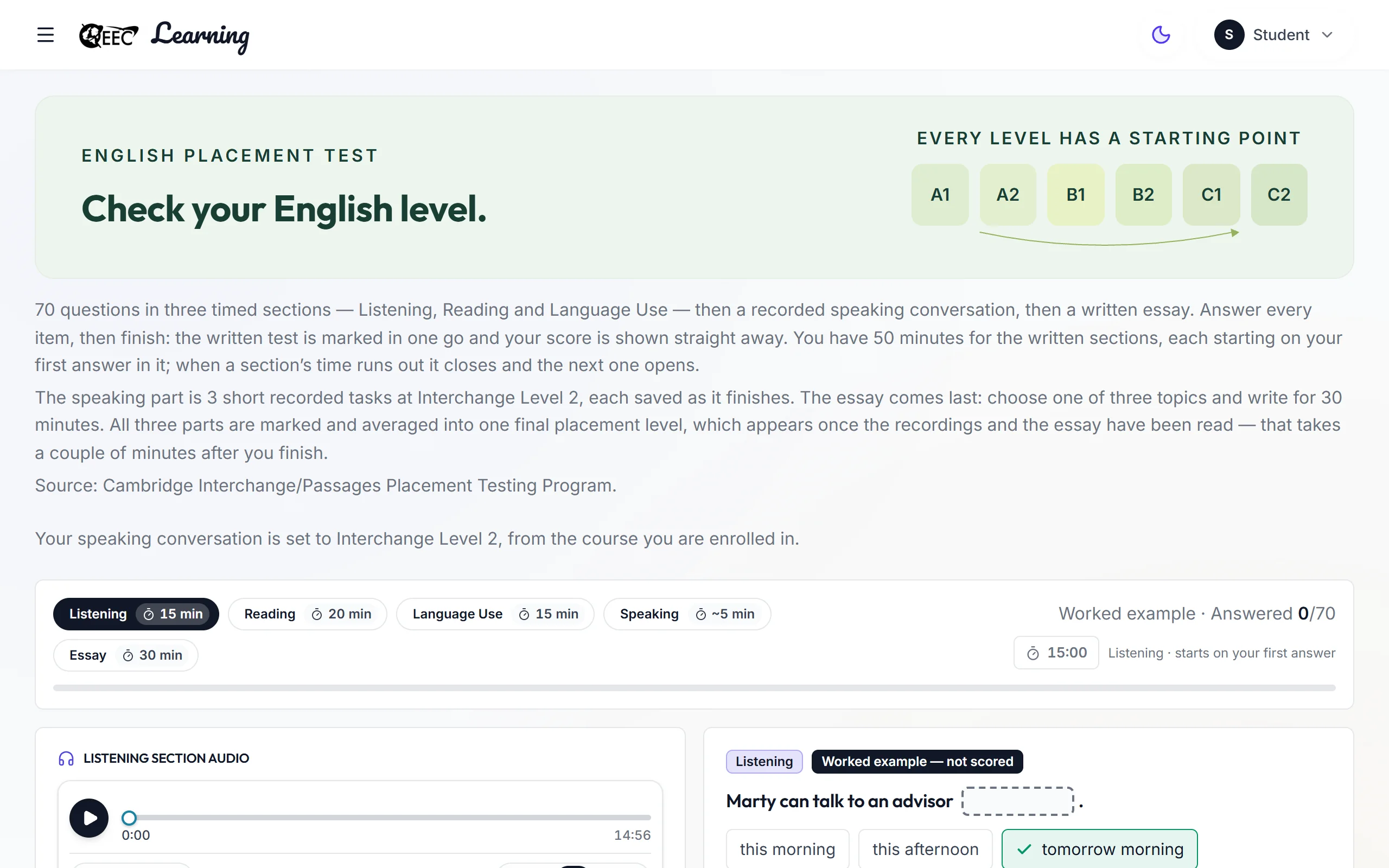
English Level Placement Test
Find your starting English level.
- CEFR level
- A1–C2
- CEFR level
- Listening, Reading and Language Use questions
- A recorded speaking conversation and a short essay
- Your level is shown on your dashboard
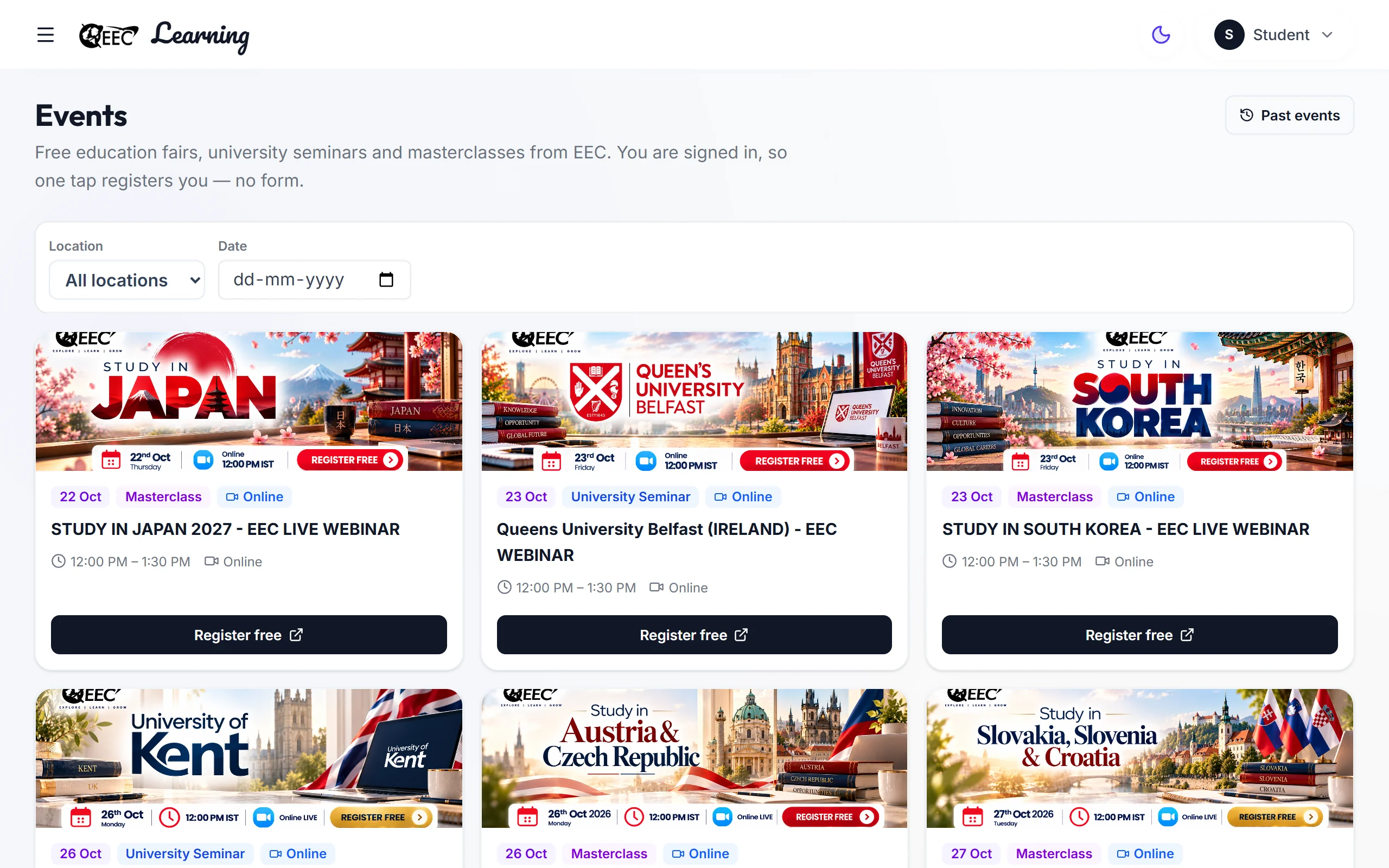
Events
Education fairs, seminars and masterclasses.
- The same events as eecglobal.com/live-events
- Register free, and see the ones you have registered for
- Upcoming events also show on your dashboard
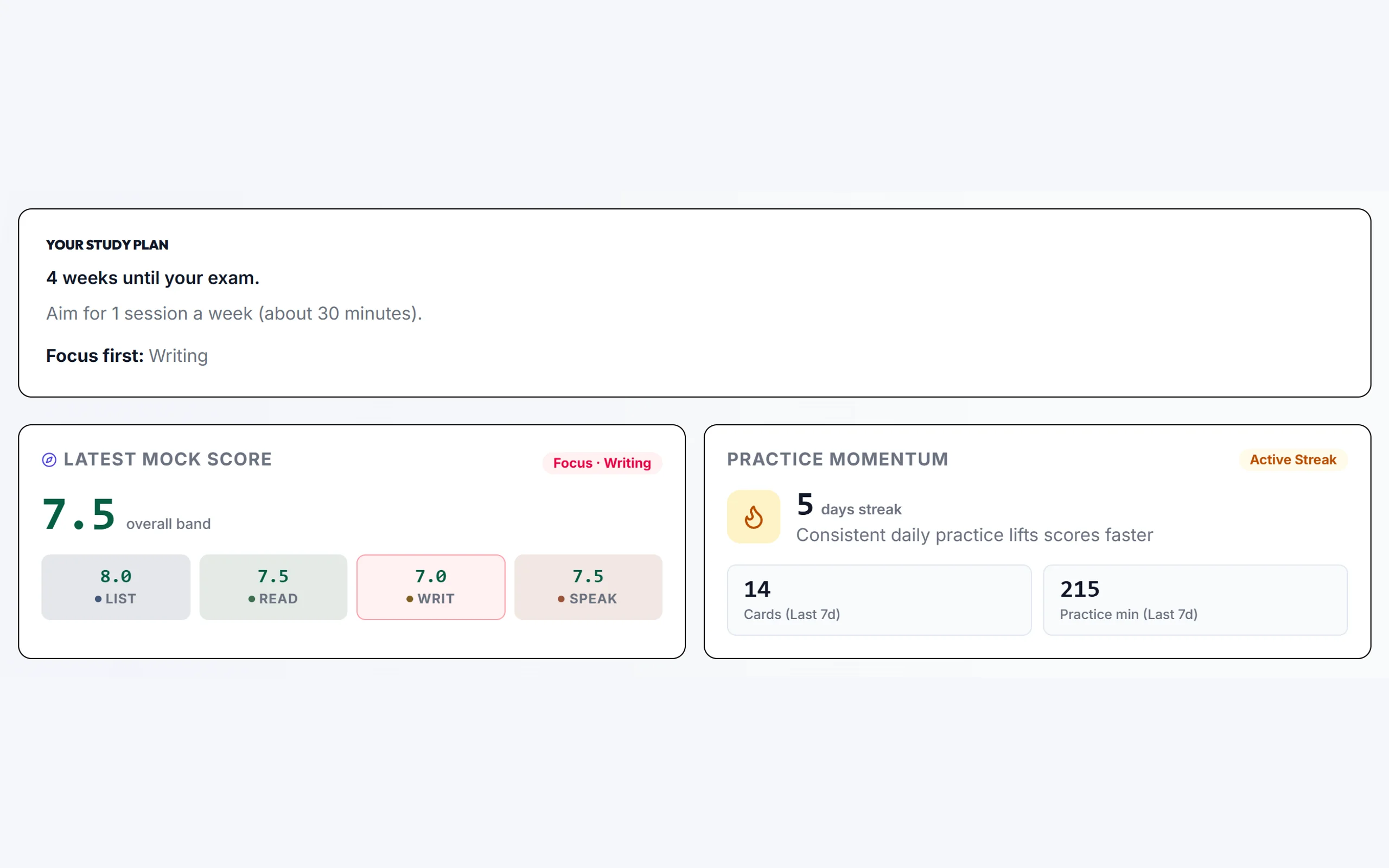
My Performance
See where you are and what to do next.
- Add a target band and exam date to see your gap and days left
- Your weakest Reading and Listening question types
- After a full mock, your rank in your branch and in all branches
- Your band over time, mock by mock
 Overview: your latest band in each skill, and your study plan
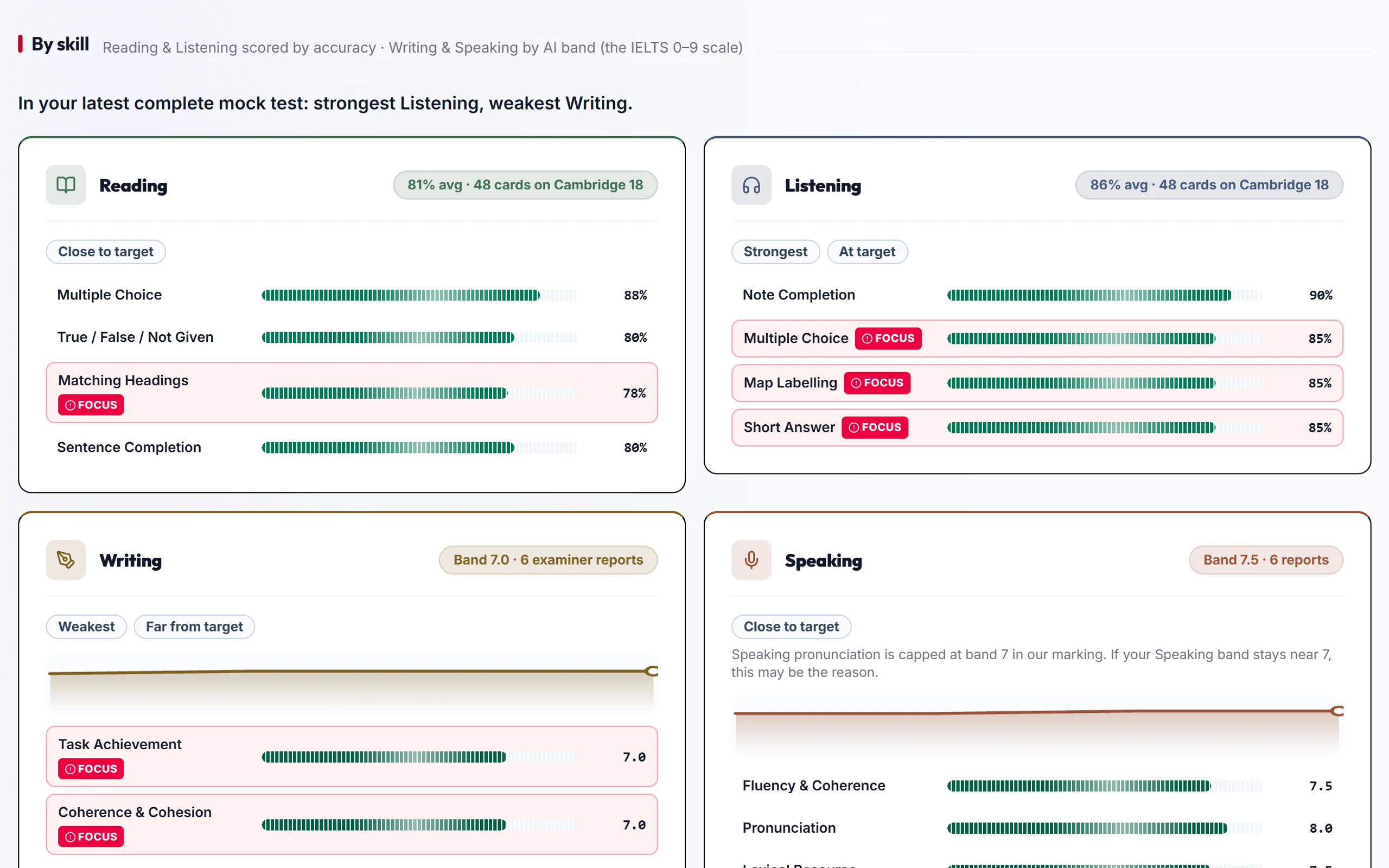
 By skill: every question type and criterion, with what to focus on
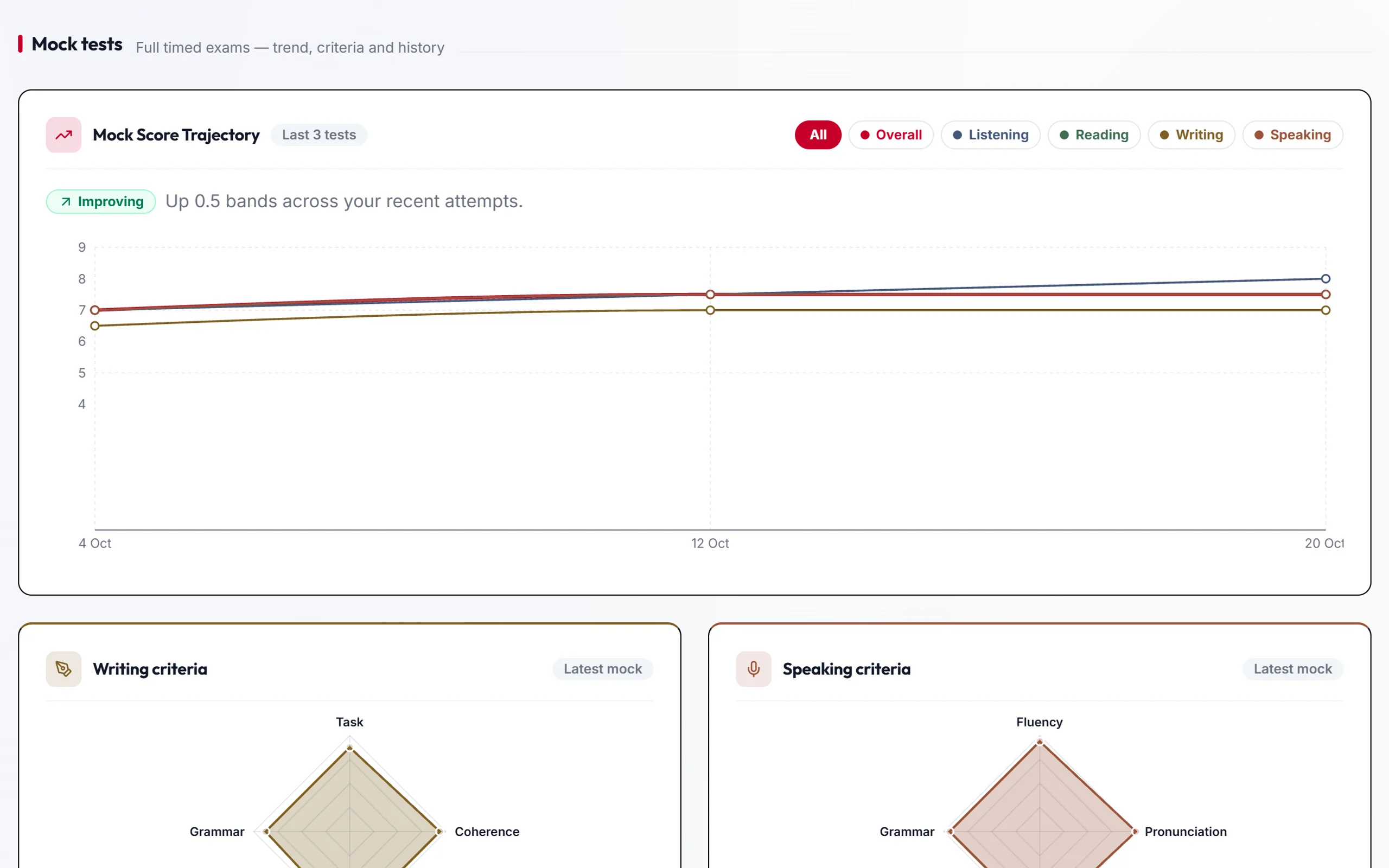
 Mock tests: your band over time and your criteria from the latest mock
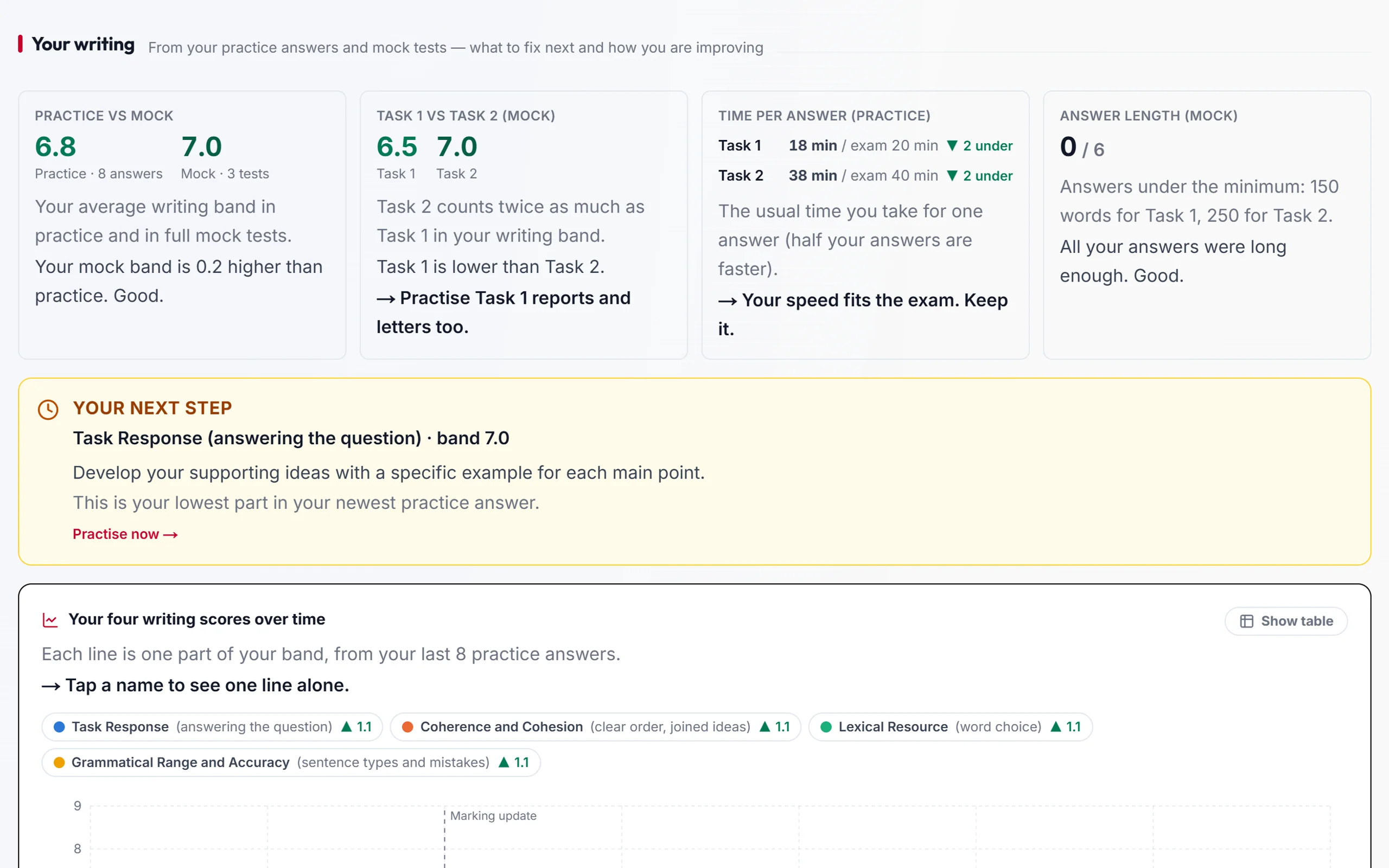
 Your writing: practice vs mock bands, and your next step
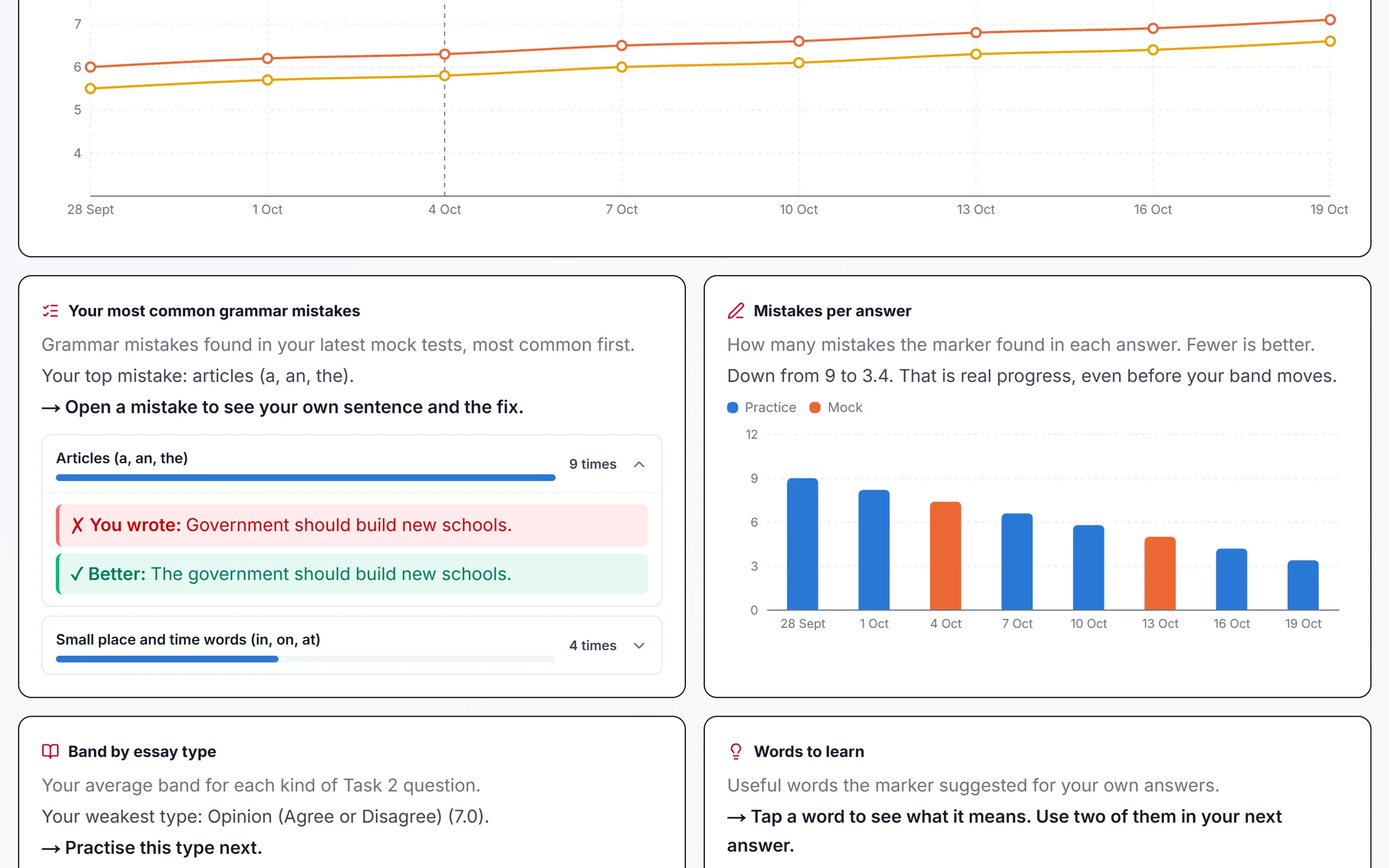
 Writing detail: your grammar mistakes and bands over time
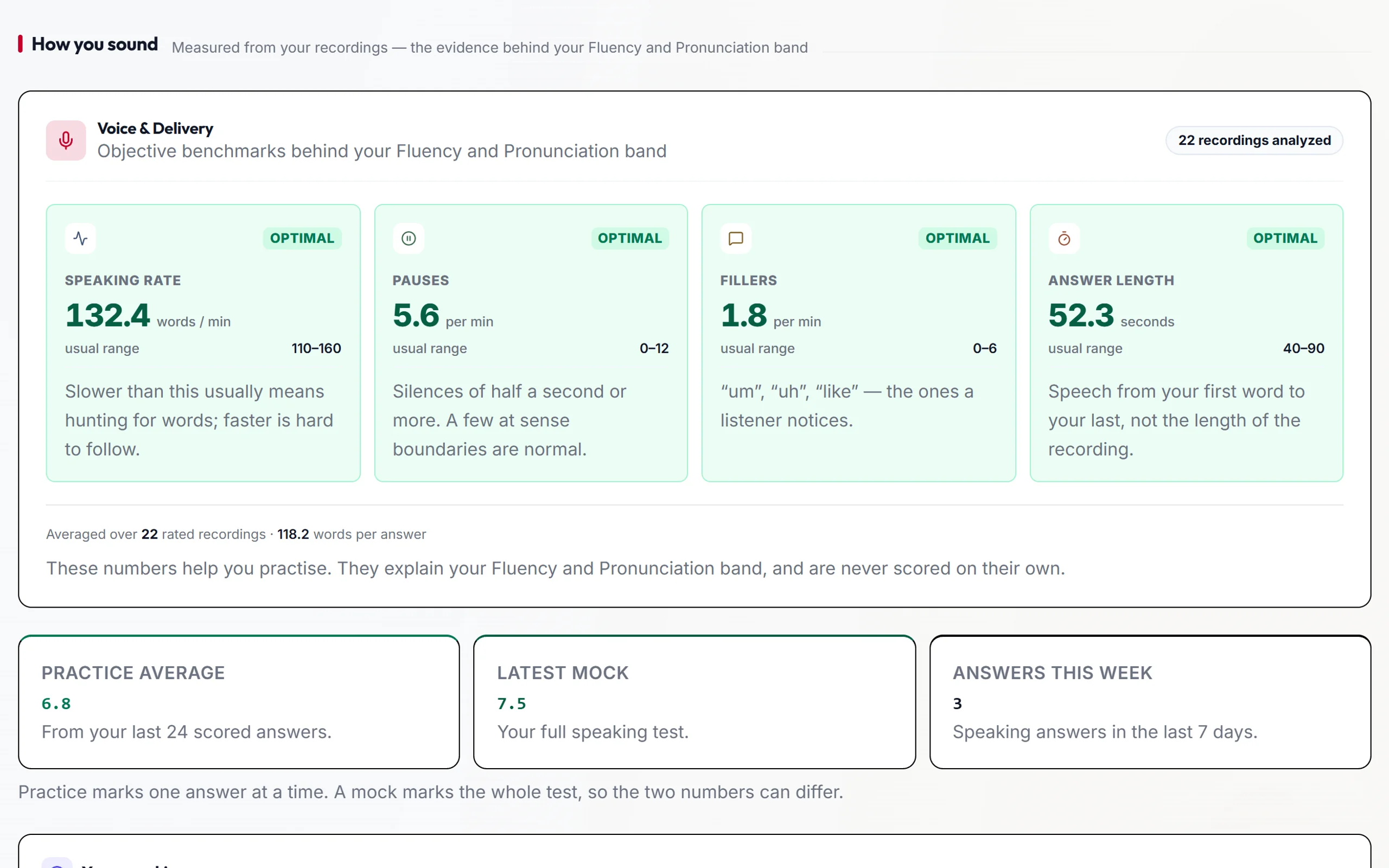
 How you sound: speaking rate, pauses and fillers from your recordings
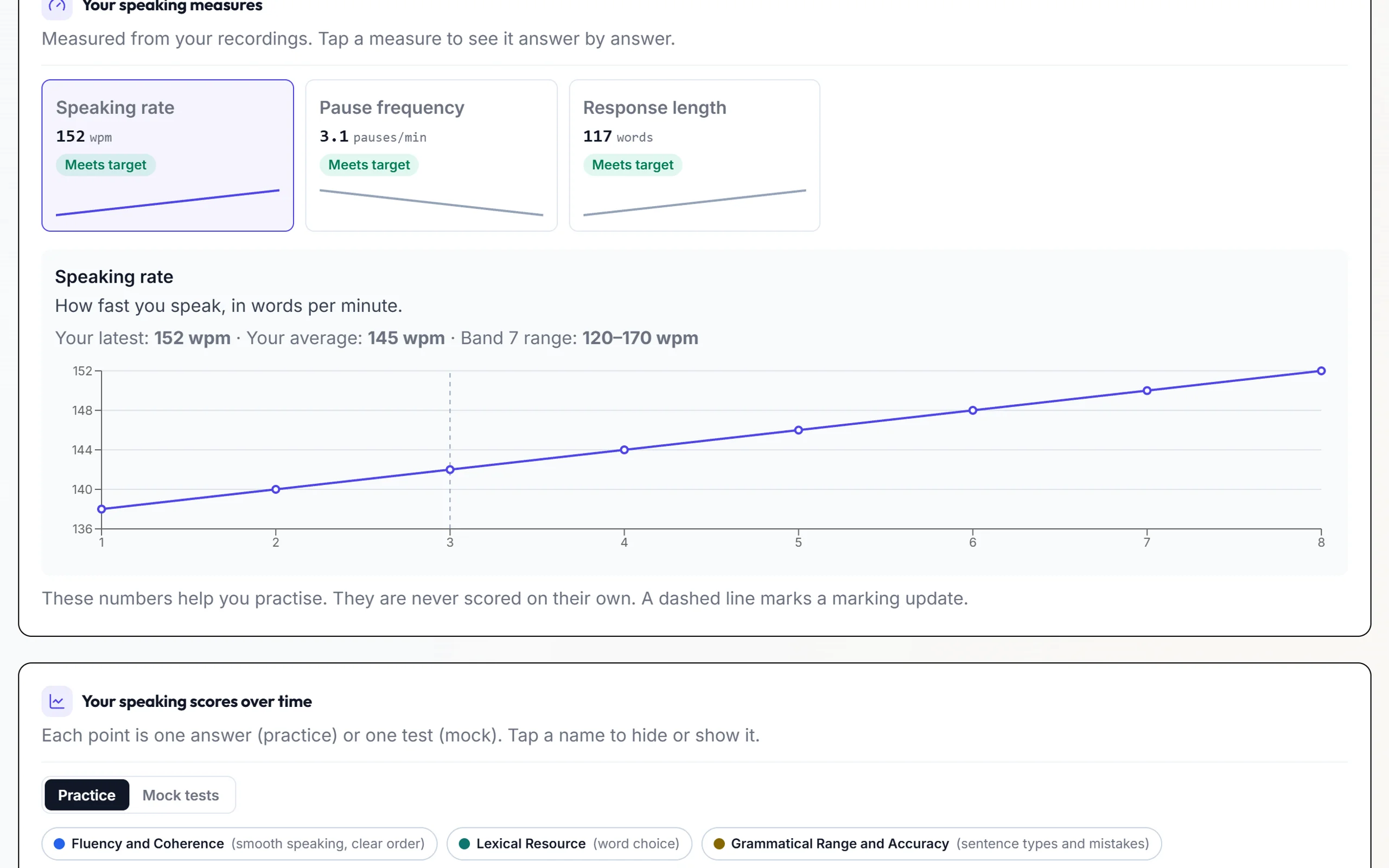
 Speaking detail: your measures and Speaking bands over time
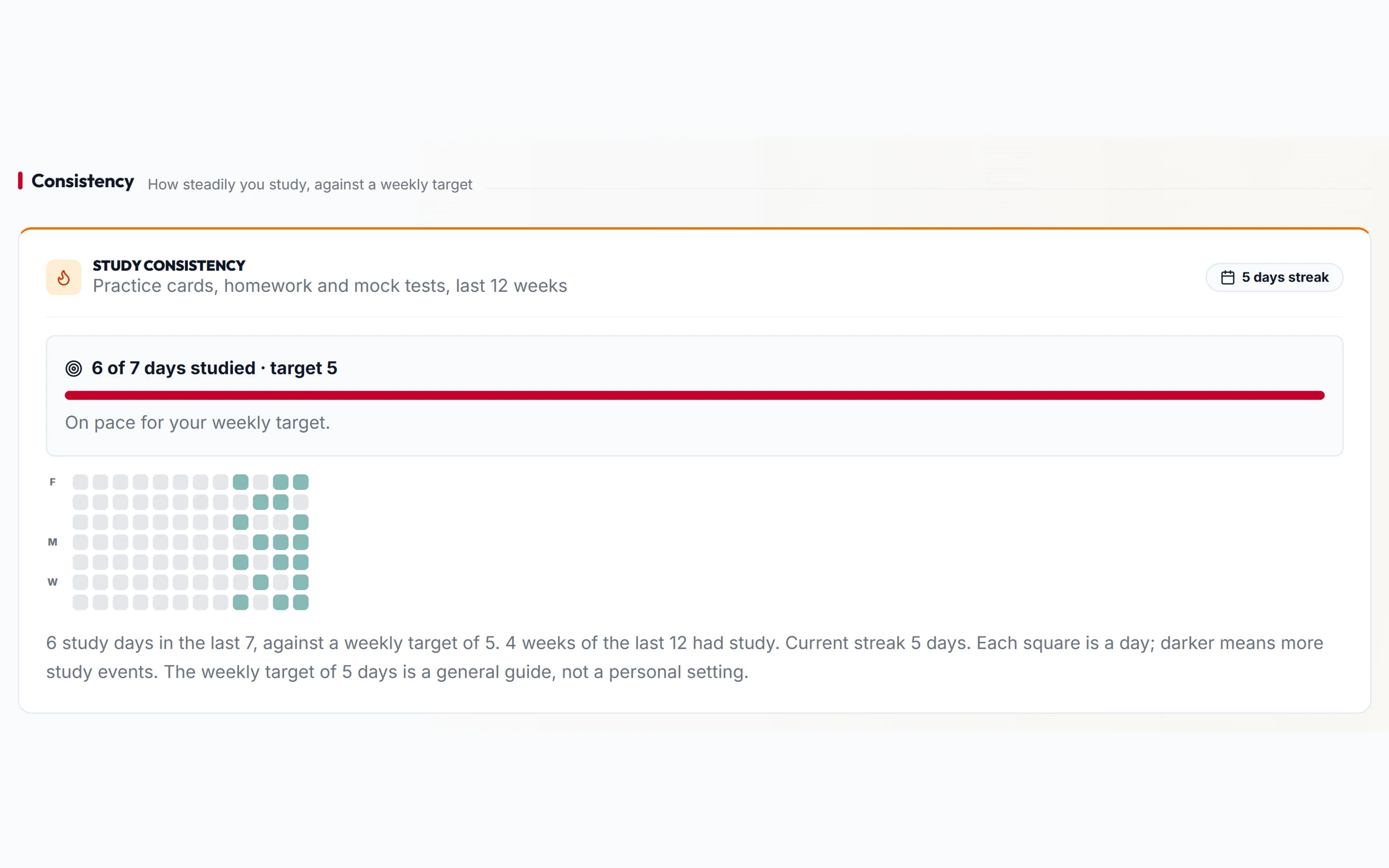
 Consistency: how many days you studied against your weekly target
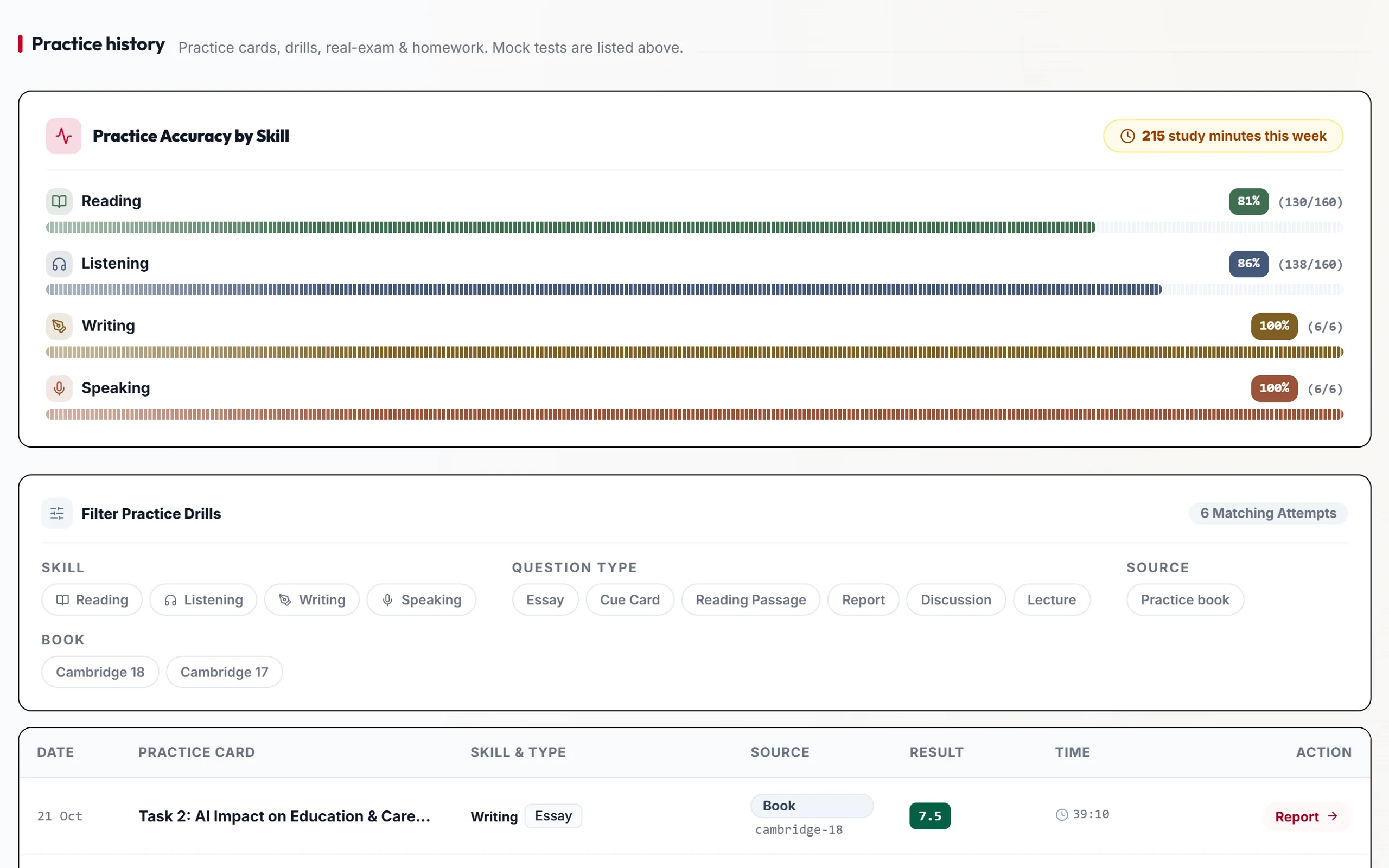
 Practice history: accuracy by skill and every recent answer
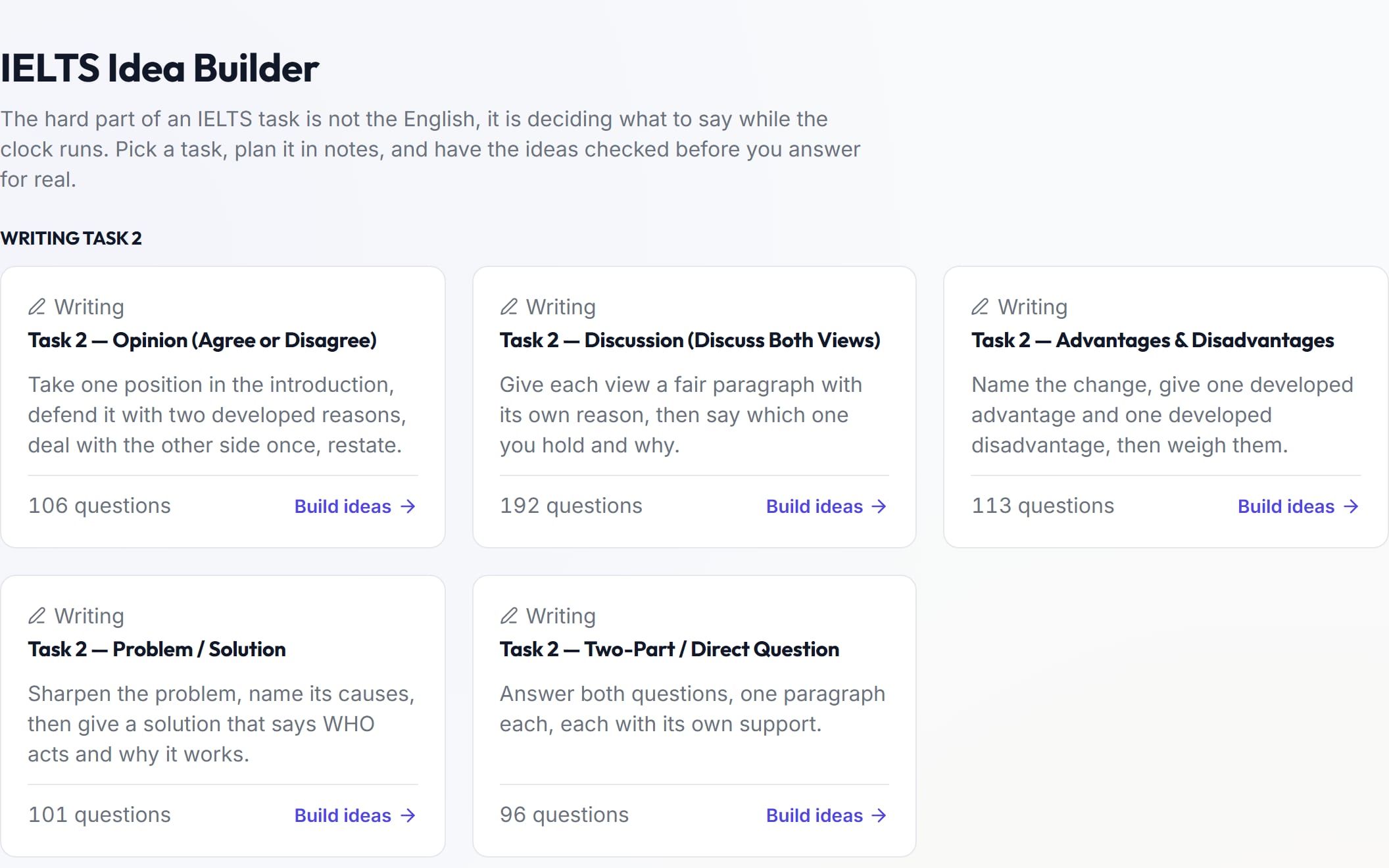
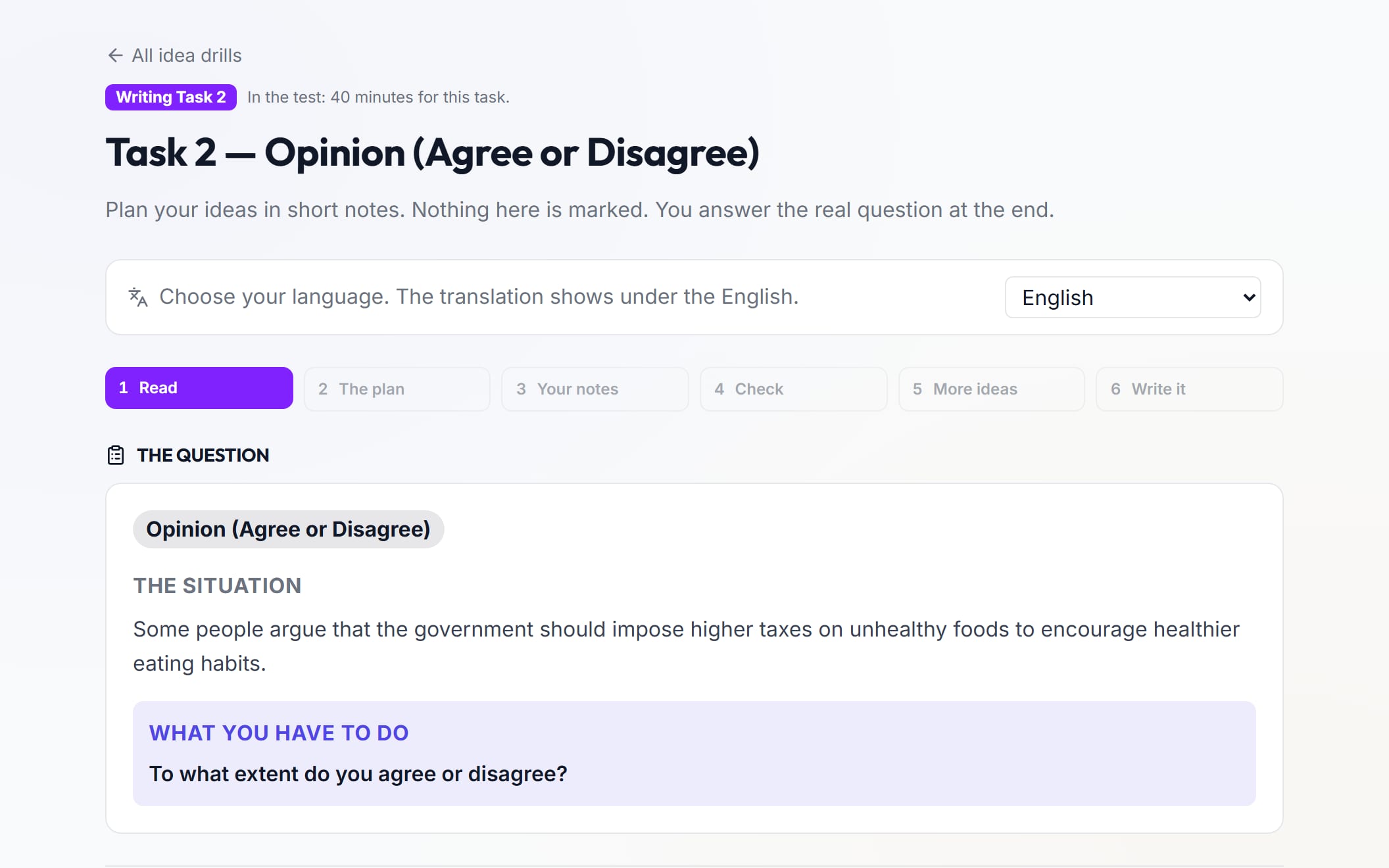
Idea Builder
Plan your answer before you write or speak.
- Questions
- 2,626
- Questions
- Drills
- 9
- Drills
- Plan step by step, in short notes
- Not scored — just for practice
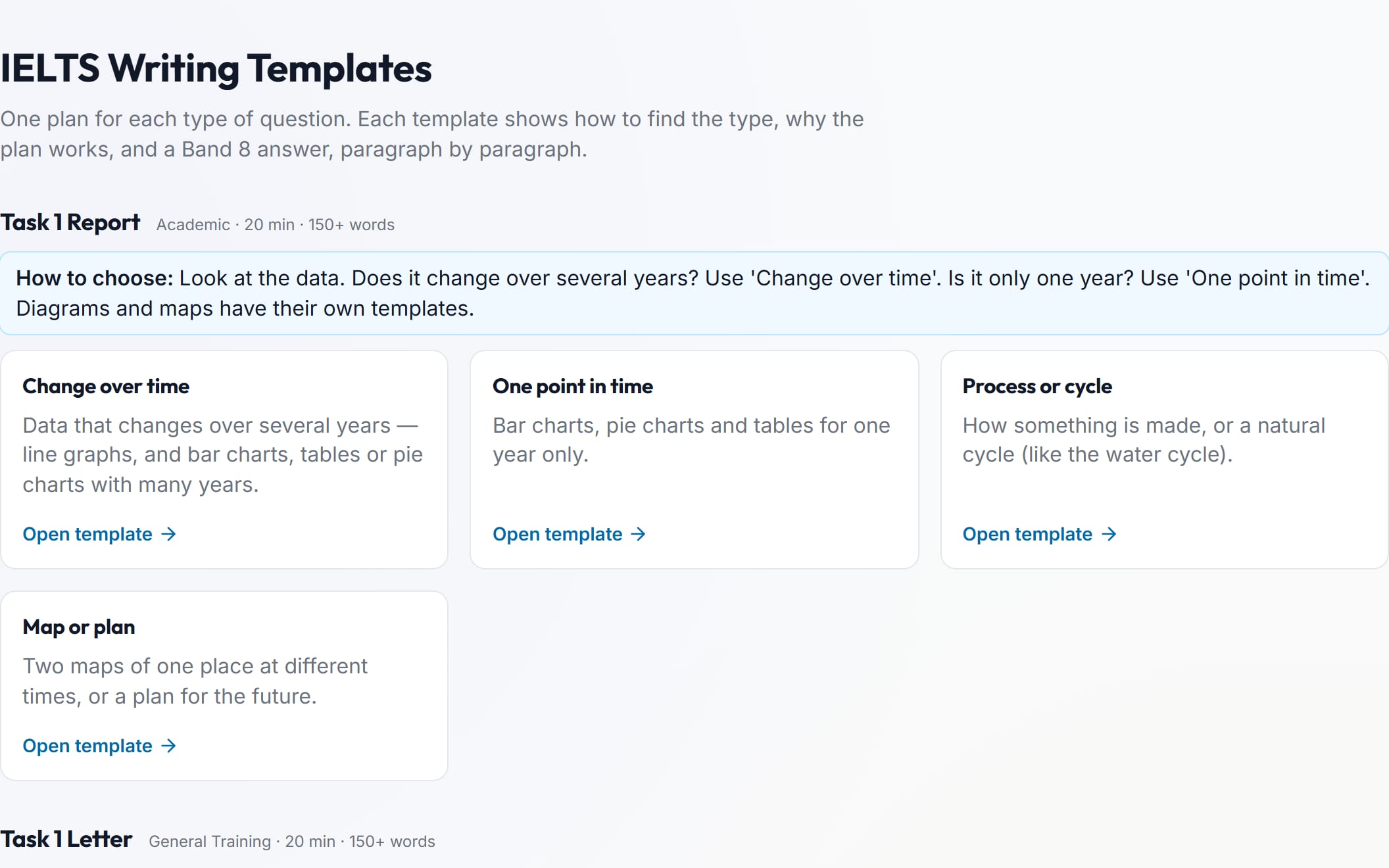
Writing Templates
A ready plan for every Writing task.
- Templates
- 12
- Templates
- Writing tasks
- 3
- Writing tasks
- How to spot each question type
- Model paragraphs at three levels for each one
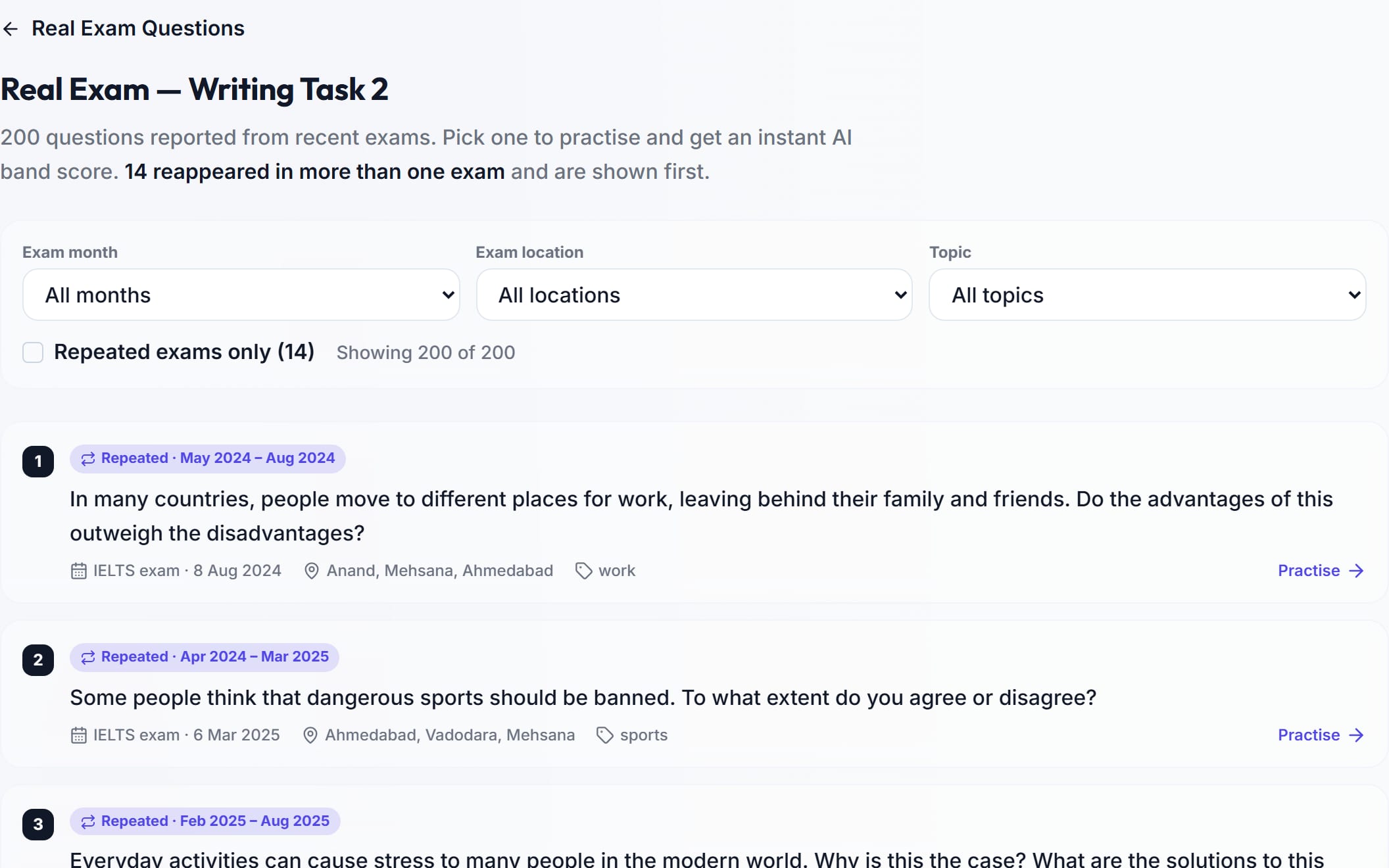
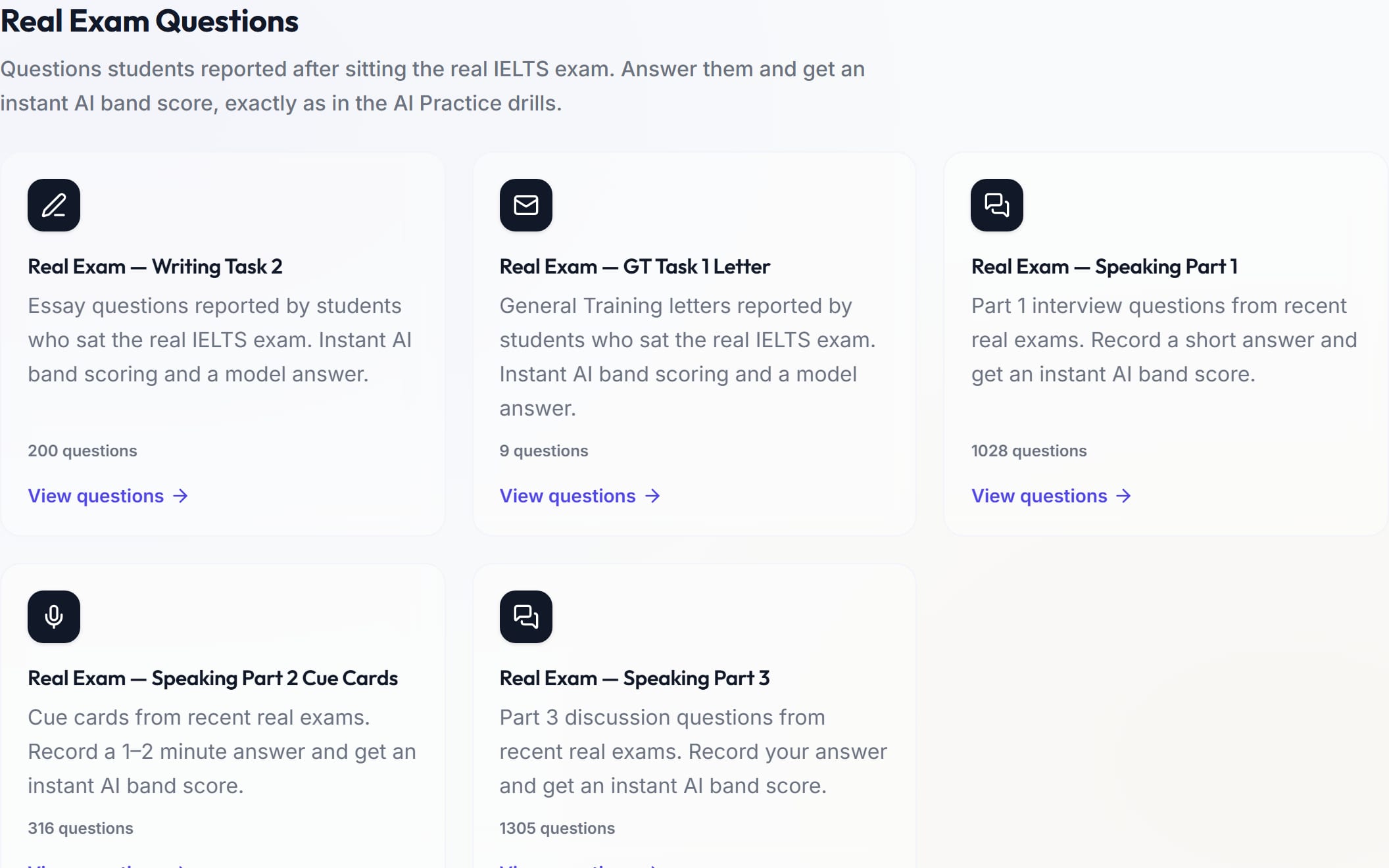
Real Exam Questions
Questions from recent real exams.
- Questions
- 2,858
- Questions
- Question banks
- 5
- Question banks
- Writing Task 2, letters and Speaking Parts 1, 2 and 3
- Filter by exam month, location and topic
Red Book and Magic Book
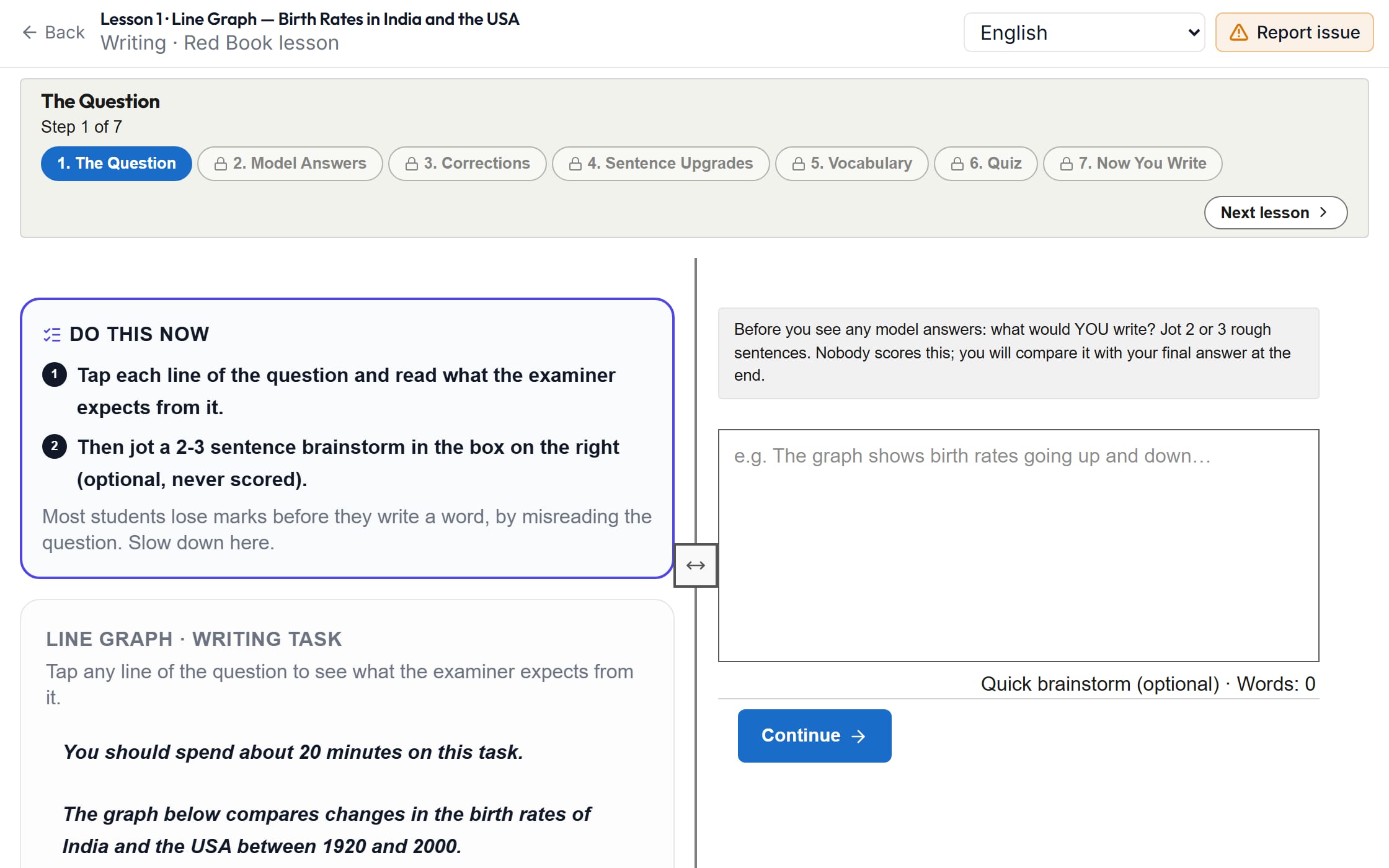
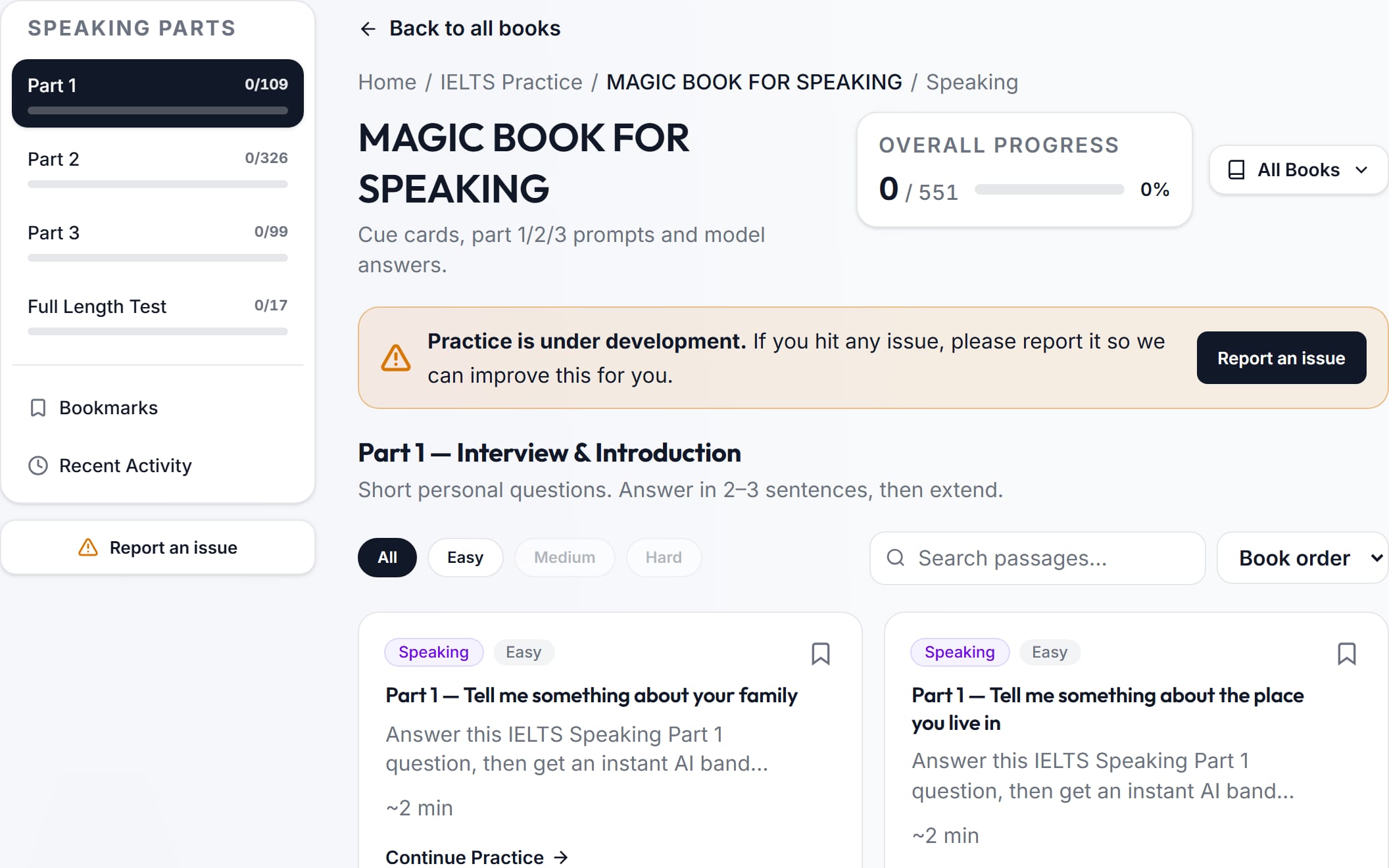
Step-by-step Writing and Speaking lessons.
- Writing lessons
- 30
- Writing lessons
- Speaking tasks
- 551
- Speaking tasks
- Red Book: Task 1, Task 2 and letters
- Each lesson: the question, model answers, sentence upgrades, words and a quiz
- Then you write your own answer and get a band
- Magic Book: Speaking Parts 1, 2 and 3, and full speaking tests
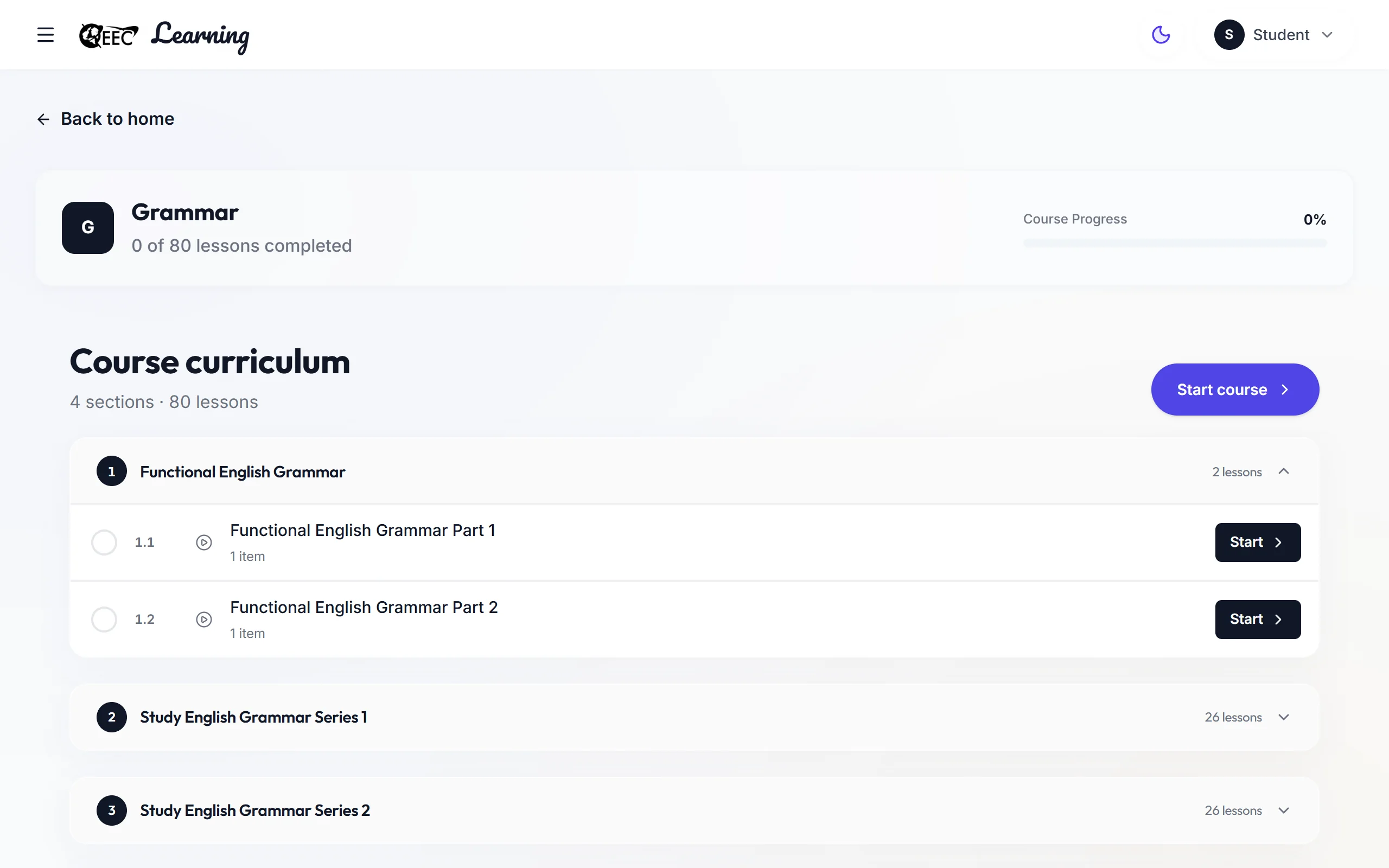
English Grammar
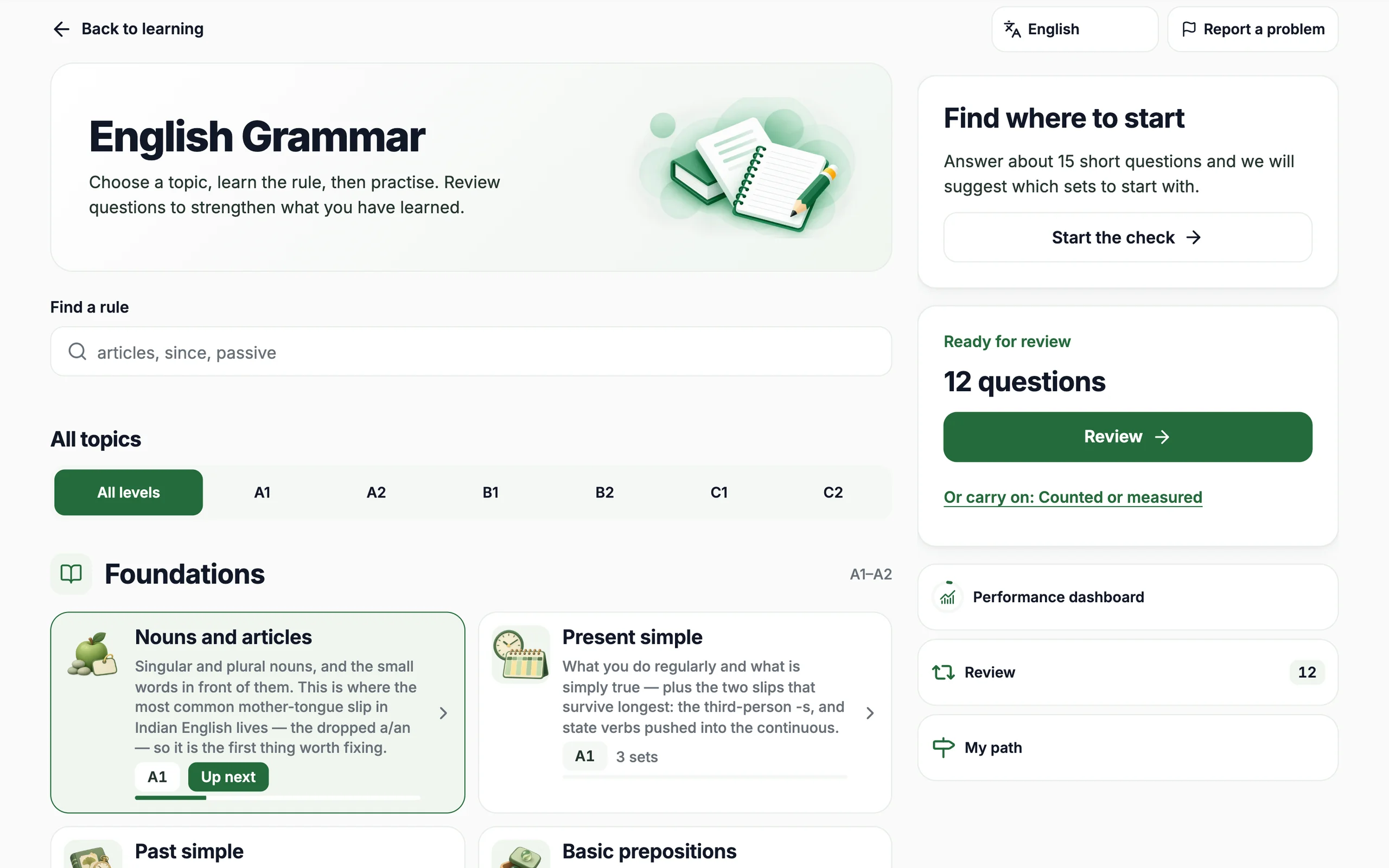
Find where to start, learn the rule, then practise until it sticks.
- Lessons
- 149
- Lessons
- Practice questions
- 4,980
- Practice questions
- B1–C1 lessons for IELTS
- 91
- B1–C1 lessons for IELTS
- Video lessons
- 80
- Video lessons
- Find where to start: a short check of 15 to 20 questions
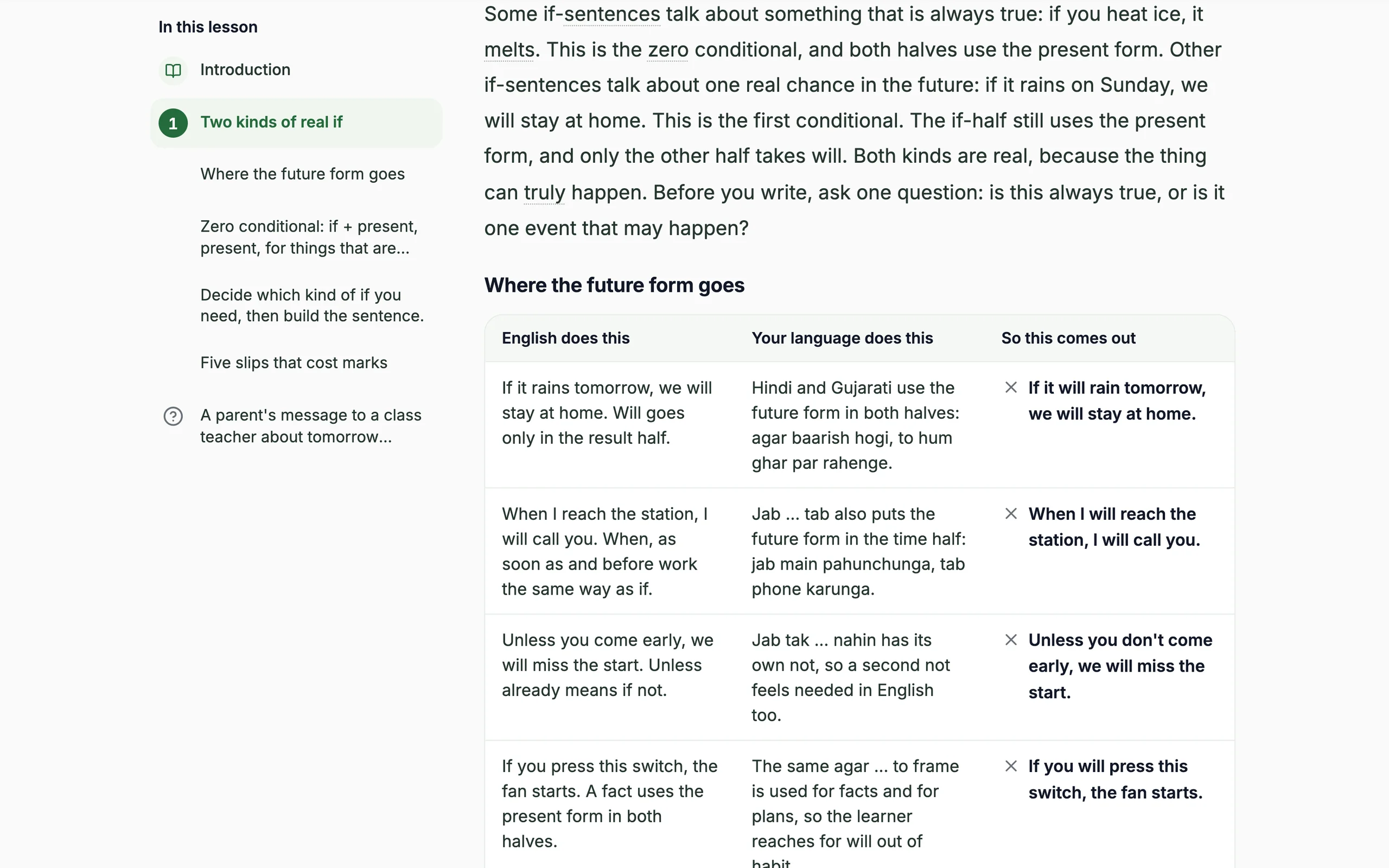
- Lessons from A1 to C2: the rule, a table and worked examples
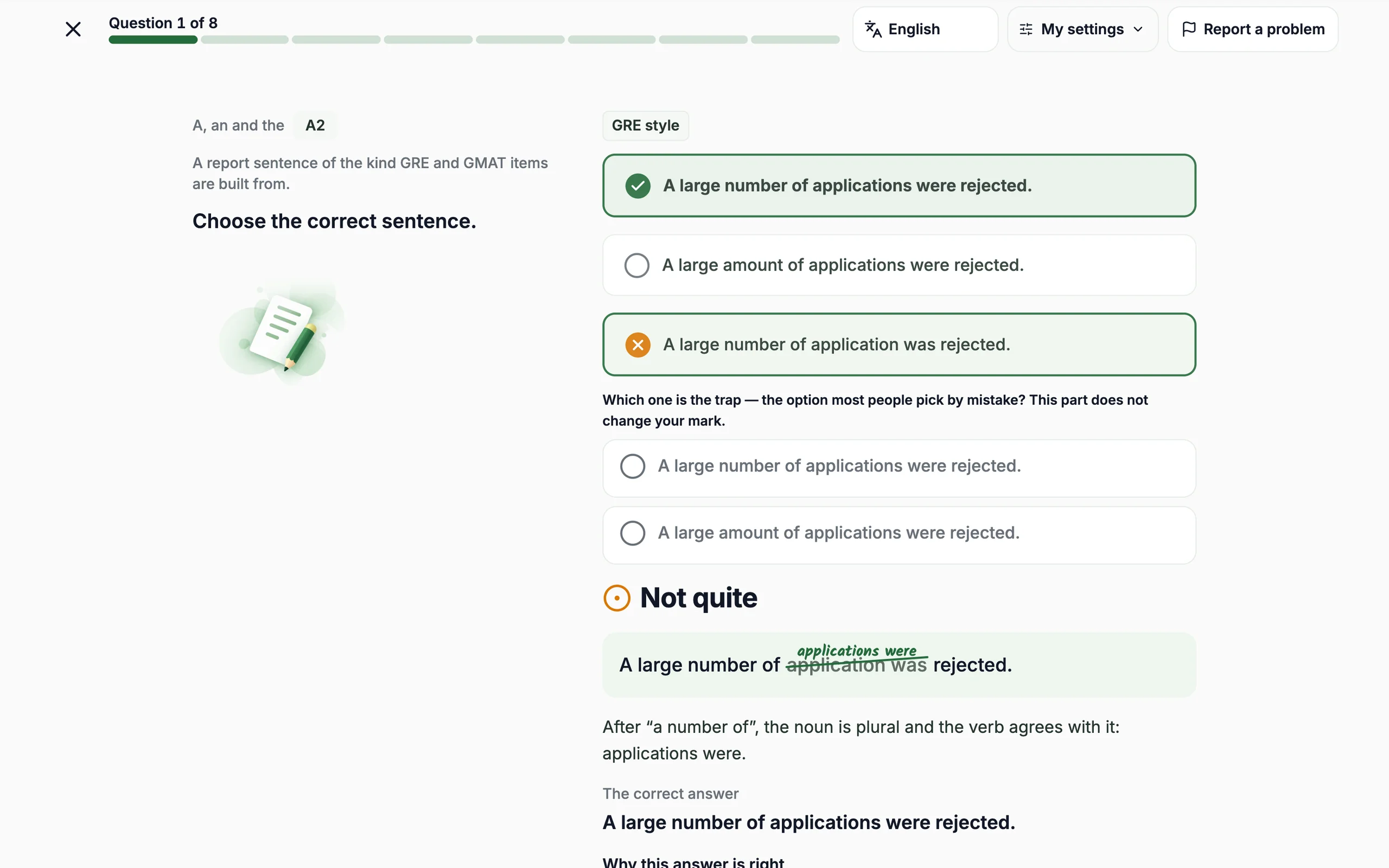
- 13 kinds of practice, from building sentences to spotting exam traps
- Every answer checked at once, with the reason, and hints when you are stuck
- Your mistakes come back for review when they are due
- Video lessons for every topic in the Grammar course
- Ask the AI tutor about a lesson or your checked answer
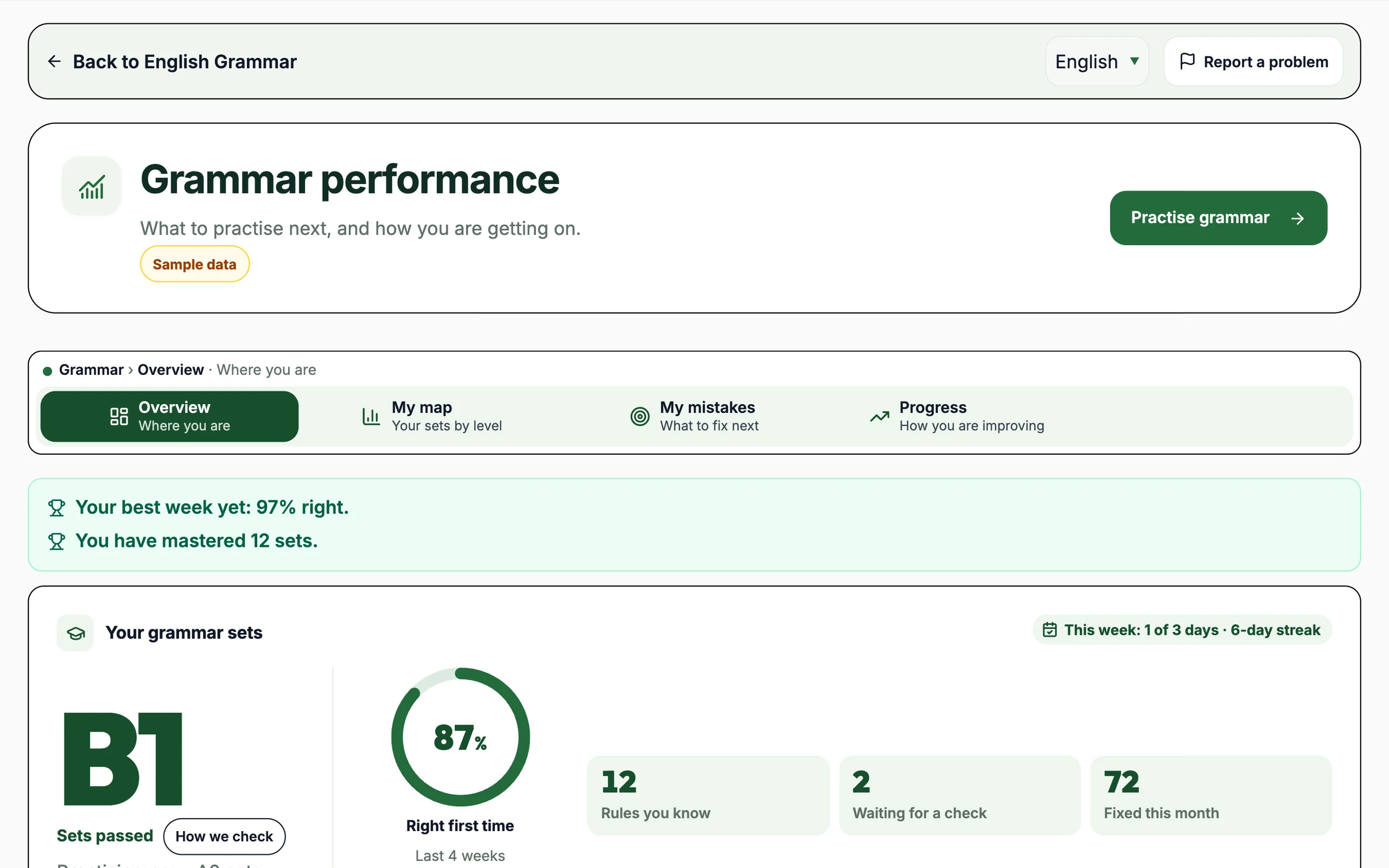
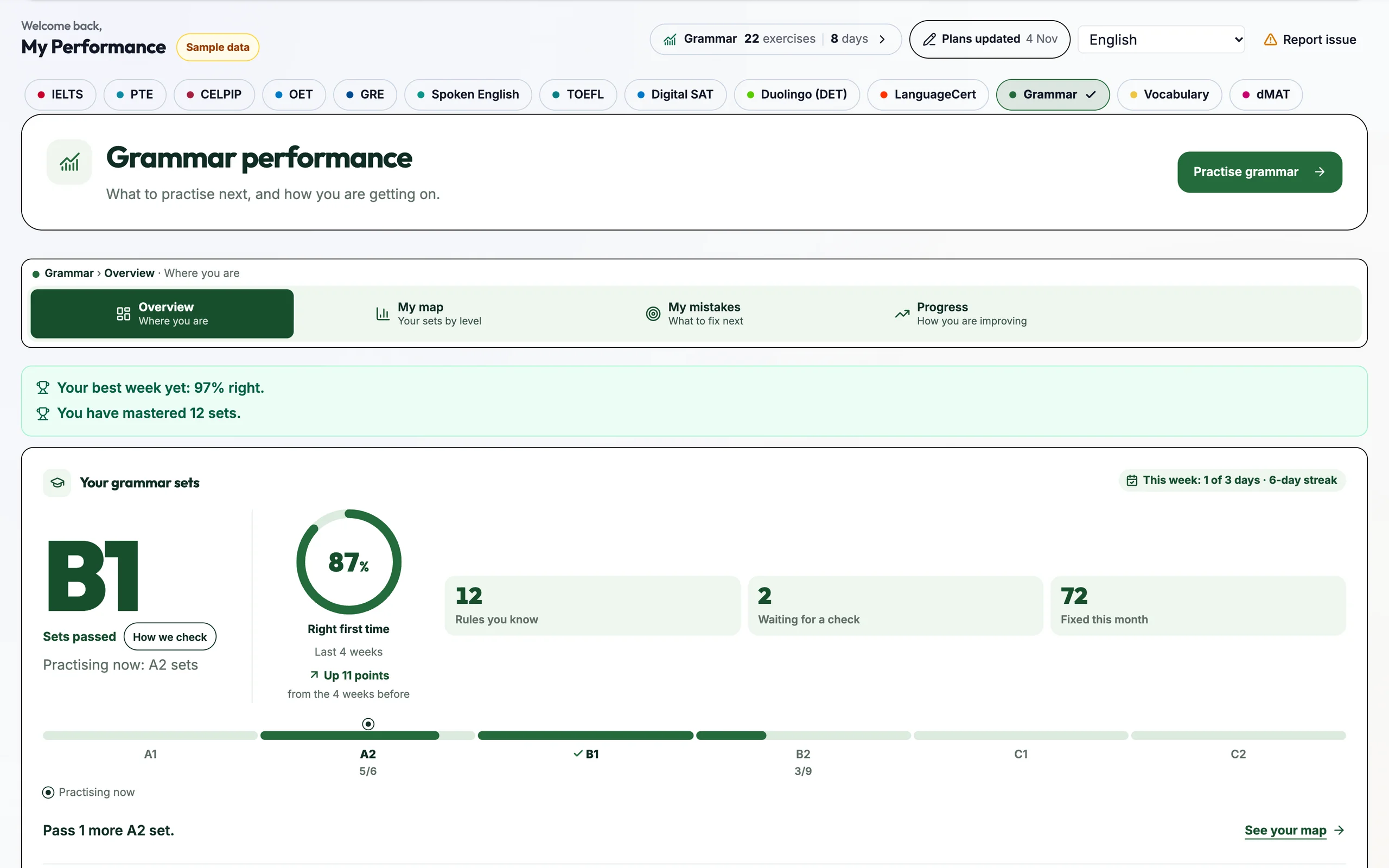
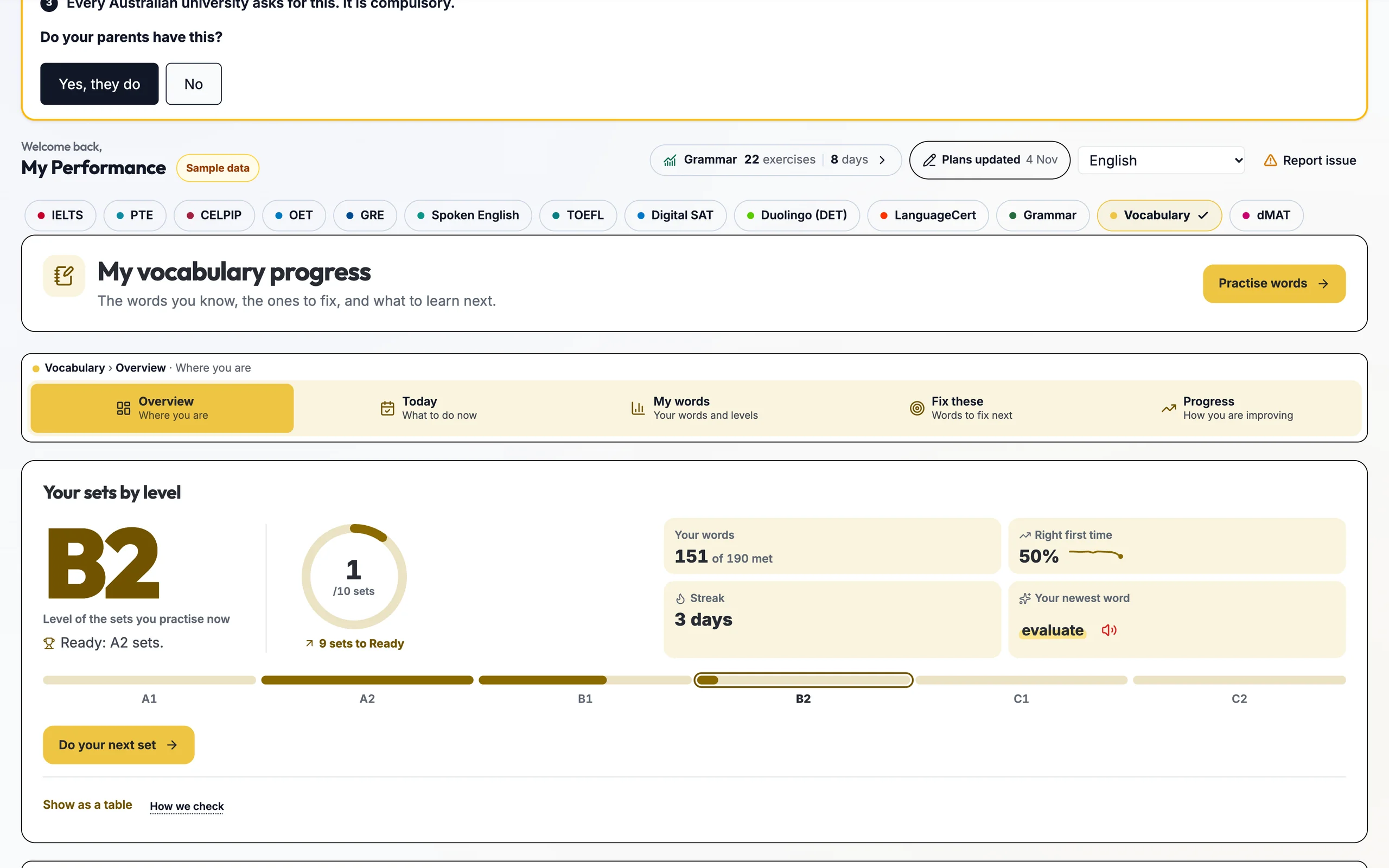
- Your Grammar dashboard: your next step, a map of the levels, and the mistakes to fix
- Read it in your language: 42 languages
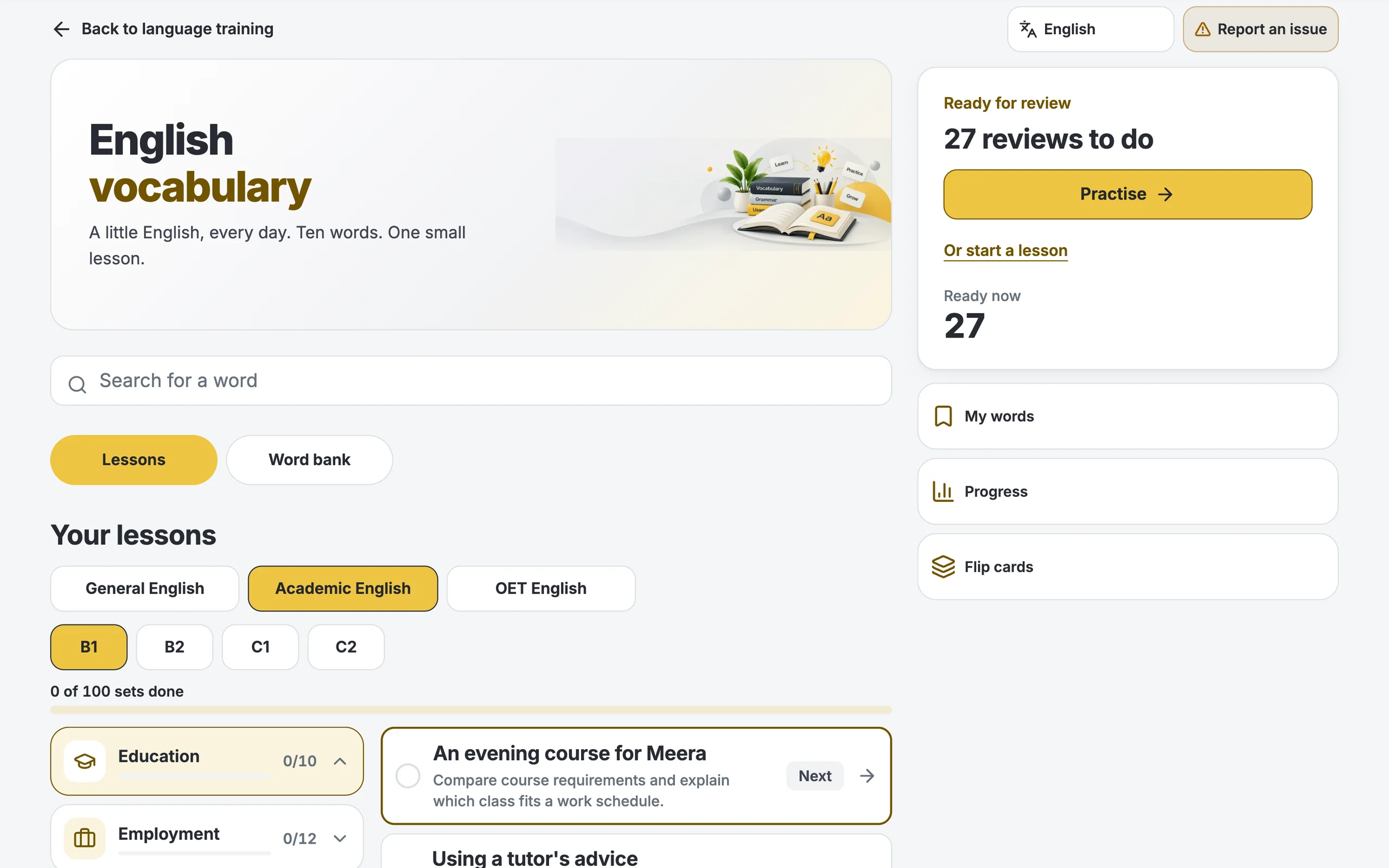
English Vocabulary
Ten new words a lesson, and a word bank to search, in about five minutes a day.
- Words
- 13,228
- Words
- Lesson sets
- 600
- Lesson sets
- Word bank sets
- 895
- Word bank sets
- B1–C2 lesson words
- 4,000
- B1–C2 lesson words
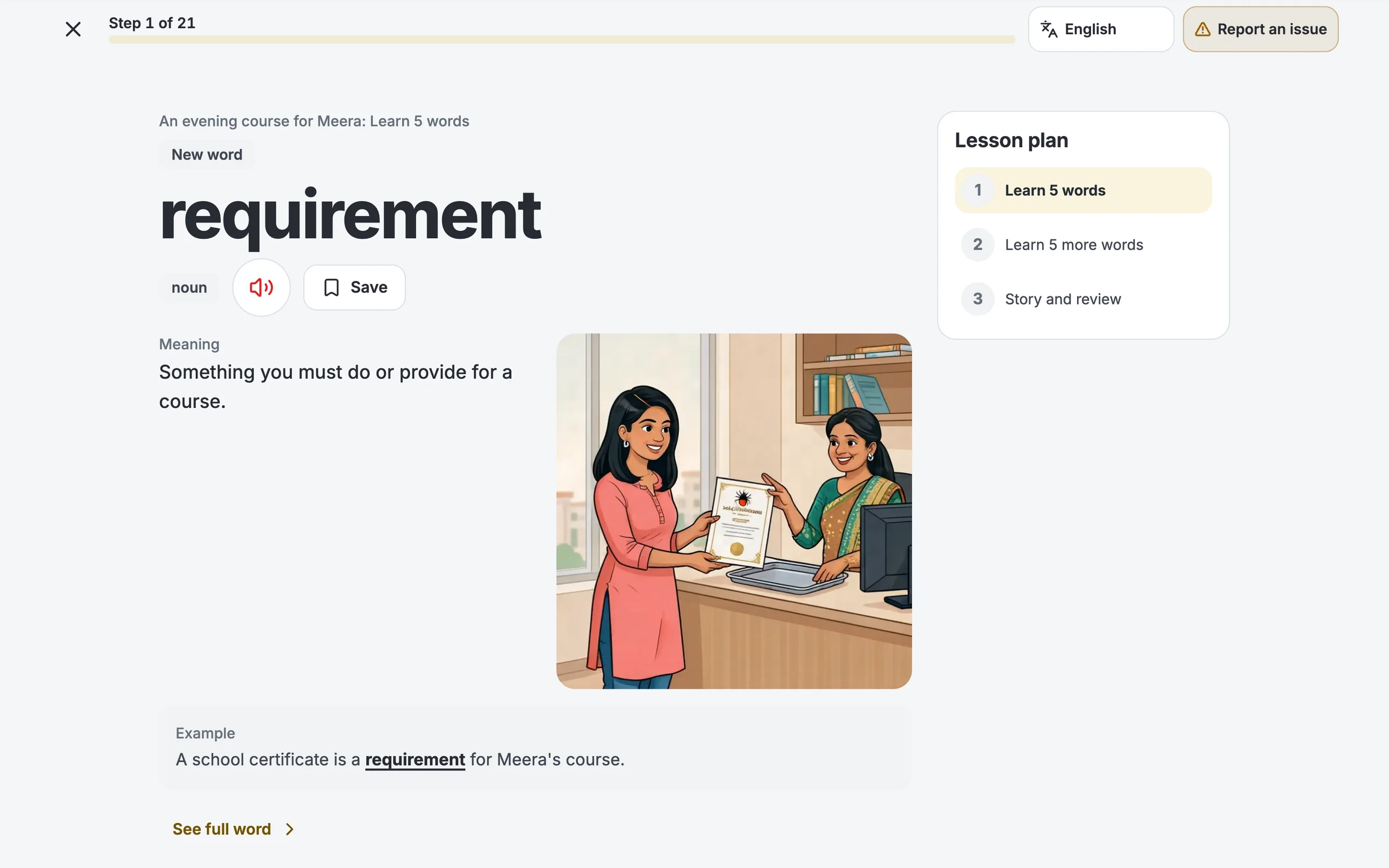
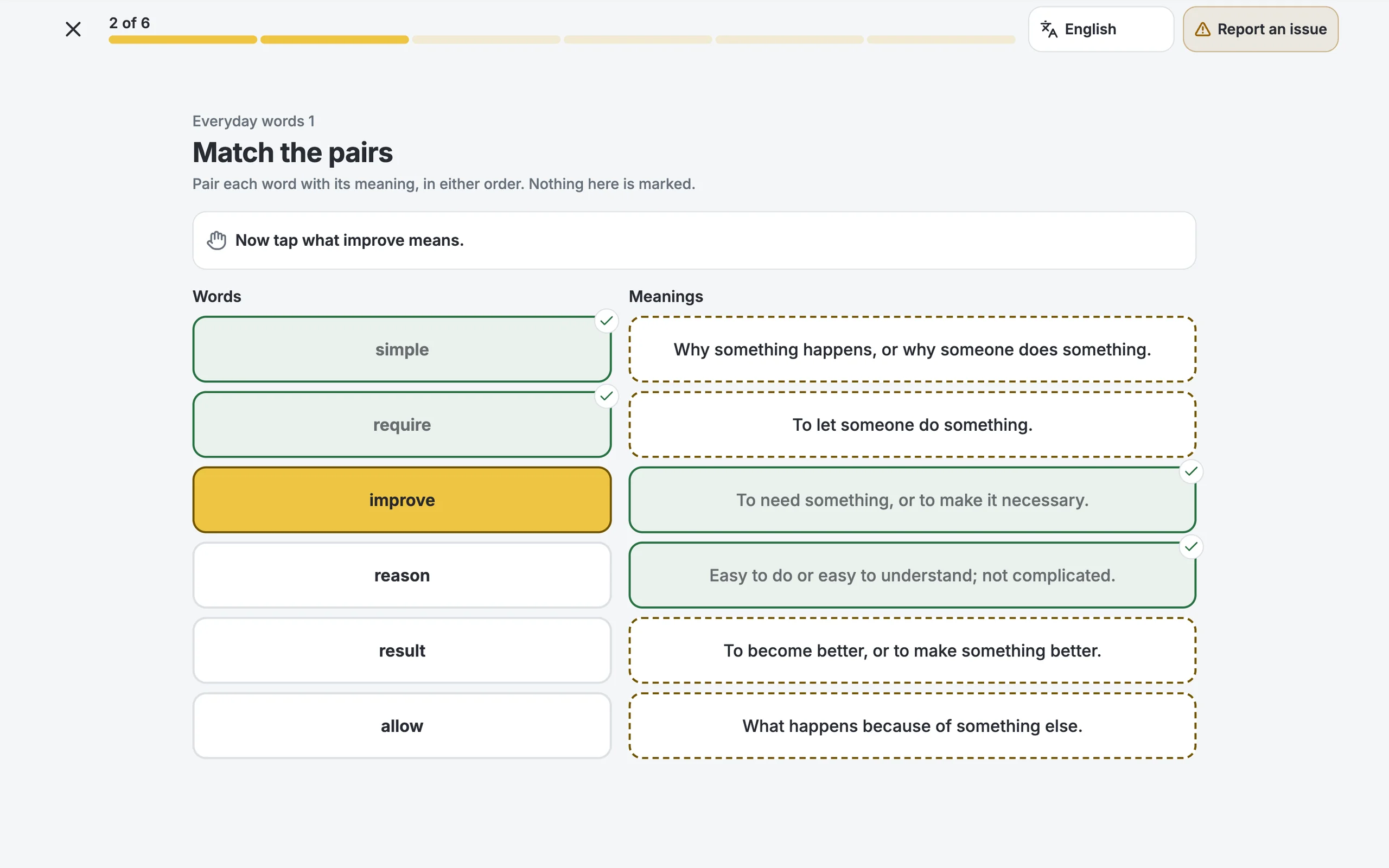
- Lessons from A1 to C2, ten words each, with a picture for every word
- General and Academic lessons; OET lessons for OET students
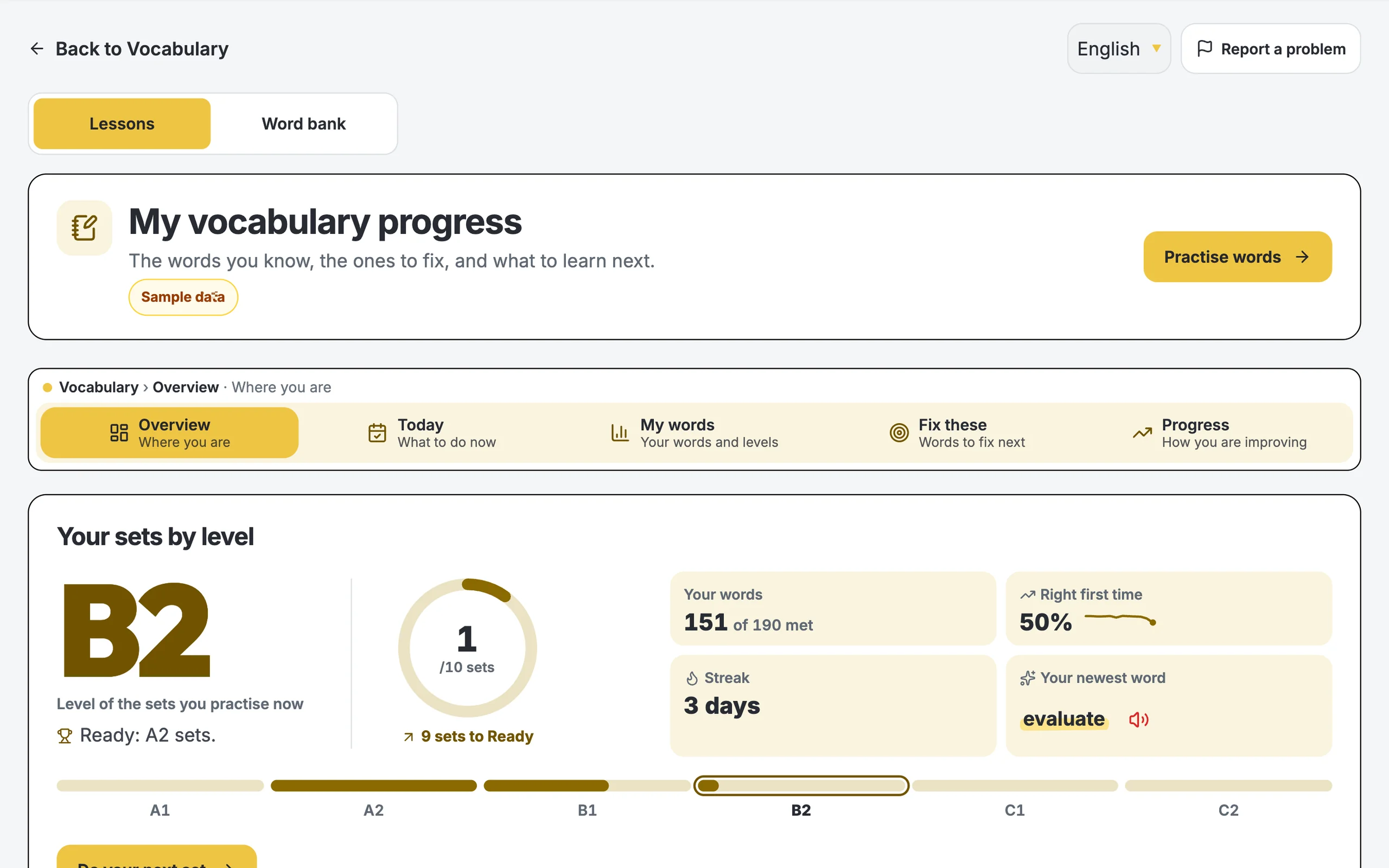
- Find your starting point in about 90 seconds
- Learn, Match and Flip cards; words come back when they are due
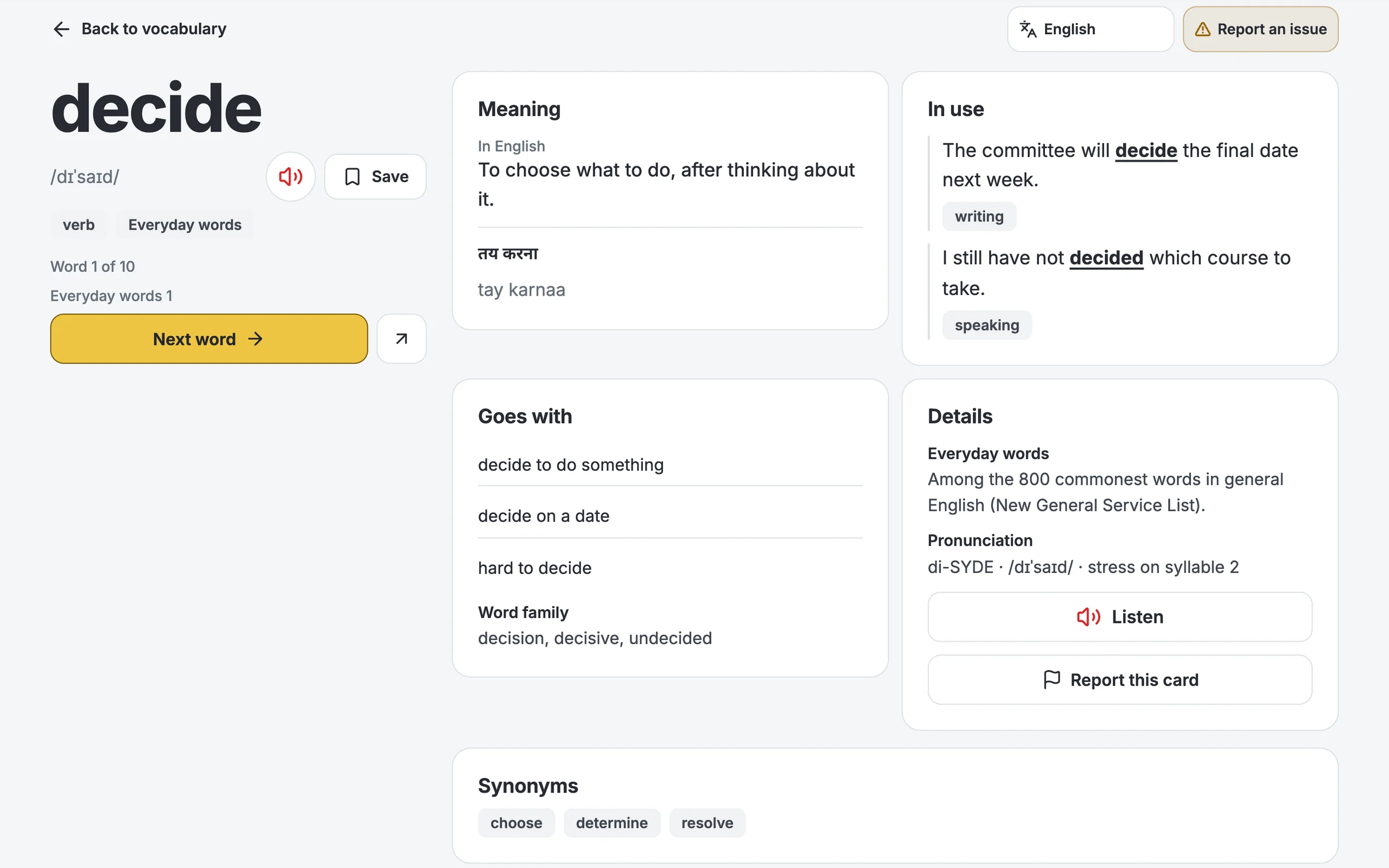
- Search any word: each one has its own page, with examples
- Hindi and Gujarati meanings for every Word bank word
- Translate any screen into 42 languages
- Your Vocabulary dashboard, and your saved words in My words
Video guides
See all Learning Portal Dashboard & AnalyticsYour band, your gap to target, your exam countdown.
 Interactive Practice MaterialSkill-wise practice sets with instant answers and explanations.
 AI Bot SectionInstant AI band scoring on Writing, GT letters and Speaking.
 Red Book WritingGuided Task 1 and Task 2 essay & letter practice.
 Magic Book Speaking ExplanationCue cards, Part 1/2/3 prompts and model answers.
 One Course, Three Ways to LearnYour live class schedule, day by day.
Common questions
Where should I start?
Take one mock test to find your band. Then practise your weakest skill here.
Is the AI band my real IELTS band?
No. It is a practice band to show you what to fix. Only the real test gives you an official band.
How does the AI mark my Speaking?
It listens to your recording, not just the words. You get a band for each Speaking criterion and see which words were unclear.
Is “Ask Teacher” a real teacher?
No. It is an AI tutor. It explains the passage, and after you check your answers it explains why an answer is right.
I wrote my essay on paper. Can I still get a band?
Yes. On a Writing practice question, upload photos or a PDF of your pages (up to 10 pages). The words go into your answer box. Check them, then press “Get score”.
Can I see the questions in my language?
Yes, in practice, templates and reports. Choose your language from the list. The translation shows under the English. Mock tests stay in English, like the real test. There are 42 languages.
Is my Idea Builder work saved?
No. The Idea Builder is only for planning. Nothing is scored or saved.
Where can I see all my scores?
On My Performance. Click “See your scores” at the top of this page.